
17 Legal Appointment Scheduling Software Options for Law Firms in 2027

10 Legal Appointment Scheduling Software Shortlist
Here's my pick of the 10 best software from the 17 tools reviewed.


Legal appointment scheduling software lets your law firm automate bookings, manage calendars, and coordinate client meetings without back-and-forth emails or phone calls. If you’re searching for the best way to reduce administrative work, minimize no-shows, and keep your team organized, the right scheduling tool can make a measurable difference. This list will help you compare top legal appointment scheduling software for 2026, so you can find a solution that fits your workflow, supports compliance, and improves the client experience.
Why You Can Trust Us
Legal Appointment Scheduling Software Summary
| Tool | Best For | Trial Info | Price | ||
|---|---|---|---|---|---|
| 1 | Best for calendar sync with external platforms | 14-day free trial and free plan available | From $14.40/user/month | Website | |
| 2 | Best for multi-staff calendar management | Free plan available | From $5/user/month (billed annually) | Website | |
| 3 | Best for branded legal consultation booking pages | Free plan available | From $11.9/month (billed annually) | Website | |
| 4 | Best for automated client reminders and confirmations | 10-day free trial available | From $49/user/month (billed annually) | Website | |
| 5 | Best for court rules-based calendar automation | Free trial available | From $79/user/month (billed annually) | Website | |
| 6 | Best for client portal scheduling integration | 10-day free trial | From $39/user/month (billed annually) | Website | |
| 7 | Best for customizable booking links for firms | 14-day free trial | From $39/user/month | Website | |
| 8 | Best for group meeting coordination | Free plan available | From $13/user/month | Website | |
| 9 | Best for team-based appointment routing | 10-day free trial | From $15/user/month (billed annually) | Website | |
| 10 | Best for integrating intake with scheduling workflows | Free demo available | Pricing upon request | Website |
-

Insightful
Visit WebsiteThis is an aggregated rating for this tool including ratings from Crozdesk users and ratings from other sites.4.8 -
CARET Legal
Visit WebsiteThis is an aggregated rating for this tool including ratings from Crozdesk users and ratings from other sites.4.5 -
Redactable
Visit Website


Legal Appointment Scheduling Software Reviews
Below are my detailed summaries of legal appointment scheduling software that made it onto my shortlist. My reviews offer a detailed look at the features, integrations, and best use cases of each platform to help you find the best one for you.

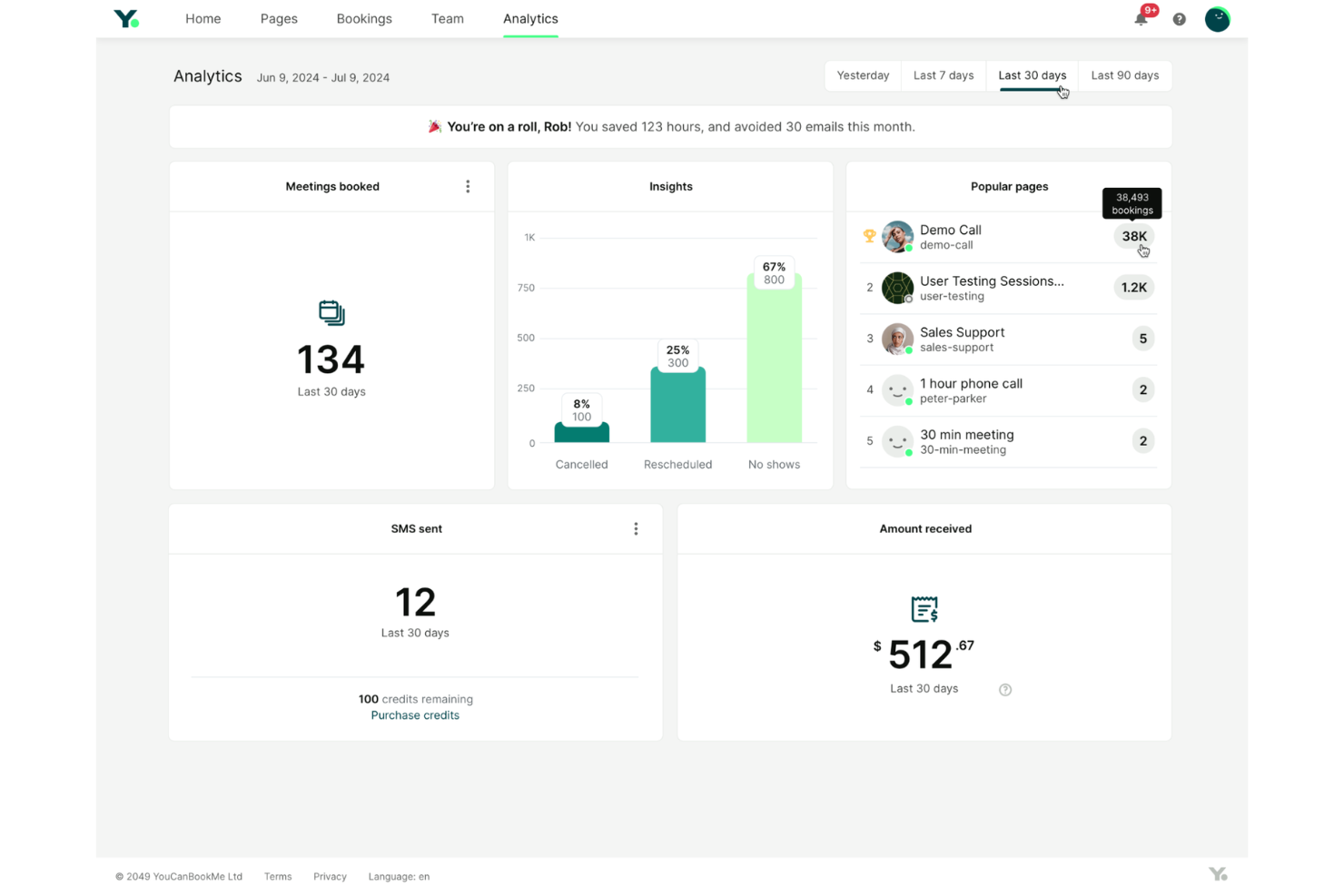
YouCanBookMe gives legal professionals a way to automate client bookings and manage appointments online. Law firms and solo practitioners who rely on external calendars can use it to keep schedules accurate and avoid double-booking. The platform helps reduce back-and-forth emails by letting clients self-schedule based on real-time availability.
Who Is YouCanBookMe Best For?
YouCanBookMe suits law firms and solo attorneys who need to coordinate appointments across multiple external calendars.
Why I Picked YouCanBookMe
What drew me to YouCanBookMe is how it handles real-time calendar synchronization with external platforms, which is a frequent challenge for legal teams managing multiple calendars. The tool connects directly to Google and Microsoft calendars, so availability updates instantly when appointments are booked or changed.
I also appreciate that it can automatically adjust for time zones, which is useful for firms with clients in different regions. This focus on accurate, up-to-date scheduling helps legal professionals avoid double-booking and keeps everyone on the same page.
YouCanBookMe Key Features
Some other features in YouCanBookMe that help legal professionals manage appointments and client communications include:
- Customizable booking forms: Create tailored intake forms to collect relevant client information during the scheduling process.
- Automated time zone detection: Adjust appointment times automatically based on the client’s location to avoid confusion.
- SMS and email notifications: Send automated confirmations, reminders, and follow-ups to clients and staff.
- Team availability management: Display and manage multiple team members’ schedules to coordinate bookings across your firm.
YouCanBookMe Integrations
Integrations include Google Calendar, Microsoft Outlook, Apple Calendar, Fastmail, Zoom, Google Meet, Microsoft Teams, Stripe, Gmail, and HubSpot.
Pros and Cons
Pros:
- Embeds booking pages directly on firm websites
- Customizable intake forms for client information
- Syncs instantly with Google and Outlook calendars
Cons:
- Reporting lacks legal practice-specific metrics
- Lacks legal-specific document management features

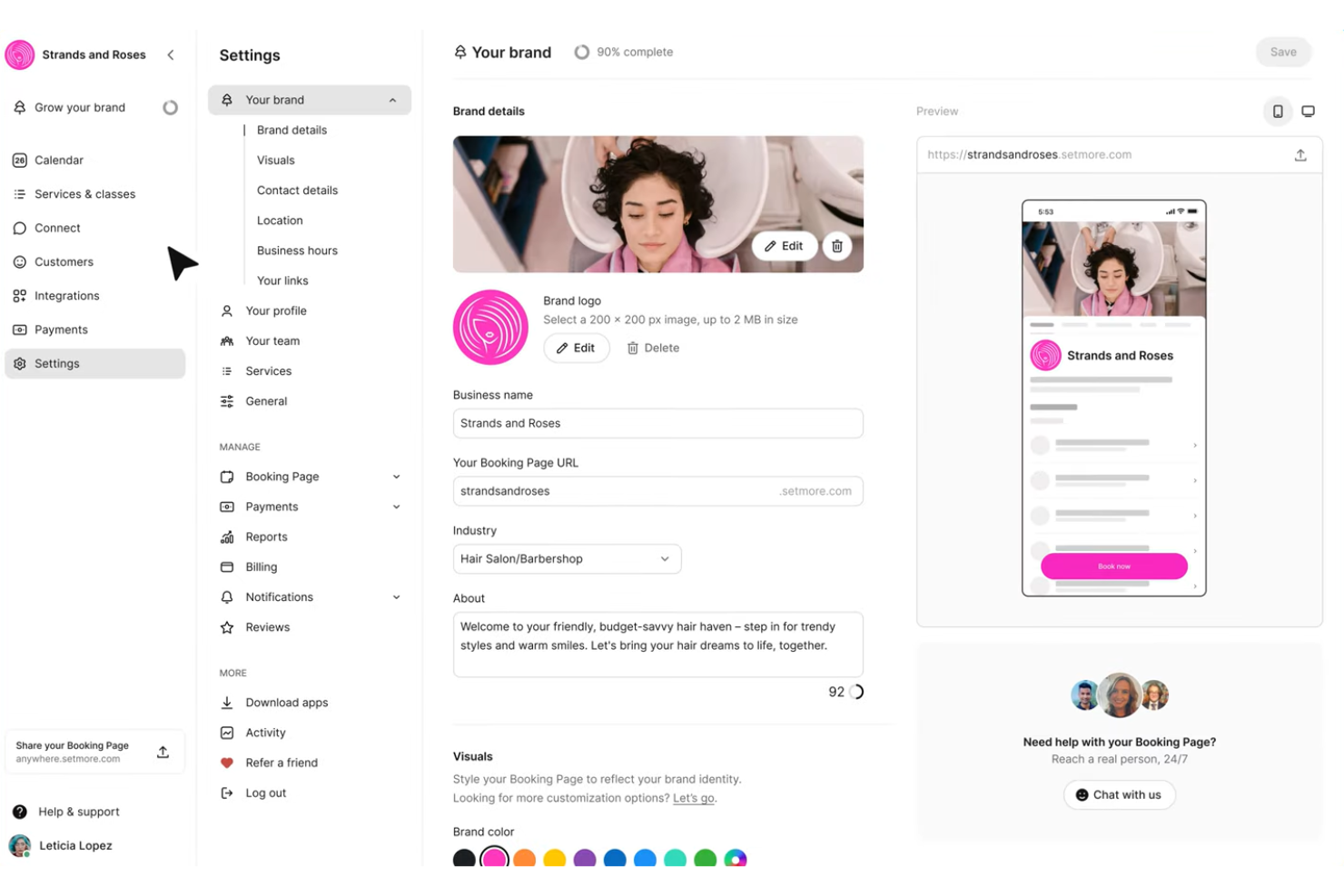
Setmore offers legal professionals a way to coordinate appointments across multiple staff calendars from one platform. Law firms and legal teams can use it to manage client bookings, staff schedules, and appointment reminders in a centralized system. The platform helps reduce scheduling conflicts and keeps everyone on the same page.
Who Is Setmore Best For?
Setmore fits small to midsize law firms that need to coordinate appointments and calendars across multiple attorneys or staff members.
Why I Picked Setmore
I chose Setmore because it’s designed to help law firms manage multiple staff calendars without confusion or overlap. The platform lets you assign appointments to specific attorneys or paralegals, so everyone’s schedule stays organized and visible. I appreciate that you can set individual staff availability and sync calendars, which helps prevent double-booking and missed appointments. This focus on multi-staff coordination makes Setmore a strong fit for legal teams that need to juggle complex schedules.
Setmore Key Features
In addition to its multi-staff calendar management, Setmore offers several other features that support legal scheduling needs:
- Client self-booking: Allow clients to schedule appointments online through a branded booking page.
- Automated email and SMS reminders: Send appointment confirmations and reminders to clients and staff to help reduce no-shows.
- Payment integration: Accept payments for consultations or retainers directly through the scheduling platform.
- Video meeting integration: Connect with clients using integrated video conferencing tools like Zoom or Teleport for remote appointments.
Setmore Integrations
Integrations include Facebook, Zoom, Square, Google Calendar, WordPress, Stripe, Instagram, LawPay, LEX Reception, and Clio.
Pros and Cons
Pros:
- Integrates with LawPay for legal payments
- Offers client self-booking with intake forms
- Supports unlimited appointments per staff member
Cons:
- Lacks advanced reporting for legal metrics
- No built-in document management for case files

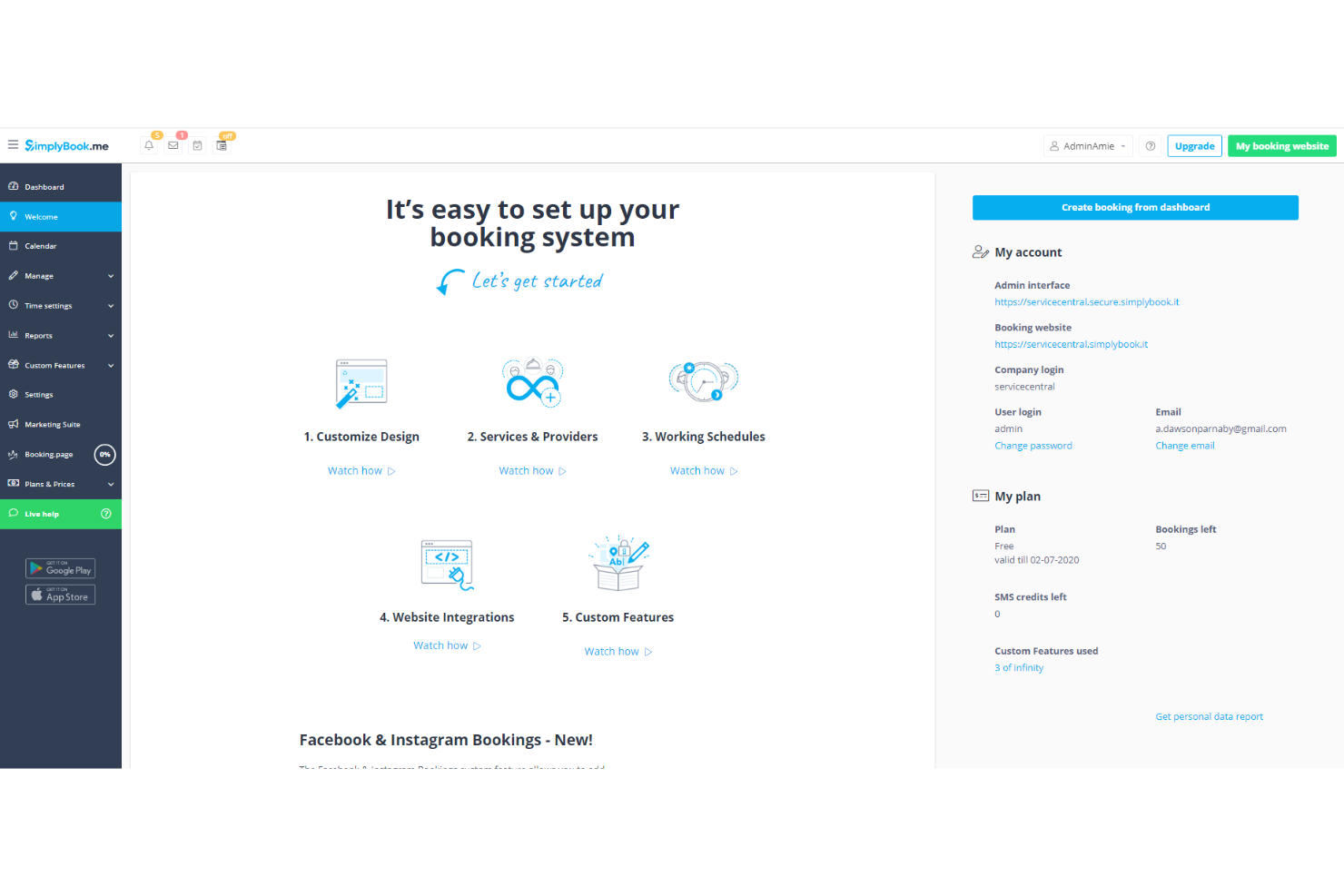
SimplyBook.me gives law firms and solo practitioners a way to manage client appointments online while maintaining a professional image. The platform is designed for legal professionals who want to offer clients a smooth, self-service booking experience. It helps reduce back-and-forth scheduling and keeps appointment details organized in one place.
Who is SimplyBook.me Best For?
SimplyBook.me suits small to midsize law firms and solo legal practitioners who want to offer clients a branded, online appointment booking experience.
Why I Picked SimplyBook.me
What drew me to SimplyBook.me is how it lets legal professionals create branded consultation booking pages that reflect your firm’s identity. You can customize the site with your logo, colors, and service descriptions, so clients see a consistent and professional image from the first interaction. I also like that you can embed the booking widget directly into your firm’s existing website or share a unique booking link. This level of branding control is especially valuable for law firms that want to stand out and build trust with clients from the start.
SimplyBook.me Key Features
Some other features in SimplyBook.me that help legal professionals manage appointments and client engagement include:
- Custom intake forms: Collect detailed client information during the booking process with customizable forms.
- HIPAA compliance option: Enable HIPAA-compliant booking and data handling for firms managing sensitive client information.
- Google Calendar sync: Sync appointments with Google Calendar to keep schedules up to date across platforms.
- Client notifications: Send automated email and SMS notifications for booking confirmations, reminders, and cancellations.
SimplyBook.me Integrations
Integrations include WordPress, Joomla, Facebook, Instagram, Google My Business, Microsoft 365/Teams, Stripe, PayPal, QuickBooks, and Outlook.
Pros and Cons
Pros:
- Supports online payments for legal services
- Intake forms collect client and case details
- Customizable booking site matches firm branding
Cons:
- Reporting lacks legal practice-specific metrics
- Group scheduling options are basic

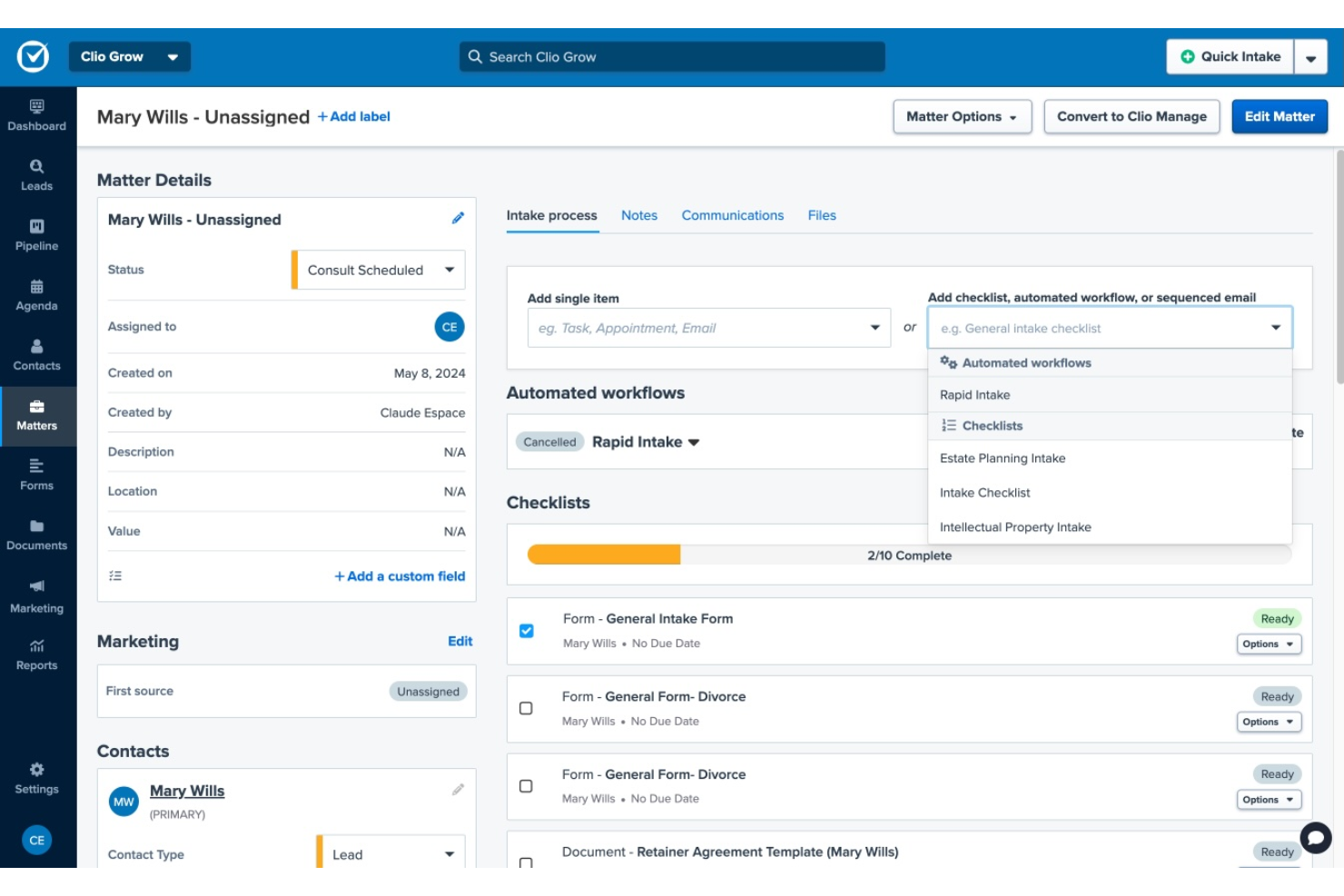
Clio offers appointment scheduling features designed specifically for law firms and legal professionals who need to coordinate meetings with clients and colleagues. The platform integrates scheduling with case management, helping you keep all client interactions organized in one place. If your practice needs a centralized way to manage appointments alongside documents, billing, and communications, Clio brings these functions together.
Who Is Clio Best For?
Clio is a strong fit for law firms and solo practitioners seeking integrated appointment scheduling within a broader legal practice management platform.
Why I Picked Clio
I picked Clio because its appointment scheduling tool is built to reduce no-shows and keep clients informed through automated reminders and confirmations. The system lets you set up automatic email and SMS notifications for upcoming meetings, so clients and staff always know what’s next. I also appreciate that Clio logs all appointment activity within each matter, making it easy to track communications and follow up as needed. These features help law firms maintain professionalism and minimize missed appointments without extra manual work.
Clio Key Features
Some other features in Clio’s appointment scheduling tool that stand out include:
- Online booking links: Share personalized booking links with clients so they can schedule meetings directly based on your real-time availability.
- Calendar sync: Connect Clio with Google Calendar or Outlook to keep all appointments up to date across platforms.
- Custom appointment types: Set up different meeting types with unique durations, locations, and instructions for each.
- Client intake forms: Collect key information from clients at the time of booking using customizable intake forms.
Clio Integrations
Integrations include Google Calendar, Outlook, Zoom, Microsoft Teams, Intaker, Clientping, Smith.ai, Fastcase, Dropbox, and QuickBooks Online.
Pros and Cons
Pros:
- Customizable intake forms at booking
- Appointment activity logs link to matters
- Automated reminders reduce client no-shows
Cons:
- Limited customization for reminder templates
- No group appointment scheduling feature

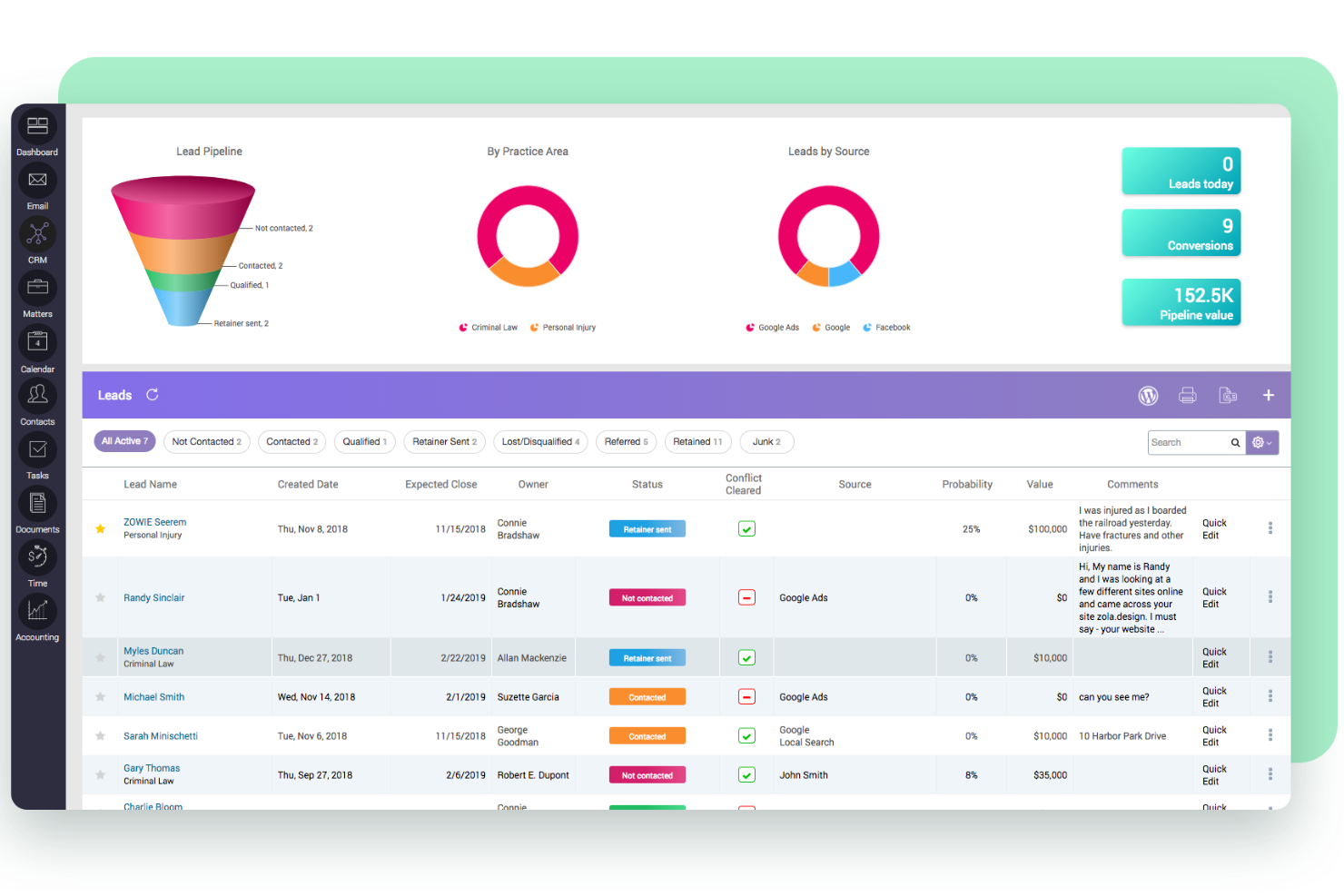
CARET Legal offers legal professionals a way to manage appointments and deadlines within a broader case management platform. Firms handling complex litigation or regulatory matters may find their legal calendaring features especially useful for tracking critical dates. The platform helps reduce missed deadlines by centralizing scheduling alongside matter management.
Who Is CARET Legal Best For?
CARET Legal fits midsize to large law firms that need automated calendaring based on court rules and compliance deadlines.
Why I Picked CARET Legal
What sets CARET Legal apart from other legal appointment scheduling tools is its built-in court rules automation. I picked this tool because it automatically calculates deadlines and hearing dates based on jurisdiction-specific court rules, which helps firms avoid manual date entry and reduces the risk of missed deadlines.
The platform also lets you link appointments directly to matters, so every event is contextually tied to the right case. This level of automation and matter integration is especially valuable for litigation teams managing complex, deadline-driven workflows.
CARET Legal Key Features
Some other features in CARET Legal that support legal teams and firm operations include:
- Document management integration: Connect case files and calendar events directly to documents stored within the platform for quick access.
- Customizable matter templates: Set up reusable templates for different case types to standardize event creation and scheduling.
- Role-based permissions: Control who can view, edit, or create calendar entries based on user roles within your firm.
- Automated reminders: Send scheduled notifications to attorneys, staff, and clients about upcoming appointments or deadlines.
CARET Legal Integrations
Integrations include Microsoft 365, Google Workspace, IMAP, LawToolBox, Lawmatics, HotDocs, OneDrive, NetDocuments, Microsoft Word, and QuickBooks Online.
Pros and Cons
Pros:
- Two-way sync with Outlook and Google Calendar
- Direct matter linking for all appointments
- Court rules automation for deadline calculation
Cons:
- Limited customization for appointment types
- No public-facing client self-scheduling option

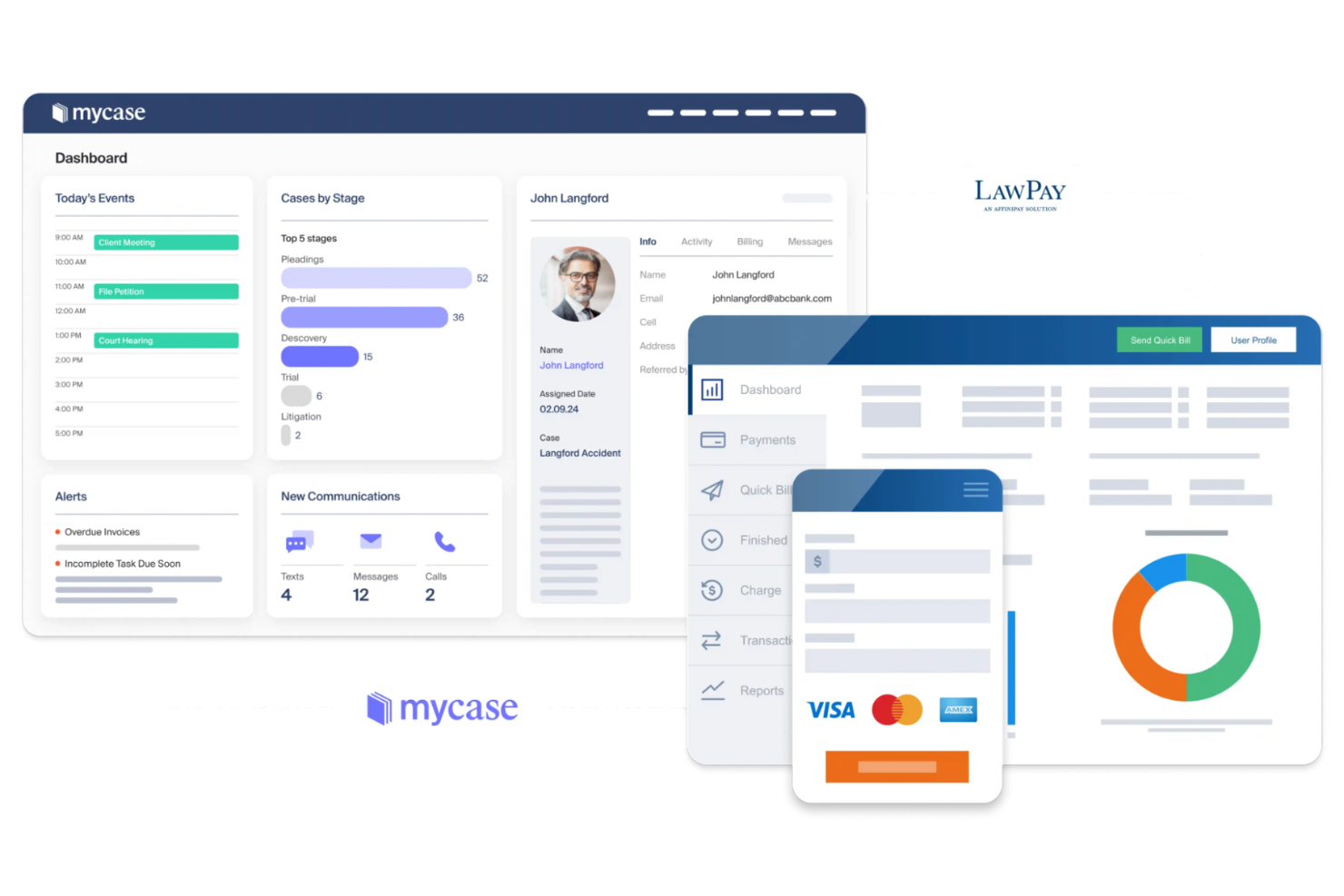
MyCase offers law firms a way to manage appointments, cases, and client communications in one platform. Legal professionals who want to centralize scheduling with secure client access may find it especially useful. The platform addresses common challenges around coordinating meetings and sharing updates with clients.
Who Is MyCase Best For?
MyCase fits small to midsize law firms that want to offer clients secure, self-service scheduling through a dedicated client portal.
Why I Picked MyCase
I picked MyCase because it integrates appointment scheduling directly into its secure client portal, which is a key need for many law firms. Clients can log in to the portal to request or confirm appointments, view upcoming meetings, and receive automated reminders—all in one place. This setup reduces the need for back-and-forth emails and keeps sensitive scheduling details protected within the portal. For legal teams that want to streamline client communications and scheduling, MyCase’s portal-centric approach stands out.
MyCase Key Features
Some other features in MyCase that help legal professionals manage appointments and client interactions include:
- Calendar sharing: Share calendars with colleagues or staff to coordinate schedules and view availability across your firm.
- Automated appointment reminders: Send email or SMS reminders to clients and staff to reduce missed meetings.
- Integrated payment processing: Allow clients to pay for appointments or retainers directly through the platform.
- Mobile app access: Schedule, view, and manage appointments from any location using the MyCase mobile app.
MyCase Integrations
Integrations include LawPay, QuickBooks, Gmail, Google Calendar, Microsoft Outlook, Dropbox, NetDocuments, CasePeer, DocketWise, and Smith.ai.
Pros and Cons
Pros:
- Intake forms can be customized for appointments
- Appointment reminders sent by email and SMS
- Client portal allows secure self-scheduling
Cons:
- Limited analytics for appointment tracking
- No group or multi-attendee scheduling option

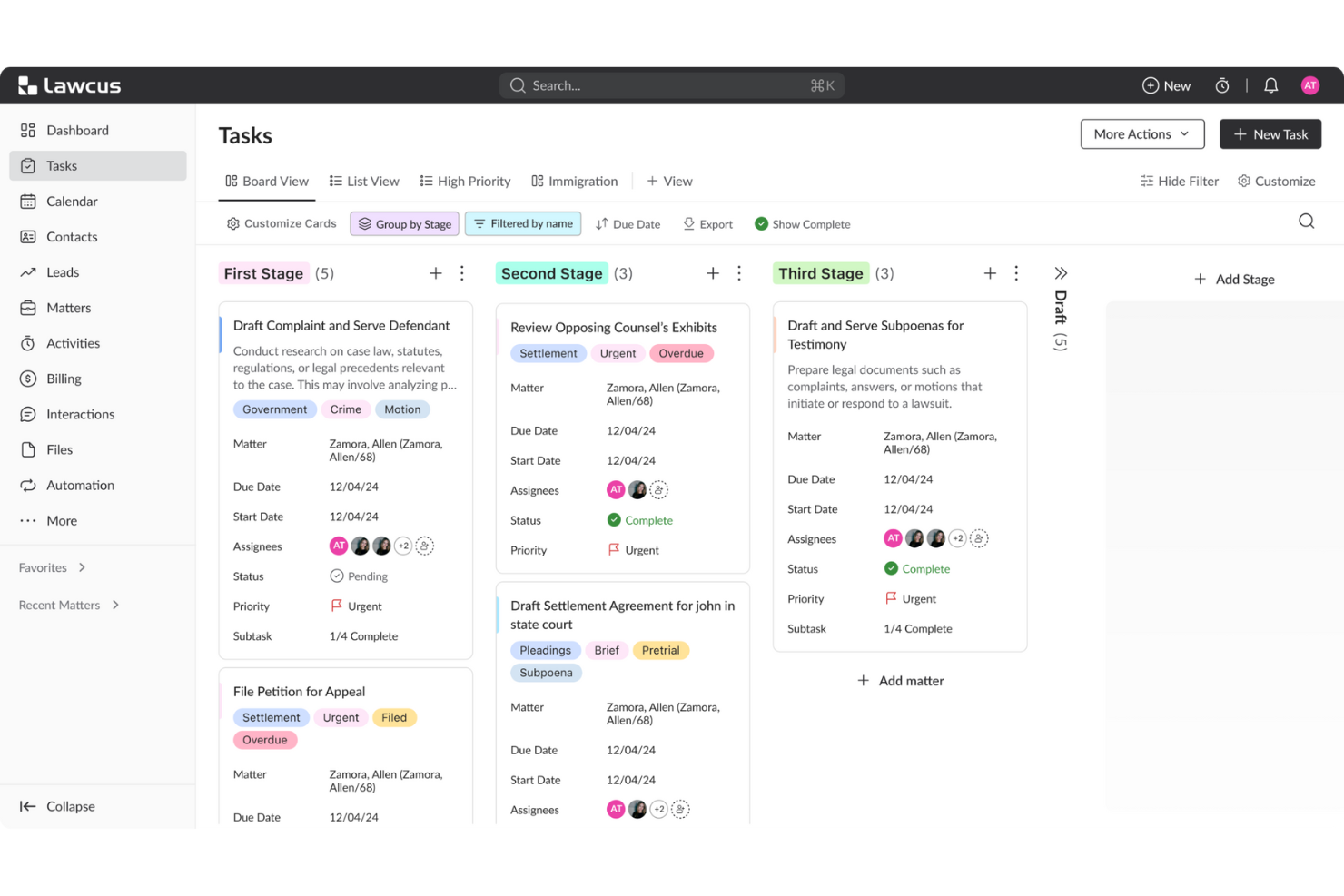
Lawcus offers legal professionals a way to manage client appointments and intake within a broader practice management platform. Firms looking for flexible scheduling and client-facing booking tools may find its approach appealing. The platform helps reduce back-and-forth by letting clients book meetings directly with attorneys or staff.
Who Is Lawcus Best For?
Lawcus suits small to midsize law firms that want to offer clients self-service appointment booking through customizable links.
Why I Picked Lawcus
I picked Lawcus because it gives law firms the ability to create customizable booking links that can be shared with clients or embedded on firm websites. This feature lets each attorney or staff member set their own availability, appointment types, and intake forms, so clients can book meetings directly without back-and-forth emails.
I also appreciate that Lawcus allows firms to brand these booking pages, which helps maintain a professional client experience. For legal teams that want more control over how and when clients schedule appointments, these customization options make Lawcus a strong fit.
Lawcus Key Features
In addition to its booking link customization, Lawcus offers several other features that support legal scheduling and practice management:
- Two-way calendar sync: Sync appointments between Lawcus and external calendars like Google Calendar or Outlook to avoid double-booking.
- Automated intake forms: Collect client information during the scheduling process with customizable intake forms linked to appointments.
- Group appointment scheduling: Set up and manage meetings involving multiple attorneys, staff, or clients within a single booking.
- Time zone detection: Automatically adjusts appointment times based on the user’s or client’s location to reduce scheduling errors.
Lawcus Integrations
Integrations include Gmail, Microsoft 365, Wisetime, Dropbox, QuickBooks, Google Calendar, Outlook, Office 365, Zapier, and an open API for custom integrations.
Pros and Cons
Pros:
- Calendar sync with Google and Outlook
- Built-in client intake forms for appointments
- Customizable booking links for each staff member
Cons:
- Limited reporting on appointment analytics
- No group appointment scheduling feature

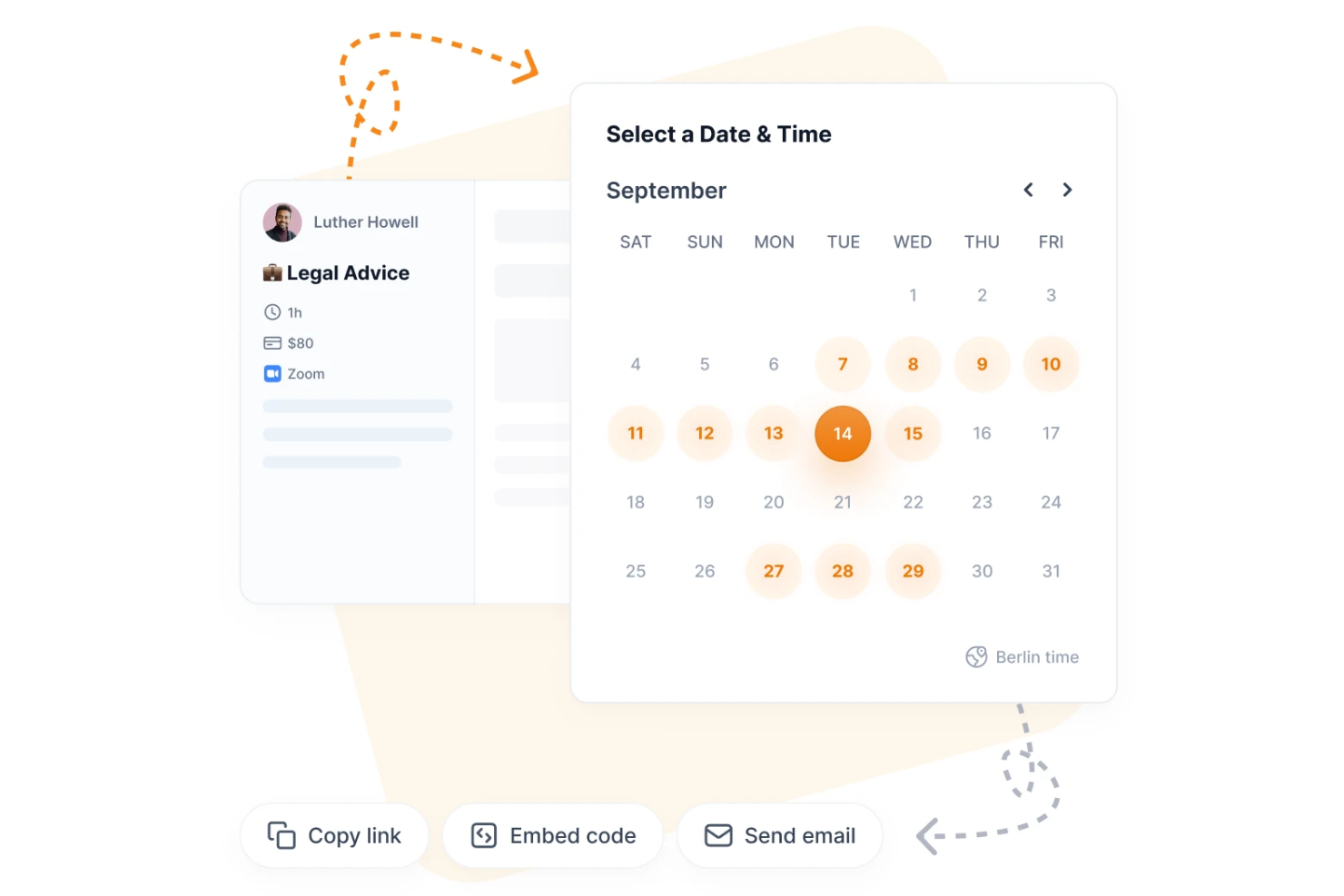
Zeeg offers legal professionals a way to coordinate meetings and manage appointments with both clients and colleagues. Law firms and legal teams looking for flexible scheduling across multiple participants may find the group coordination features especially useful. The platform helps reduce scheduling conflicts and streamlines the process of finding mutually available times.
Who Is Zeeg Best For?
Zeeg is a good fit for law firms and legal teams that need to coordinate group meetings or multi-party appointments.
Why I Picked Zeeg
What stands out about Zeeg is how it handles group meeting coordination, which is often a challenge for legal teams managing multi-party matters. I picked Zeeg because it lets you propose multiple time slots and automatically finds overlaps in availability across all participants, making it easier to schedule depositions, mediations, or client conferences.
The platform also allows you to set meeting buffers and customize participant roles, which helps keep complex legal meetings organized. This focus on group scheduling makes Zeeg especially useful for law firms that regularly coordinate meetings with several stakeholders.
Zeeg Key Features
Some other features in Zeeg that help legal professionals manage scheduling and client engagement include:
- Custom booking pages: Create personalized booking pages for different services, team members, or departments.
- Calendar integration: Sync appointments with Google Calendar, Outlook, or other external calendars to keep schedules up to date.
- Automated reminders: Send email and SMS reminders to clients and staff to help reduce missed meetings.
- Buffer time configuration: Set buffer periods before or after appointments to allow for preparation or follow-up.
Zeeg Integrations
Integrations include Google Calendar, Outlook Calendar, Office 365 Calendar, iCloud Calendar, Zoom, Google Meet, Microsoft Teams, Skype, PayPal, and Stripe.
Pros and Cons
Pros:
- Includes time zone detection for global clients
- Provides automated SMS and email reminders
- Offers branded booking pages for law firms
Cons:
- Group scheduling options lack advanced customization
- Reporting features are not legal-specific

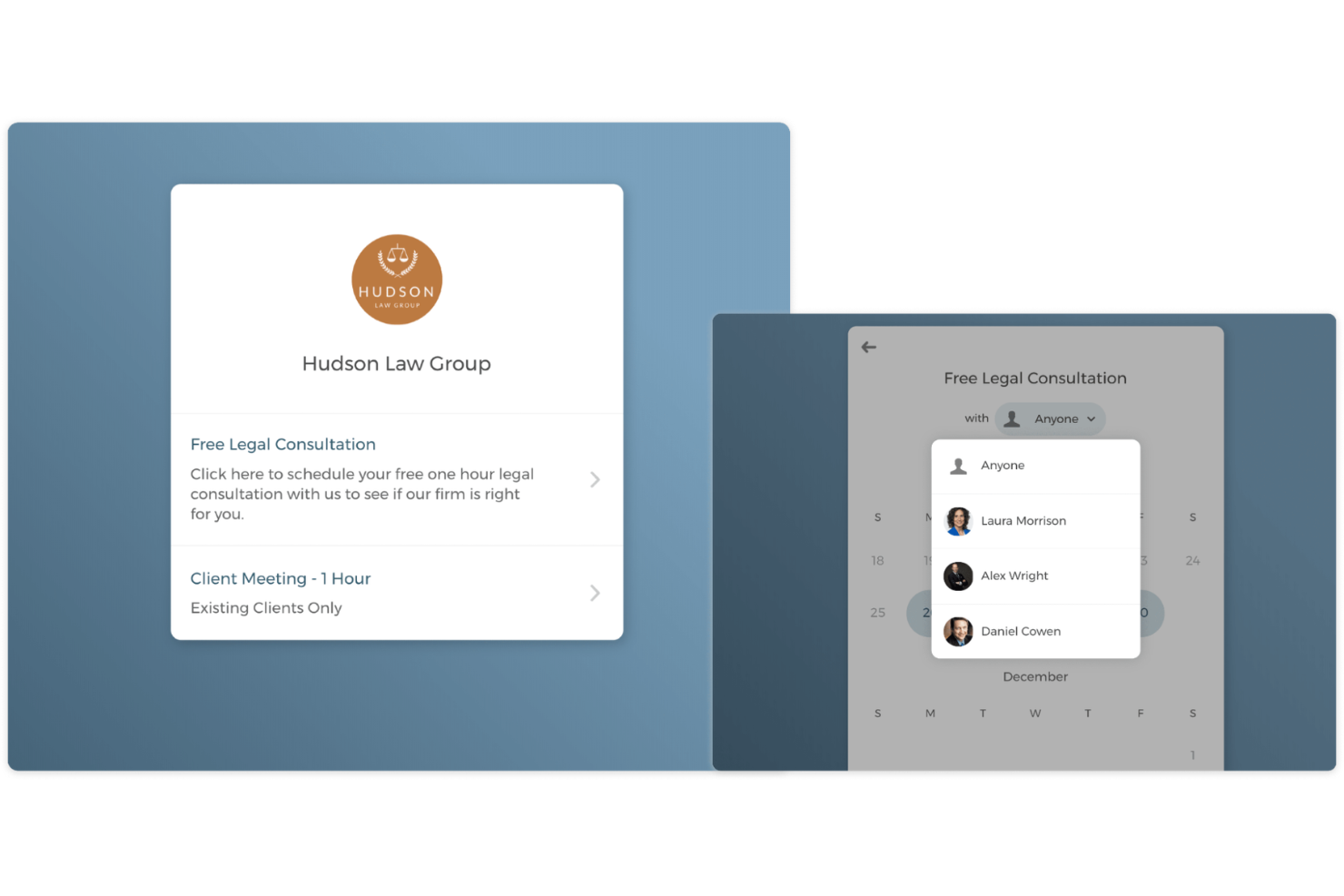
CozyCal offers law firms and legal teams a way to manage client appointments collaboratively and keep schedules organized. The platform is designed for practices that need to coordinate bookings across multiple attorneys or staff. Legal professionals can use CozyCal to reduce scheduling conflicts and simplify client intake.
Who Is CozyCal Best For?
CozyCal fits small to midsize law firms and legal teams that need to coordinate appointments among multiple attorneys or staff.
Why I Picked CozyCal
What stands out about CozyCal is how it handles team-based appointment routing, which is a common challenge for law firms with multiple attorneys or paralegals. I picked CozyCal because it lets you set up round-robin or pooled scheduling, so new client appointments can be automatically assigned to available team members.
You can also create booking pages for each attorney or for the whole team, making it easy to manage both individual and shared calendars. This approach helps legal teams avoid double-booking and ensures clients are matched with the right professional.
CozyCal Key Features
Some other features in CozyCal that support legal scheduling and client management include:
- Calendar embedding: Add booking calendars directly to your firm’s website for easy client access.
- Custom booking questions: Gather specific information from clients during the scheduling process with tailored intake questions.
- Buffer time settings: Automatically add buffer periods before or after appointments to prevent back-to-back bookings.
- Payment collection integration: Accept payments for consultations or retainers at the time of booking through Stripe integration.
CozyCal Integrations
Integrations include Google Calendar, Outlook, Clio Manage, Zoom, Google Meet, Stripe, and a website plugin for direct site embedding.
Pros and Cons
Pros:
- Syncs with Google and Outlook calendars
- Team scheduling with round-robin assignment
- Customizable intake forms for client details
Cons:
- Group scheduling options are basic
- No built-in conflict checking for appointments

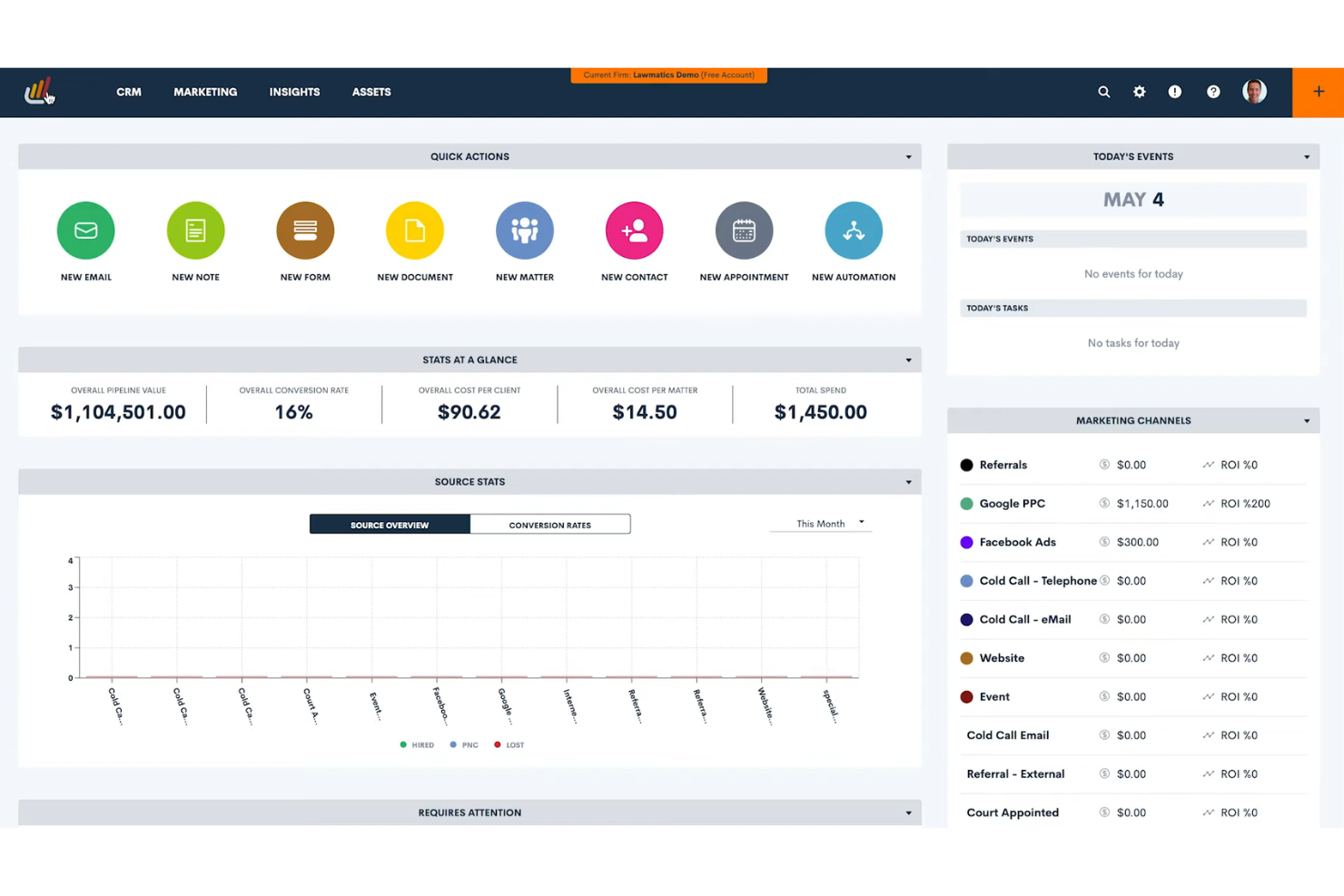
Lawmatics offers legal professionals a way to connect client intake, calendaring, and workflow automation in one platform. Firms looking to streamline how they move prospects from initial contact to scheduled meetings may find this approach appealing. The platform helps reduce manual data entry and keeps scheduling tightly linked to client records.
Who Is Lawmatics Best For?
Lawmatics suits small to midsize law firms that want to connect client intake, scheduling, and workflow automation in a single platform.
Why I Picked Lawmatics
I chose Lawmatics because it connects client intake and appointment scheduling in a way that reduces manual steps for law firms. The platform lets you trigger calendar invites and follow-up tasks automatically as soon as a new lead completes an intake form. I also like that all client data collected during intake flows directly into the scheduling workflow, so there’s no need to re-enter information. This integration helps firms keep their intake and scheduling processes tightly aligned, which is especially valuable for teams managing a high volume of new matters.
Lawmatics Key Features
Some other features in Lawmatics that support legal appointment scheduling include:
- Automated appointment reminders: Send clients email or SMS reminders before scheduled meetings to help reduce no-shows.
- Two-way calendar sync: Sync appointments with Google Calendar or Outlook so schedules stay current across platforms.
- Customizable booking links: Generate unique scheduling links for different appointment types or staff members.
- Role-based access controls: Set permissions for who can view, edit, or manage appointments within your firm.
Lawmatics Integrations
Integrations include Clio, MyCase, Filevine, CARET Legal, CallRail, Gmail, Google Ads, Microsoft Outlook, iCal, and Zoom.
Pros and Cons
Pros:
- Automated reminders sent by email or SMS
- Appointment logs link directly to client matters
- Intake forms automatically trigger appointment scheduling
Cons:
- Cannot embed the scheduler tool directly on firm websites
- No group or multi-attendee scheduling option
Other Legal Appointment Scheduling Software
Here are some additional legal appointment scheduling software options that didn’t make it onto my shortlist, but are still worth checking out:
- Apptoto
For automated SMS and voice reminders
- Goodcall
For AI-powered phone scheduling
- Cal ID
For privacy-focused scheduling options
- Calenso
For GDPR-compliant appointment management
- Vyte
For integrating video call links into bookings
- Calendesk
For payment collection during appointment booking
- Zoho Bookings
For workflow automation with the Zoho ecosystem


Legal Appointment Scheduling Software Selection Criteria
When selecting the best legal appointment scheduling software to include in this list, I considered common buyer needs and pain points like reducing client no-shows and ensuring secure, compliant scheduling. I also used the following framework to keep my evaluation structured and fair:
Core Functionality (25% of total score)
To be considered for inclusion in this list, each solution had to fulfill these common use cases:
- Schedule appointments with clients and colleagues
- Send automated reminders via email or SMS
- Allow clients to book or reschedule online
- Sync with popular calendar platforms
- Manage recurring and group appointments
Additional Standout Features (25% of total score)
To help further narrow down the competition, I also looked for unique features, such as:
- Customizable intake forms for legal matters
- Secure document upload and sharing
- Conflict checking for double bookings
- Integration with legal practice management software
- Payment processing for retainers or fees
Usability (10% of total score)
To get a sense of the usability of each system, I considered the following:
- Simple and intuitive user interface
- Clear navigation and labeling
- Minimal steps to schedule or update appointments
- Mobile-friendly design and access
- Accessibility for users with disabilities
Onboarding (10% of total score)
To evaluate the onboarding experience for each platform, I considered the following:
- Availability of training videos and tutorials
- Step-by-step setup guides or product tours
- Pre-built templates for legal workflows
- Access to live webinars or onboarding sessions
- Responsive chatbots or help centers for new users
Customer Support (10% of total score)
To assess each software provider’s customer support services, I considered the following:
- Availability of live chat or phone support
- Fast response times to inquiries
- Knowledgeable support staff familiar with legal workflows
- Comprehensive online help documentation
- Community forums or user groups
Value For Money (10% of total score)
To evaluate the value for money of each platform, I considered the following:
- Transparent and predictable pricing
- Flexible plans for different firm sizes
- No hidden fees or surprise charges
- Features included at each pricing tier
- Free trial or demo availability
Customer Reviews (10% of total score)
To get a sense of overall customer satisfaction, I considered the following when reading customer reviews:
- Positive feedback on reliability and uptime
- Reports of reduced no-shows or missed appointments
- Satisfaction with customer support experiences
- Comments on integration with legal tools
- Feedback on ease of use and onboarding
How to Choose Legal Appointment Scheduling Software
It’s easy to get bogged down in long feature lists and complex pricing structures. To help you stay focused as you work through your unique software selection process, here’s a checklist of factors to keep in mind:
| Factor | What to Consider |
| Scalability | Will the software support your firm as it grows, including adding new users, locations, or practice areas? |
| Integrations | Does the tool connect natively with your existing legal practice management, calendar, and billing systems? |
| Customizability | Can you tailor booking pages, reminders, and workflows to match your firm’s branding and processes? |
| Ease of use | Will attorneys, staff, and clients find the interface intuitive, or will it require significant training? |
| Implementation and onboarding | How long will it take to get up and running, and what resources or support does the vendor provide during setup? |
| Cost | Are pricing tiers transparent, and do they align with your firm’s size, usage, and feature needs? Watch for hidden fees. |
| Security safeguards | Does the software offer encryption, access controls, and audit trails to protect sensitive client data? |
| Compliance requirements | Does the tool help you meet legal industry standards like GDPR, HIPAA, or local bar association rules? |
What Is Legal Appointment Scheduling Software?
Legal appointment scheduling software is a digital tool that helps law firms and legal professionals manage client appointments, consultations, and meetings. It automates scheduling, sends reminders, and allows clients to book or reschedule online. These platforms often include features for calendar syncing, secure communication, and compliance with legal industry standards, helping legal teams reduce no-shows and improve client communication.
Features of Legal Appointment Scheduling Software
When selecting legal appointment scheduling software, keep an eye out for the following key features:
- Online booking portal: Lets clients schedule, reschedule, or cancel appointments through a secure, user-friendly web interface.
- Automated reminders: Send appointment confirmations and reminders via email, SMS, or voice to reduce no-shows and late arrivals.
- Calendar synchronization: Integrates with popular calendar platforms to keep schedules updated and prevent double bookings.
- Customizable intake forms: Collect client information and case details during the booking process to streamline preparation.
- Two-way messaging: Enables secure communication between legal staff and clients for confirmations, updates, or quick questions.
- Recurring appointment management: Supports scheduling of ongoing meetings, such as regular client check-ins or court dates.
- Payment processing integration: Allows clients to pay retainers or fees at the time of booking through secure payment gateways.
- Conflict checking: Flags potential scheduling conflicts or double bookings to help maintain compliance and avoid errors.
- Role-based access controls: Restrict access to sensitive scheduling data based on user roles within the firm.
- Audit trails and reporting: Tracks appointment history, changes, and communications for compliance and recordkeeping.
Legal appointment scheduling software solutions do not typically include AI as part of their feature offering. As a result, I will not proceed with writing this section.
Benefits of Legal Appointment Scheduling Software
Implementing legal appointment scheduling software provides several benefits for your team and your business. Here are a few you can look forward to:
- Reduced no-shows: Automated reminders and confirmations help ensure clients remember and attend their appointments.
- Improved client experience: Online booking portals and two-way messaging make it easier for clients to schedule and communicate with your firm.
- Enhanced compliance: Features like audit trails, conflict checking, and secure data handling support legal industry regulations and recordkeeping.
- Streamlined workflows: Calendar syncing, customizable intake forms, and recurring appointment management reduce manual scheduling tasks for staff.
- Better resource allocation: Role-based access controls and reporting tools help you manage staff schedules and monitor appointment trends.
- Faster payment collection: Integrated payment processing allows clients to pay fees or retainers at the time of booking, reducing billing delays.
- Greater scheduling flexibility: Clients can book, reschedule, or cancel appointments online at their convenience, minimizing back-and-forth communication.
Costs and Pricing of Legal Appointment Scheduling Software
Selecting legal appointment scheduling software requires an understanding of the various pricing models and plans available. Costs vary based on features, team size, add-ons, and more. The table below summarizes common plans, their average prices, and typical features included in legal appointment scheduling software solutions:
Plan Comparison Table for Legal Appointment Scheduling Software
| Plan Type | Average Price | Common Features |
| Free Plan | $0 | Basic online booking, limited calendar sync, email reminders, and simple client management. |
| Personal Plan | $5-$15/user/month | Online booking portal, SMS reminders, calendar integration, and basic reporting. |
| Business Plan | $15-$35/user/month | Custom intake forms, payment processing, group scheduling, advanced reporting, and role-based access. |
| Enterprise Plan | $35-$60/user/month | Custom branding, API access, advanced security, compliance tools, dedicated support, and audit trails. |
Legal Appointment Scheduling Software FAQs
Here are some answers to common questions about legal appointment scheduling software:
Can legal appointment scheduling software integrate with my existing practice management tools?
Yes, most legal appointment scheduling software offers integrations with popular practice management, billing, and calendar tools. Check for native integrations or API access to ensure smooth data flow and avoid duplicate entry across your firm’s systems.
How does legal appointment scheduling software help with compliance?
Legal appointment scheduling software often includes features like audit trails, secure data storage, and role-based access controls. These help your firm meet industry regulations such as GDPR or HIPAA and support your internal compliance policies.
Is it possible to collect payments through legal appointment scheduling software?
Yes, many solutions allow you to collect retainers or consultation fees at the time of booking. Look for platforms with built-in payment processing or integrations with trusted payment gateways to simplify billing and reduce administrative work.
What should I consider when onboarding my team to new scheduling software?
Focus on solutions that offer training resources, product tours, and responsive support. Evaluate how quickly your team can migrate existing appointments, set up workflows, and start using the tool with minimal disruption to daily operations.
Can clients book or reschedule appointments online without calling the office?
Yes, most legal appointment scheduling software provides a secure online portal where clients can book, reschedule, or cancel appointments at their convenience. This reduces administrative workload and improves client satisfaction.
What’s Next:
If you're in the process of researching legal appointment scheduling software, connect with a SoftwareSelect advisor for free recommendations.
You fill out a form and have a quick chat where they get into the specifics of your needs. Then you'll get a shortlist of software to review. They'll even support you through the entire buying process, including price negotiations.