

10 Best Conveyancing Software Reviewed in 2026

10 Best Conveyancing Software Shortlist


The best conveyancing software helps law firms simplify property transactions, cut down on paperwork, and stay compliant with regulations. With the right conveyancing solution, you’ll be able to reduce errors and deliver a smoother client experience.
Having spent years testing and evaluating legal software solutions with practice managers, I know how to pinpoint tools that genuinely improve efficiency. I’ve seen how adopting the right conveyancing software can transform daily operations and support long-term growth for your law firm.
In this guide, I’ll walk you through the top real estate conveyancing software options based on real-world testing and expert analysis. Each recommendation includes key features, best-fit use cases, and what sets it apart, so you can choose a platform that aligns with your client care standards, workflows, and growth goals.
Why Trust Our Software Recommendations
Our team has been testing and reviewing software since 2012. As legal practice leaders ourselves, we know how difficult—and important—it is to choose the right software.
For this guide, we evaluated tools using hands-on testing and independent research, scoring tools using our selection criteria.
Our reviews reflect our human editorial judgment, not a sales pitch.
Best Conveyancing Software Summary
This comparison chart summarizes pricing details for my top conveyancing software selections to help you find the best one for your budget and business needs.
| Tool | Best For | Trial Info | Price | ||
|---|---|---|---|---|---|
| 1 | Best for customizable workflows | Not available | Pricing upon request | Website | |
| 2 | Best for mobile access | Free demo available | Pricing upon request | Website | |
| 3 | Best for South African firms | Free demo available | Pricing upon request | Website | |
| 4 | Best for mid-sized firms | Free demo available | Pricing upon request | Website | |
| 5 | Best for UK-based firms | Free demo available | From $99/case | Website | |
| 6 | Best for integrated workflows | Free demo available | From £95/user/month | Website | |
| 7 | Best for document management | Free demo available | Pricing upon request | Website | |
| 8 | Best for small law firms | Free demo available | From $99/user/month (billed annually) | Website | |
| 9 | Best for Canadian compliance | Free demo available | From $30/matter | Website | |
| 10 | Best for automated client updates | Free demo available | From $60/ matter | Website |
Best Conveyancing Software Reviews
Below are my detailed summaries of the best conveyancing software that made it onto my shortlist. My reviews offer a detailed look at the key features, pros & cons, integrations, and ideal use cases of each tool to help you find the best one for you.

Best for customizable workflows

My Evaluation Score
- Matter & Case Management
- Adequate
- Client Accounting & Ledgers
- Adequate
- Client Onboarding & AML/KYC
- Strong
- Conveyancing Forms & Templates
- Minimal
- Land Registry & Search Integrations
- Adequate
- Secure Client Portal & Communications
- Strong
Actionstep is a cloud-based practice management software designed for law firms of various sizes, focusing on real estate and other legal areas. It offers case management, billing, and document automation, making it a versatile tool for legal professionals.
Why I picked Actionstep: It offers highly customizable workflows that let you tailor processes to your specific needs. The software provides automation tools for managing documents and billing efficiently. With its flexible workflow engine, you can adapt the system to match your preferred way of working. This adaptability makes it a great fit for firms seeking tailored solutions.
Standout features & integrations:
Features include document automation to reduce manual work, flexible billing to match your firm’s processes, and a customizable workflow engine to adapt tasks to your needs. It’s designed to support various legal areas, including real estate. Actionstep’s adaptability makes it ideal for firms wanting a tailored practice management solution.
Integrations include Microsoft Office, Xero, QuickBooks, NetDocuments, DocuSign, HotDocs, Zapier, LawPay, Box, and Google Workspace.
Pros and Cons
Pros:
- Strong billing features
- Efficient document automation
- Supports multiple practice areas
Cons:
- Occasional need for support
- May overwhelm small teams
- Learning curve for new users

LEAP
Best for mobile access

My Evaluation Score
- Matter & Case Management
- Strong
- Client Accounting & Ledgers
- Strong
- Client Onboarding & AML/KYC
- Strong
- Conveyancing Forms & Templates
- Excels
- Land Registry & Search Integrations
- Excels
- Secure Client Portal & Communications
- Adequate
LEAP is a cloud-based legal practice management software designed for small to medium-sized law firms, with a focus on conveyancing and other areas of law. It helps manage cases, documents, and billing through an intuitive interface accessible from any device.
Why I picked LEAP: It offers excellent mobile access, allowing you to manage cases and documents on the go. With its mobile app, you can view and edit documents, track time, and communicate with clients from anywhere. The software's cloud-based nature ensures your data is always synced and up-to-date. This mobility and accessibility make it ideal for busy legal professionals who need flexibility.
Standout features & integrations:
Features include time tracking for accurate billing, document automation to cut down on manual work, and a built-in library of legal forms to save time. Its cloud-based setup ensures everything stays synced across devices. LEAP is ideal for legal professionals who need flexibility and mobile access.
Integrations include Microsoft Office, Xero, QuickBooks, LawConnect, InfoTrack, RapidPay, By Lawyers, LawTap, Perfect Portal, and DocuSign.
Pros and Cons
Pros:
- Supports multiple areas of law
- Wide range of legal forms
- Excellent mobile app
Cons:
- May not suit large firms
- Limited customization options
- Learning curve for new users


My Evaluation Score
- Matter & Case Management
- Strong
- Client Accounting & Ledgers
- Minimal
- Client Onboarding & AML/KYC
- Excels
- Conveyancing Forms & Templates
- Strong
- Land Registry & Search Integrations
- Excels
- Secure Client Portal & Communications
- Strong
Lexis Convey is a conveyancing software tailored for legal professionals in South Africa, focusing on property transactions. It helps manage the entire conveyancing process, from document preparation to client communication.
Why I picked Lexis Convey: It caters specifically to South African firms, integrating with local systems and regulations. The software offers features like automated document generation and compliance checks, ensuring your processes align with local laws. With its focus on South African needs, it provides a reliable solution for local firms. The user-friendly interface helps your team work efficiently and effectively.
Standout features & integrations:
Features include automated document generation to save time, compliance checks to meet South African regulations, and a user-friendly interface for easy navigation. It’s designed specifically for local law firms. Lexis Convey makes the conveyancing process smoother and more efficient.
Integrations include Deeds Office, SARS eFiling, Microsoft Outlook, GhostConvey, Microsoft Word, Microsoft Excel, LegalSuite, WinDeed, SAP, and Pastel Accounting.
Pros and Cons
Pros:
- Efficient document generation
- Automated compliance checks
- Tailored for South African regulations
Cons:
- Limited to South African market

My Evaluation Score
- Matter & Case Management
- Strong
- Client Accounting & Ledgers
- Strong
- Client Onboarding & AML/KYC
- Excels
- Conveyancing Forms & Templates
- Strong
- Land Registry & Search Integrations
- Excels
- Secure Client Portal & Communications
- Excels
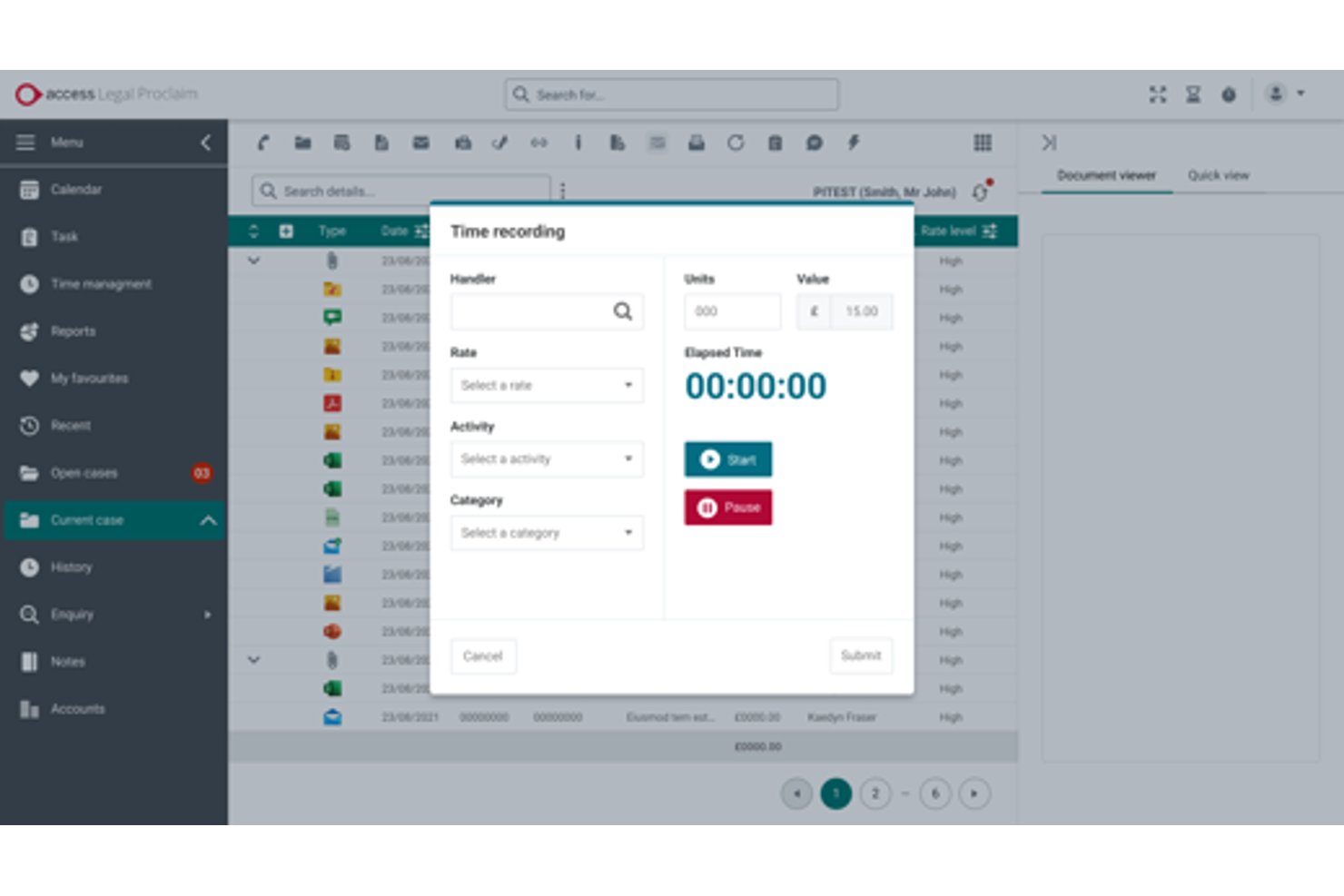
Access Legal by The Access Group is a UK conveyancing software ecosystem that covers case management, digital TA forms, AML/KYC onboarding, Land Registry and search integrations, client accounting, and a branded client portal with two-way messaging.
Who Is The Access Group Best For?
The Access Group suits mid-sized UK law firms that want a single-vendor ecosystem covering case management, AML onboarding, legal accounts, and client engagement without stitching together separate tools.
Why I Picked The Access Group
I picked The Access Group as one of the best because it genuinely functions as a single-vendor ecosystem for mid-sized firms that don't want to juggle separate tools for case management, AML, accounts, and client engagement. I'm particularly impressed by inCase, which handles biometric ID checks, NFC passport reading, and open-banking proof of funds natively within the matter file. The CQS accreditation training and the quote-to-instruction module that converts branded quotes into live matters without re-keying data are standout differentiators I haven't seen matched elsewhere.
The Access Group Key Features
- Digital TA forms: Law Society-accredited TA6, TA7, and TA10 forms with autosave, validation checks, and e-signature built in.
- SDLT submission: Automatic stamp duty calculation and online SDLT submission directly from within the matter file.
- Access Legal Searches: Regulated searches, Land Registry title checks, and results are ordered and returned inside the case file via the Legal Bricks platform.
- CQS accreditation training: Access Legal is one of only three organisations authorised to deliver Conveyancing Quality Scheme training outside the Law Society.
The Access Group Integrations
Access Legal has native integrations with Legal Bricks and SmartSearch, plus Microsoft 365 connectivity including Outlook and Teams. CaseMatters Evo offers an open API for custom integrations, while Power BI supports custom reporting for Proclaim.
Pros and Cons
Pros:
- InCase reduces client progress-chasing calls
- Digital TA forms support accurate submissions
- Biometric AML checks reduce onboarding delays
Cons:
- Migration from legacy systems feels arduous
- Support resolution can take several days


My Evaluation Score
- Matter & Case Management
- Strong
- Client Accounting & Ledgers
- Strong
- Client Onboarding & AML/KYC
- Strong
- Conveyancing Forms & Templates
- Excels
- Land Registry & Search Integrations
- Excels
- Secure Client Portal & Communications
- Excels
Hoowla is a conveyancing software tailored for legal professionals in the UK, focusing on property transactions. It offers matter management, document automation, and client portals, enhancing communication and efficiency.
Why I picked Hoowla: Designed specifically for UK-based firms, it integrates with HM Land Registry and supports billing functionalities. The software's client portals improve communication, while document automation reduces manual tasks. Its cloud-based nature allows easy collaboration and quick matter management. This focus on UK-specific needs makes it ideal for firms in that region.
Standout features & integrations:
Features include matter management to keep cases organized, document automation to save time, and client portals for better communication. It’s designed for UK firms and integrates with HM Land Registry. The cloud-based system makes collaboration and case handling easy.
Integrations include HM Land Registry, Microsoft Outlook, Google Calendar, Xero, QuickBooks, DocuSign, Adobe Sign, Dropbox, Mailchimp, and Zapier.
Pros and Cons
Pros:
- Integrates with UK systems
- Quick document production
- Customizable workflows
- Effective client communication
Cons:
- Initial setup complexity
- Limited international use


My Evaluation Score
- Matter & Case Management
- Excels
- Client Accounting & Ledgers
- Strong
- Client Onboarding & AML/KYC
- Excels
- Conveyancing Forms & Templates
- Strong
- Land Registry & Search Integrations
- Excels
- Secure Client Portal & Communications
- Excels
Osprey Approach is a case management software tailored for UK law firms, focusing on conveyancing and legal practice management. It automates workflows, handles document management, and supports client communication, making it ideal for firms looking to enhance productivity.
Why I picked Osprey Approach: It excels in providing integrated workflows that connect different aspects of legal practice. Automated legal workflows streamline your processes, while customizable fields let you tailor the software to your needs. The software's client portal and mobile app improve client management. Its integration capabilities with popular tools further enhance its functionality.
Standout features & integrations:
Features include automated workflows to streamline tasks, a client portal for better communication, and customizable fields to fit your firm’s needs. It’s designed for UK law firms focusing on conveyancing and legal practice management. Osprey Approach also integrates with popular tools to boost overall efficiency.
Integrations include InfoTrack, DocuSign, Microsoft Power BI, Perfect Portal, Coadjute, Lexis Smart Forms, Microsoft Outlook, Google Calendar, Xero, and QuickBooks.
Pros and Cons
Pros:
- Access to extensive legal forms
- Supports multiple transaction types
- Strong client management features
Cons:
- May overwhelm small teams
- Requires training for best use
- Initial setup complexity


My Evaluation Score
- Matter & Case Management
- Strong
- Client Accounting & Ledgers
- Strong
- Client Onboarding & AML/KYC
- Excels
- Conveyancing Forms & Templates
- Adequate
- Land Registry & Search Integrations
- Strong
- Secure Client Portal & Communications
- Strong
CaseLoad by Denovo is a comprehensive conveyancing software designed for legal professionals who need to handle various legal documentation efficiently. It serves law firms by providing tools for document management, case tracking, and client communication.
Why I picked CaseLoad by Denovo: It excels in document management, offering features that ensure your firm's paperwork is organized and accessible. The software allows you to store, retrieve, and share documents with ease. Its document automation features save time by reducing manual entry. This focus on document efficiency makes it ideal for firms with heavy paperwork demands.
Standout features & integrations:
Features include advanced case tracking to keep your team updated, client communication tools to streamline interactions, and document automation to save time. It’s built for firms that handle a large volume of legal paperwork. CaseLoad by Denovo helps keep everything organized and running smoothly.
Integrations include Microsoft Word, Microsoft Outlook, Adobe Acrobat, QuickBooks, Xero, DocuSign, Dropbox, Google Drive, Salesforce, and Zapier.
Pros and Cons
Pros:
- Supports various file formats
- Reduces manual document entry
- Strong document management capabilities
Cons:
- Learning curve for new users
- May overwhelm small teams
- Initial setup complexity


My Evaluation Score
- Matter & Case Management
- Excels
- Client Accounting & Ledgers
- Strong
- Client Onboarding & AML/KYC
- Strong
- Conveyancing Forms & Templates
- Strong
- Land Registry & Search Integrations
- Excels
- Secure Client Portal & Communications
- Excels
InTouch is a cloud-based conveyancing and case management software tailored for law firms and legal professionals. It helps manage the entire conveyancing process with features like customizable workflows and electronic signatures.
Why I picked InTouch: It's designed with small law firms in mind, offering features that cater to their specific needs. The software provides a client portal and real-time reporting, making it easier for you to keep clients informed. The online forms and electronic signatures reduce paperwork and save time. Its user-friendly design makes it accessible even for those with limited technical skills.
Standout features & integrations:
Features include customizable workflows, electronic signatures, and a client portal to keep clients updated. Online forms help reduce paperwork and save time. The software is easy to use, making it a great fit for small law firms.
Integrations include Microsoft Outlook, Google Calendar, Xero, Mailchimp, Zapier, DocuSign, Amazon S3, Dropbox, QuickBooks, and Adobe Sign.
Pros and Cons
Pros:
- Improves client communication
- Customizable workflows
- Easy to set up
Cons:
- Not ideal for large firms
- Occasional software updates needed
- Limited advanced features


My Evaluation Score
- Matter & Case Management
- Strong
- Client Accounting & Ledgers
- Strong
- Client Onboarding & AML/KYC
- Adequate
- Conveyancing Forms & Templates
- Strong
- Land Registry & Search Integrations
- Strong
- Secure Client Portal & Communications
- Limited
LCS is a conveyancing software designed specifically for real estate lawyers in Ontario, Canada. It focuses on document management, client communication, and compliance with local regulations.
Why I picked LCS: It's tailored for Canadian compliance, with features that cater to the specific needs of Ontario lawyers. The software includes built-in lawyer contacts and customizable templates to streamline your workflow. Automatic statement calculations and cloud storage enhance efficiency and data security. Its focus on local compliance makes it a reliable choice for Canadian law firms.
Standout features & integrations:
Features include automatic statement calculations to save time, customizable templates to fit your needs, and secure cloud storage for easy document access. It’s designed specifically for Ontario real estate lawyers. The focus on local compliance makes it a dependable choice for Canadian firms.
Integrations include Stewart Title Insurance, Chicago Title Insurance, Teranet Connect, and more.
Pros and Cons
Pros:
- Thousands of built-in lawyer contacts
- Responsive customer support
- Extensive educational resources
- Automatic document saving
- Easy transition with low learning curve
Cons:
- Limited to the Ontario market
- Not suitable for non-Canadian markets


My Evaluation Score
- Matter & Case Management
- Strong
- Client Accounting & Ledgers
- Limited
- Client Onboarding & AML/KYC
- Adequate
- Conveyancing Forms & Templates
- Strong
- Land Registry & Search Integrations
- Strong
- Secure Client Portal & Communications
- Adequate
Closer is a conveyancing software designed for legal professionals, focusing on automating communication with clients during the conveyancing process. It caters mainly to real estate lawyers and law firms looking to enhance client engagement and transparency.
Why I picked Closer: It excels in automating client updates, ensuring your clients stay informed throughout the transaction process. The software sends automatic status updates and reminders, reducing the need for manual follow-ups. Its user-friendly dashboard provides a clear overview of ongoing transactions. This focus on automation makes it an efficient tool for client communication.
Standout features & integrations:
Features include a user-friendly dashboard for tracking transactions, automated status updates to keep clients informed, and customizable templates for tailored communication. It’s built to simplify client engagement during the conveyancing process. Closer helps reduce manual work and keeps everything running smoothly.
Integrations include Microsoft Outlook, Google Calendar, Xero, QuickBooks, DocuSign, Adobe Sign, Dropbox, Mailchimp, Zapier, and Slack.
Pros and Cons
Pros:
- Real-time transaction tracking
- Customizable communication templates
- Automated client communication
Cons:
- May not suit large firms
- Primarily for real estate
Other Conveyancing Software
Here are some additional conveyancing software options that didn’t make it onto my shortlist, but are still worth checking out:
- OctopusPro
For field service integration
- Veya
For client communication
- ProConvey
For user-friendly design


How I Evaluate Conveyancing Software
I split my evaluation into two layers: the baseline a tool must clear—like Land Registry integrations and AML workflows—and the differentiators that set the best apart.
Core Functionality (Table Stakes For This List)
When I'm selecting tools for my list, I rank each one on a scale from 0 (does not offer the functionality) to 5 (excels in this area) for each core functionality listed below. Then, I calculate the tool's total score into a percentage. Each tool needs to achieve a minimum total score of 55% to be considered for inclusion.
- Conveyancing Matter Management: I look for dedicated conveyancing workflows with pre-built stages for sales, purchases, and remortgages rather than generic case tracking you'd have to configure from scratch.
- Forms & Document Templates: The tool should include auto-populating conveyancing forms like transfer deeds and property information questionnaires, not just blank document storage.
- Client Onboarding & AML/KYC: I evaluate whether AML checks, ID verification, and source-of-funds workflows are embedded or integrated, since running these outside the platform creates compliance gaps.
- Land Registry & Search Integration: Direct connections to land registries and property search providers matter here—I check whether you can order searches and submit filings without leaving the platform.
- Client Accounting & Ledgers: Handling completion statements, disbursements, and separate client/office ledgers in compliance with legal accounting rules is essential for any conveyancing-focused tool.
- Secure Client Portal & Communications: I look at whether clients can access case updates, upload documents, and sign electronically through a branded portal instead of relying on email chains.
Once I have a list of tools that meet the criteria, I consider what sets each platform apart.
Differentiating Factors (What Sets Vendors Apart)
Here's how I compare and contrast different vendors:
Standout Features
Chain view visualization is a big differentiator—I look for tools that map linked transactions so you can spot holdups across a property chain before they delay completion. Lender panel integrations also matter. Direct connections to mortgage lender platforms for certificate of title submissions save hours of manual work per matter. I also evaluate whether a tool offers online quote calculators and digital instruction workflows, which help firms convert referrals from estate agents and brokers without manual follow-up.
Beyond Features
Regulatory compliance is one of the first things I check—whether the platform supports relevant legal accounting rules and AML obligations out of the box rather than through workarounds. Pricing structure matters too, since some vendors charge per user while others price per matter, which changes the math depending on whether you're a sole practitioner or a high-volume firm. I also evaluate onboarding support, especially data migration from legacy conveyancing systems, because a poor transition can stall active matters.
How to Choose Conveyancing Software
It’s easy to get bogged down in long feature lists and complex pricing structures. To help you stay focused as you work through your unique software selection process, here’s a checklist of factors to keep in mind:
| Factor | What to Consider |
| Scalability | Ensure the software can grow with your firm. Look for solutions that can handle increased workloads and user numbers without compromising performance. |
| Integrations | Check that the software integrates with existing tools like your email, calendar, and accounting systems to streamline processes. |
| Customizability | Look for software that allows you to tailor workflows and templates to fit your firm's specific needs and preferences. |
| Ease of Use | Choose software with an intuitive interface that requires minimal training, enabling your team to adapt quickly and work efficiently. |
| Budget | Consider the total cost, including setup fees and ongoing subscriptions. Ensure it fits within your firm's financial plan. |
| Security Safeguards | Verify that the software offers robust data protection features, such as encryption and access controls, to keep your clients' information safe. |
| Support Services | Evaluate the availability of customer support, including live chat and phone assistance, to help you resolve issues quickly. |
| Compliance Features | Ensure the software includes tools to help you adhere to legal and regulatory requirements specific to your region. |
Trends in Conveyancing Software
In my research, I’ve analyzed the latest product updates, vendor roadmaps, and industry discussions shaping the future of conveyancing technology. Here are some of the most exciting trends I’m watching right now:
- AI-Powered Document Automation: Beyond templates, AI is now being used to draft, review, and flag errors in contracts and forms. This reduces human error, accelerates turnaround times, and frees lawyers from repetitive admin tasks.
- Digital Identity Verification (eIDV): With remote transactions becoming the norm, software vendors are embedding biometric checks, live selfies, and secure ID scans directly into workflows to combat fraud and speed up onboarding.
- Smart Integrations with Land Registries and Lenders: Modern platforms are moving toward seamless integrations with land registries, mortgage lenders, and property search providers. This trend eliminates the need for duplicate data entry and creates near real-time transaction updates.
- Client Experience Enhancements with Mobile-First Portals: Client portals are evolving into mobile-friendly hubs where clients can chat securely, sign documents, and receive instant updates—bringing the convenience of consumer tech into the legal space.
- Cloud-Native & Remote Collaboration: Firms are increasingly adopting fully cloud-based conveyancing platforms that support remote and hybrid work, ensuring teams can collaborate securely from anywhere.
- Predictive Analytics for Risk & Workflow: Emerging tools analyze case data to forecast bottlenecks, spot compliance risks, or predict transaction timelines—helping firms make smarter decisions and set clearer client expectations.
What Is Conveyancing Software?
Conveyancing software is a type of legal technology that helps solicitors, conveyancers, and law firms manage the property transfer process. These platforms streamline tasks like document preparation, client communication, case tracking, compliance checks, and digital signatures, reducing manual paperwork and errors.
By automating routine steps and centralizing information, conveyancing software makes property transactions faster, more accurate, and more transparent, improving both efficiency for legal professionals and the overall client experience.
Features of Conveyancing Software
When selecting conveyancing software, keep an eye out for the following key features:
- Document management: Organizes and stores legal documents securely, making retrieval and sharing easy.
- Client communication: Enhances interaction with clients through portals and automated updates, keeping them informed.
- Compliance tools: Ensures adherence to legal and regulatory requirements, helping you avoid penalties.
- Case tracking: Monitors the progress of transactions, providing real-time updates to your team.
- Customizable workflows: Allows you to tailor processes to fit your firm's specific needs and improve efficiency.
- Automated notifications: Sends timely alerts and reminders, reducing manual follow-up tasks.
- Cloud-based access: Offers the flexibility to work from anywhere, supporting remote teams.
- Predictive analytics: Uses data to provide insights and forecasts, aiding decision-making.
- Mobile access: Lets you manage tasks on the go, ensuring constant connectivity.
- Security safeguards: Protects sensitive client data with encryption and access controls, ensuring confidentiality.
Benefits of Conveyancing Software
Implementing conveyancing software provides several benefits for your team and your business. Here are a few you can look forward to:
- Increased efficiency: Automates repetitive tasks like document preparation and client updates, freeing up time for more complex work.
- Improved accuracy: Reduces errors in documentation and compliance with automated checks and templates.
- Enhanced client satisfaction: Keeps clients informed and engaged with portals and regular updates, leading to better relationships.
- Time savings: Streamlines processes like case tracking and communication, allowing quicker transaction completion.
- Remote work support: Offers cloud-based access, enabling your team to work from anywhere with ease.
- Better decision-making: Provides insights and forecasts through predictive analytics, helping you make informed choices.
- Data security: Protects client information with advanced security features, ensuring confidentiality and trust.
Costs and Pricing of Conveyancing Software
Selecting conveyancing software requires an understanding of the various pricing models and plans available. Costs vary based on features, team size, add-ons, and more. The table below summarizes common plans, their average prices, and typical features included in conveyancing software solutions:
Plan Comparison Table for Conveyancing Software
| Plan Type | Average Price | Common Features |
| Free Plan | $0 | Basic document management, limited client communication, and basic compliance tools. |
| Personal Plan | $10-$30/ user/month | Advanced document management, client portals, and basic reporting features. |
| Business Plan | $40-$70/ user/month | Customizable workflows, mobile access, enhanced security features, and predictive analytics. |
| Enterprise Plan | $80-$150/ user/month | Comprehensive compliance tools, full integration capabilities, personalized support, and unlimited storage. |
Conveyancing Software FAQs
Here are some answers to common questions about conveyancing software:
What software do conveyancers use?
Conveyancers typically use specialized conveyancing software designed to manage property transactions from start to finish. Popular options include tools like InfoTrack, Hoowla, Redbrick Solutions, and LEAP, which handle case management, document automation, compliance checks, and client communication. These systems are built to streamline the entire conveyancing process and reduce manual admin work.
What is the most popular legal software?
The most popular legal software depends on the type of practice. For conveyancing, widely used platforms include InfoTrack and Redbrick Solutions in the UK, while firms in other regions may favor tools like Clio or LEAP for broader practice management needs. These solutions are popular because they integrate case management, billing, and compliance into a single platform.
What software do solicitors use?
Solicitors use a mix of practice management software and specialized tools depending on their area of law. For property law, they rely on conveyancing software that connects with land registries and lenders. For general practice, software like Clio, LEAP, PracticeEvolve, or Actionstep is commonly used to manage client records, billing, and workflow.
Is there a difference between conveyancing software and real estate closing software?
Yes, there is a difference, although the two are closely related and sometimes overlap depending on the jurisdiction.
Conveyancing software is most often used in common law countries like the UK, Australia, and New Zealand, where “conveyancing” refers to the full legal process of transferring property ownership. These tools are designed with a strong emphasis on legal compliance, land registry integrations, title searches, and anti–money laundering checks. They’re tailored for law firms and licensed conveyancers managing property transactions under strict regulatory frameworks.
Real estate closing software, by contrast, is more common in North America, especially the U.S. It focuses on managing the final stage of a property sale—the closing process. These platforms often include features like escrow management, settlement statements, digital signatures, and integrations with title insurance providers. While compliance matters, the emphasis is more on transaction management and financial settlement rather than the broader legal framework.
In short:
-
Conveyancing software = end-to-end legal process of property transfer (law firm–centric).
-
Real estate closing software = transaction and settlement stage (often title company or escrow agent–centric).
Can I do conveyance online?
Yes, conveyancing can now be done largely online thanks to modern conveyancing software and digital tools. Many law firms and licensed conveyancers offer online services that let you complete forms, verify your ID, sign documents electronically, and track your case progress through secure client portals.
In some regions, land registries and lenders also support digital integrations, which means property transfers can move faster with fewer in-person meetings. However, the level of online conveyancing available depends on local regulations—some jurisdictions still require certain documents or signatures in person.
What is a closer in law?
In law, a “closer” usually refers to a professional who manages the final stage of a legal or financial transaction, most often in real estate.
- In real estate law, a closer (sometimes called a settlement agent) coordinates the closing process—the point at which property ownership officially transfers from seller to buyer. They prepare and review closing documents, handle funds (escrow), ensure legal requirements are met, and guide all parties through the signing.
- In a law firm context, a closer might be a paralegal or legal assistant whose role is to finalize casework or deals, making sure documents are executed correctly, filed with the court or registry, and that nothing is left outstanding.
So while the exact duties vary by jurisdiction and practice area, a “closer” is essentially the person responsible for making sure a legal transaction is completed accurately, legally, and efficiently.
What Next?
For more legal insights and resources, subscribe to The Legal Practice newsletter and join a community of innovative legal practitioners shaping the future of law.