
35 Best Electronic Signature Tools For Real Estate Contracts In 2026

10 Best Electronic Signature For Real Estate Contracts Shortlist
Here's my pick of the 10 best software from the 35 tools reviewed.


These apps help with collecting payments and easily integrate with cloud storage and automation tools. It's very convenient to have both Android and iOS versions available. Some apps even offer free versions that meet important security requirements, such as UETA and HIPAA compliance.
Let's take a closer look at signature apps and see how finding the right platform can transform your experience in the real estate industry.
Why You Can Trust Us
Best Electronic Signature Tools For Real Estate Summary
This comparison chart summarizes pricing details for my top electronic signature tool for real estate contracts selections to help you find the best one for your budget and business needs.
| Tool | Best For | Trial Info | Price | ||
|---|---|---|---|---|---|
| 1 | Best for creating fillable forms | Free forever plan | From $8/month | Website | |
| 2 | Best for reusable templates | Free trial available | From $8/user/month | Website | |
| 3 | Best for integrated eApprovals and eSignatures | Not available | From $59/user/month (billed annually). | Website | |
| 4 | Best for collaboration with interactive contract discussions | Free demo available | Pricing upon request | Website | |
| 5 | Best for widespread acceptance and use in the industry | Free plan available | From $10/user/month | Website | |
| 6 | Best for advanced search functionality across all contracts | Free demo available | From $20/user/month | Website | |
| 7 | Best for risk assessment and compliance tracking | Free trial available | From $995/month | Website | |
| 8 | Best for comprehensive contract lifecycle management | Not available | Contact for pricing | Website | |
| 9 | Best for customization with robust editing features | Free plan + free demo + 14-day free trial available | From $19/user/month (billed annually) | Website | |
| 10 | Best for customizable signing workflows | Free trial available | From $49/month | Website |
-

CARET Legal
Visit WebsiteThis is an aggregated rating for this tool including ratings from Crozdesk users and ratings from other sites.4.5 -
Redactable
Visit Website -
Insightful
Visit WebsiteThis is an aggregated rating for this tool including ratings from Crozdesk users and ratings from other sites.4.8


Best Electronic Signature Tools For Real Estate Reviews
Below are my detailed summaries of the best electronic signature tools for real estate contracts that made it onto my shortlist. My reviews offer a detailed look at the key features, pros & cons, integrations, and ideal use cases of each tool to help you find the best one for you.


DocHub is an online platform that allows you to edit, sign, and share PDF documents. With its comprehensive suite of tools, you can manage your documents directly from your browser, eliminating the need for additional software.
Why I Picked DocHub: I like its ability to create fillable PDF forms. This is particularly useful for real estate professionals who need clients to complete standardized documents. You can easily build forms with fields for text, checkboxes, signatures, and more, streamlining data collection and reducing paperwork errors. I also like its efficient document collaboration capabilities. You can invite clients or team members to view, edit, or comment on documents, ensuring everyone stays informed and can provide input as needed. This collaborative approach enhances communication and speeds up the decision-making process in real estate transactions.
Standout features & integrations:
Other features include the ability to add text, images, comments, and highlights to PDFs as well as white-out information and convert and merge documents without sacrificing quality. You can even manage document security with password protection and access control. Integrations include Google Workspace, Dropbox, OneDrive, and Box.
Pros and Cons
Pros:
- Supports multiple file formats
- Great functionality for editing and signing
- Easy to use and learn
Cons:
- Basic plan has limitations on signatures
- Limited integrations compared to competitors


SignNow is an electronic signature solution that enables you to sign, send, and manage documents online. It's designed to streamline workflows, making it easier to handle paperwork digitally.
Why I Picked SignNow: SignNow provides features tailored for real estate professionals. You can prepare packages of documents to send for signing all at once, which speeds up the process of collecting signatures on real estate forms. After documents are signed and approved, they can be securely stored in the cloud with two-factor authentication and encryption, ensuring their security and integrity. Another reason to choose SignNow is its ability to create reusable templates. For documents you frequently use, such as standard contracts or agreements, you can turn them into templates that you can reuse as many times as needed.
Standout features & integrations:
Other features include the ability to add fillable fields to your documents, which makes it easy for clients to input necessary information directly into the contract. You can also set up team collaboration within the platform, allowing multiple team members to access and manage documents efficiently. Some integrations include Microsoft 365, Google Workspace, Salesforce, NetSuite, SharePoint, Dynamics, Gmail, Excel, and Autodesk.
Pros and Cons
Pros:
- Mobile app available
- Good audit trail and document history features
- Unlimited users on all plans
Cons:
- May not be ideal for large-scale operations
- Can be difficult to update documents once uploaded

Best for integrated eApprovals and eSignatures

CobbleStone Contract Insight is a fully-featured, AI-powered contract lifecycle management tool that streamlines the contract management process for organizations. Also given its integrated eApprovals and eSignatures capabilities, it is a powerful tool for organizations seeking an end-to-end solution for creating, approving, and signing contracts online.
Why I Picked CobbleStone Contract Insight: I selected CobbleStone Contract Insight for this list due to its strong capabilities in providing integrated eApprovals and eSignatures. It offers a seamless, end-to-end solution that effectively streamlines the contract approval process. Also, blend of these features makes CobbleStone Contract Insight a standout choice for organizations needing advanced eSignature and approval capabilities within their contract management processes.
Standout features & integrations:
CobbleStone Contract Insight offers robust contract lifecycle management features, including advanced searching, risk management, and reporting capabilities. However, the integrated eApprovals and eSignatures features set it apart, allowing users to manage the entire contract approval process online. CobbleStone Contract Insight integrates well with other systems such as SalesForce, Microsoft Dynamics, and Oracle, to ensure a well-coordinated contract management process.
Pros and Cons
Pros:
- We have advanced searching and reporting capabilities.
- Good integration with other key business systems.
- Integrated eApprovals and eSignatures capabilities streamline the contract approval process.
Cons:
- Some users may find the interface less intuitive than other platforms.
- Billed annually, which might be better for some organizations.
- A minimum of 5 seats might be too many for smaller businesses.


Juro is a contract management platform that thrives on facilitating contract discussions interactively. It provides features that promote collaboration and dialogue between parties on the contract documents. This makes it an optimal solution for teams that require collaborative efforts during the contract negotiation and amendment processes.
Why I Picked Juro: In my selection process, Juro stood out due to its unique approach to collaborative contract management. It's not just about drafting and storing contracts; it also actively fosters interactive discussions right on the contract documents. I find this particularly valuable for teams with a strong need for collaboration during the contract lifecycle. This is why Juro is the best for collaborative contract discussions.
Standout features & integrations:
Juro’s standout features include interactive commenting on contracts, shared in-app conversations, and notifications for contract changes. It also provides clear version histories, reducing confusion during negotiations. It integrates with CRM systems like Salesforce and HR systems such as Workable and Slack, which boosts its collaborative capabilities.
Pros and Cons
Pros:
- Effective integrations with popular CRM, HR systems, and communication tools.
- Clear version histories ease the negotiation process.
- Exceptional for collaborative discussions on contracts.
Cons:
- The user interface may require some learning curve for some users.
- More feature-rich than some full-suite contract management systems.
- Only the annual billing option is available.


DocuSign is a globally recognized tool allowing users to send, sign, and manage contracts digitally. It has an expansive user base is widely accepted in various industries due to its robust features and reliability. It is the best choice for widespread acceptance and use in the industry because of its universal recognition and use.
Why I Picked DocuSign: I selected DocuSign for the list because of its broad acceptance in different sectors. It's not just a tool; it has almost become synonymous with e-signing. The main reason it is the best for widespread use in the industry is its acceptance by stakeholders, from small businesses to large corporations, also making contract signing straightforward for all parties involved.
Standout features & integrations:
DocuSign has features like advanced authentication, document markup, and a comment system. It also allows for real-time status tracking of your documents. Furthermore, it integrates well with various popular platforms such as Salesforce, Google, and Microsoft solutions, making it easy to incorporate into existing workflows.
Pros and Cons
Pros:
- Smooth integration with numerous popular platforms.
- Advanced features like real-time status tracking and document markup.
- Widespread acceptance in various industries.
Cons:
- Lacks monthly billing; only annual subscriptions are available.
- Advanced features may take time to learn for new users.
- Higher cost compared to some other tools.


Evisort is an AI-driven contract management system that stores, sorts, and analyzes your contracts. The platform stands out for its advanced search functionality that allows users to search efficiently across all agreements, providing easy access to the specific information they need.
Why I Picked Evisort: I picked Evisort for its superior search functionality. In comparing different tools, it became clear that Evisort also goes beyond the basics in providing an advanced, comprehensive search function across all stored contracts. Its ability to extract specific clauses and terms from large contracts makes it the best tool for advanced search functionality across all agreements.
Standout features & integrations:
Evisort comes with AI-driven data extraction, allowing you to quickly pull out key details and clauses from contracts. Additionally, it offers an advanced full-text search engine that searches all fields and attachments. The platform can also integrate with Salesforce, Microsoft Office, and Google Drive, making the contract management process more streamlined.
Pros and Cons
Pros:
- Integration with popular tools improves workflow.
- AI-driven data extraction provides accurate results.
- Exceptional advanced search capabilities
Cons:
- AI-driven features may need technical understanding.
- It could be complex for users looking for essential contract management.
- There is no transparent pricing structure.


Gatekeeper is a cloud-based contract and vendor management solution that helps organizations manage their contracts and vendor relationships. Given its comprehensive risk assessment and compliance tracking capabilities, it also shines as the ideal tool for organizations prioritizing these contract management aspects.
Why I Picked Gatekeeper: I chose Gatekeeper for this list due to its exceptional focus on risk assessment and compliance tracking. After evaluating various tools, it became clear that Gatekeeper stood out with its unique combination of robust risk management features and comprehensive compliance tracking, making it the best choice for organizations that also needs to prioritize these elements in their contract management processes.
Standout features & integrations:
Gatekeeper offers many features, including automated alerts, customizable workflows, and robust reporting options. Moreover, its risk assessment module stands out with its ability to identify, monitor, and mitigate risk in real time. Gatekeeper also integrates well with other enterprise systems such as Salesforce, Netsuite, and Microsoft Dynamics, thus ensuring smooth contract management.
Pros and Cons
Pros:
- Robust reporting options for contract and vendor management.
- Strong integration with significant enterprise systems.
- Exceptional risk assessment and compliance tracking capabilities.
Cons:
- The complexity of features may require a learning curve.
- The annual billing model might only be ideal for some users.
- High starting prices deter smaller businesses.


Conga Contracts offers a complete solution for managing the entire contract lifecycle. From drafting and negotiation to execution and post-contract analysis, this platform has got it covered. It is the best tool for those looking for a comprehensive solution to manage every stage of their real estate contracts.
Why I Picked Conga Contracts: In selecting tools for this list, I found Conga Contracts notable for its all-encompassing approach to contract management. It also provides a one-stop solution, reducing the need for multiple devices, a significant advantage for businesses of all sizes. It stands out due to its capability to manage every phase of the contract lifecycle, which is why it earns the label "best for comprehensive contract lifecycle management."
Standout features & integrations:
Critical features of Conga Contracts include automated workflows, approval tracking, version control, and a centralized repository for storing contracts. Additionally, Conga Contracts integrates well with Salesforce, providing an extra level of convenience for Salesforce users.
Pros and Cons
Pros:
- Effective integration with Salesforce for seamless data exchange
- Automated workflows to streamline contract management
- Comprehensive coverage of the contract lifecycle
Cons:
- Features might be overwhelming for those seeking a simple contract solution.
- Annual billing might offer little flexibility some users need.
- Pricing could be high for small businesses.

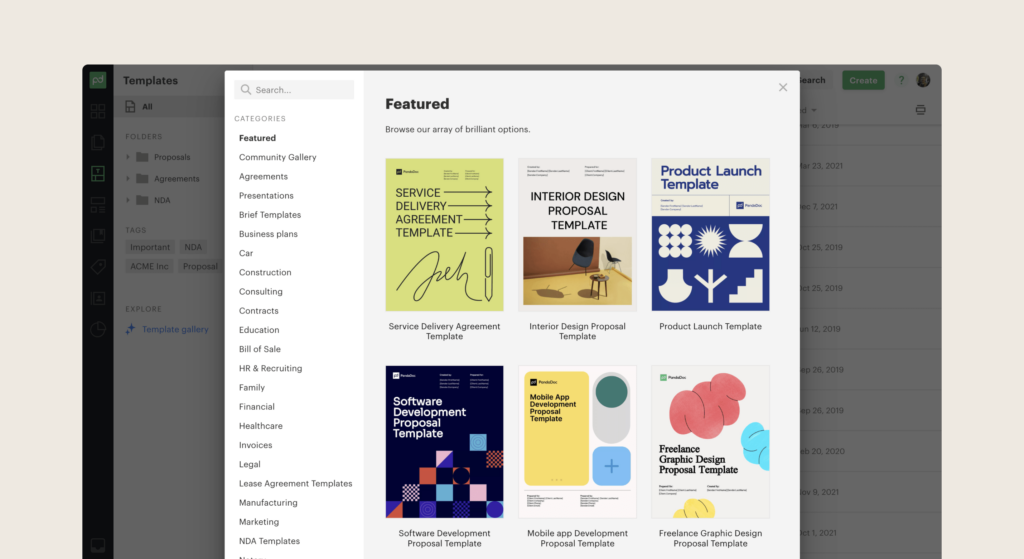
PandaDoc is a contract management software solution that excels in customization and ease of use. It allows users to create, send, track, and easily eSign documents. Its robust editing features make it the best tool for users who must tailor their real estate contracts to unique scenarios and specifications.
Why I Picked PandaDoc: I found PandaDoc compelling in my evaluation due to its exceptional customization capabilities. The platform's intuitive user interface and comprehensive editing features provide an ideal environment for crafting unique contracts. Furthermore, PandaDoc integrates with numerous platforms, enhancing workflow efficiency. I believe PandaDoc is "best for customization with robust editing features."
Standout features & integrations:
PandaDoc boasts various features like custom branding, template creation, content locking, and a drag-and-drop document builder. It also offers a document analytics feature, which provides insights into how recipients interact with your contracts. Key integrations include CRM platforms like Salesforce and Zoho and productivity tools like Google Drive and Dropbox.
Pros and Cons
Pros:
- Insightful document analytics for recipient behavior.
- Wide range of integrations with CRM and productivity platforms.
- Robust editing and customization features.
Cons:
- Additional features come at a higher cost.
- It may require some learning curve for newcomers.
- Annual billing can be less flexible for some users.

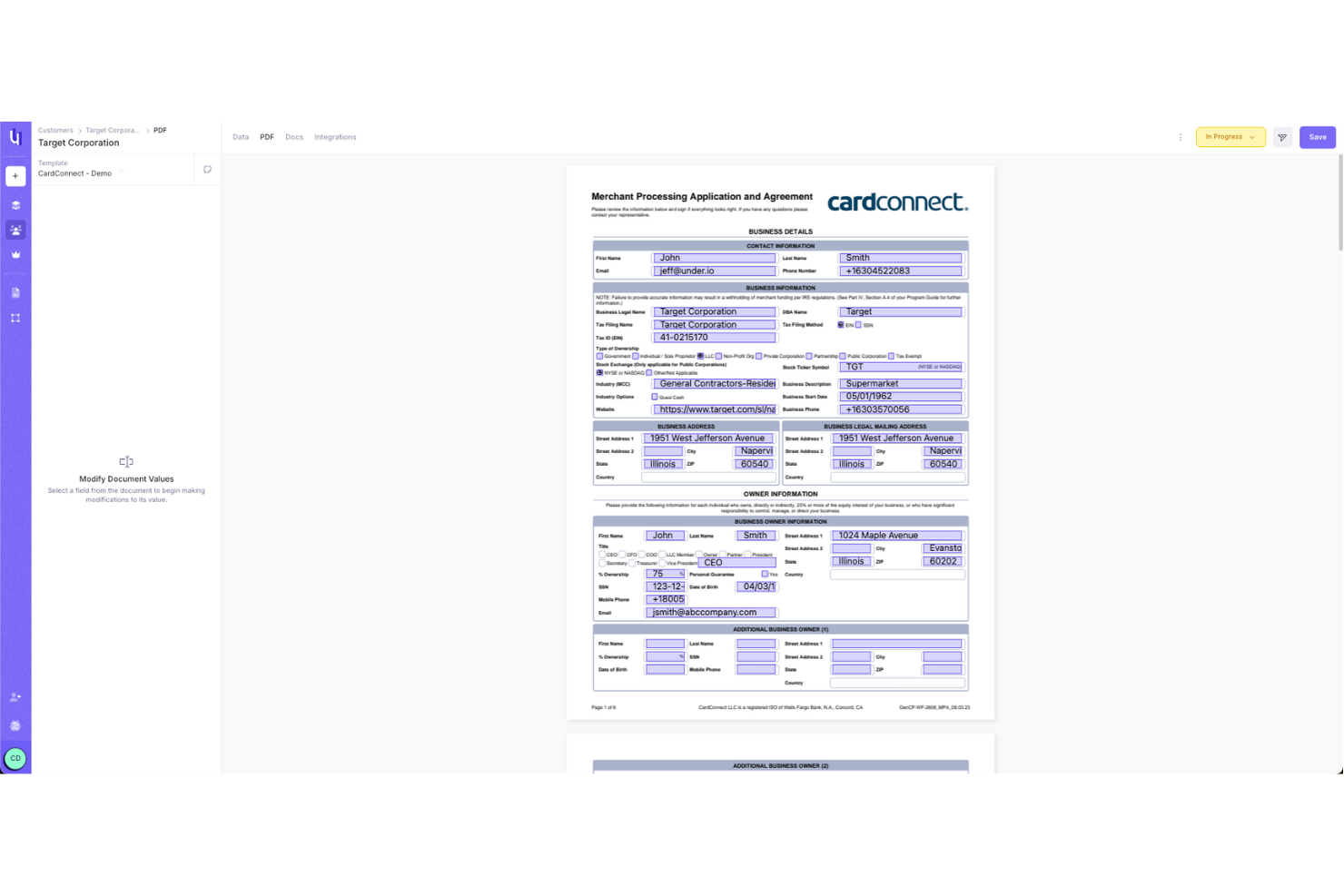
Under.io is a platform designed for various sectors, including financial services and real estate, focusing on optimizing the management of agreements and onboarding processes.
Why I Picked Under.io: One key feature is the platform's drag-and-drop form builder, which allows you to create custom forms tailored to your specific real estate needs. This flexibility means you can design documents that fit your workflow. Additionally, the platform supports customizable signature workflows, like multi-signer capabilities, so you can easily manage contracts that require signatures from multiple parties, ensuring everyone involved can sign off quickly.
Standout features & integrations:
Under.io offers templates that you can modify to fit your needs, reducing the time spent starting from scratch. It also supports multi-language forms, so you can easily create documents for an international audience without worrying about translation errors. Integrations include Google Maps, Twilio, Plaid, KYC, HubSpot, and Salesforce.
Pros and Cons
Pros:
- Templates help with frequently used contracts, forms, and applications
- Document verification ensures legal compliance
- Customizable, no-code logic form-building
Cons:
- Limited offline functionality
- No mobile app
Other Electronic Signature Tools For Real Estate Contracts
Here are some additional electronic signature tools for real estate contracts options that didn’t make it onto my shortlist, but are still worth checking out:
- Zoho Sign
For integration with existing Zoho suite products
- Ironclad
For dynamic contract generation and tracking
- Leah
For AI-powered contract analysis
- ContractNow
For simple, intuitive user interface
- ContractSafe
For secure contract storage and retrieval
- Mitratech TAP Workflow Automation
For automated escalations
- Freshservice
Good for IT service management integrated with contract management
- Jira Service Management
Good for teams already using Jira and in need of integrated contract management
- Concord
Good for complete contract lifecycle management
- Contract Logix
Good for its built-in contract drafting using pre-approved clauses
- Jotform
Good for easy contract creation with its form-building capabilities
- Deel HR
Good for managing international contracts and payouts in different currencies
- Ignition
Good for automation of proposal creation and tracking
- ContractZen
Good for offering secure virtual data rooms for contract storage
- Odoo
Good for businesses using the Odoo suite for easy integration
- ConvergePoint Contract Management
Good for businesses seeking SharePoint-based contract management
- OpenKM
Good for businesses needing document management alongside contracts
- Trackado
Good for its powerful contract tracking dashboard and alerts
- IntelAgree
Good for AI-assisted contract review and analysis
- Contract Eagle
Good for managing complex contract processes and timelines
- Construct CRM
Good for construction industry-specific contract management needs.
- Formstack Platform
Good for integrating form and data collection with contract management
- Contract 365
Good for seamless integration with Microsoft 365
- eBuyerAssist Platform
Good for businesses needing e-procurement alongside contract management
- ProjectTeam.com
Good for project-based contracts with its robust project management features


Selection Criteria For Real Estate Electronic Signature Tools
When selecting the best electronic signature real estate contracts to include in this list, I considered common buyer needs and pain points like ease of use and compliance with real estate regulations. I also used the following framework to keep my evaluation structured and fair:
Core Functionality (25% of total score)
To be considered for inclusion in this list, each solution had to fulfill these common use cases:
- Enable electronic signatures
- Support document templates
- Ensure document security
- Track document status
- Facilitate client communications
Additional Standout Features (25% of total score)
To help further narrow down the competition, I also looked for unique features, such as:
- Mobile app availability
- Integration with CRM systems
- Custom branding options
- Advanced analytics and reporting
- Multi-language support
Usability (10% of total score)
To get a sense of the usability of each system, I considered the following:
- Intuitive user interface
- Easy navigation
- Minimal learning curve
- Responsive design
- Customizable dashboard
Onboarding (10% of total score)
To evaluate the onboarding experience for each platform, I considered the following:
- Availability of training videos
- Interactive product tours
- Access to templates
- Chatbot assistance
- Webinars and live demos
Customer Support (10% of total score)
To assess each software provider’s customer support services, I considered the following:
- 24/7 support availability
- Live chat options
- Comprehensive help center
- Fast response times
- Personalized support
Value For Money (10% of total score)
To evaluate the value for money of each platform, I considered the following:
- Competitive pricing
- Feature set relative to cost
- Transparent pricing plans
- No hidden fees
- Free trial availability
Customer Reviews (10% of total score)
To get a sense of overall customer satisfaction, I considered the following when reading customer reviews:
- Overall satisfaction ratings
- Feedback on ease of use
- Comments on customer support
- Opinions on feature effectiveness
- Value for money perceptions
How to Choose an Electronic Signature Tool for Real Estate Contracts
It’s easy to get bogged down in long feature lists and complex pricing structures. To help you stay focused as you work through your unique software selection process, here’s a checklist of factors to keep in mind:
| Factor | What to Consider |
|---|---|
| Scalability | Can the tool grow with your business? Check if it supports more users or higher document volumes as your needs expand. |
| Integrations | Does it work with your existing tools, like CRM or email systems? Ensure seamless data flow to avoid manual data entry. |
| Customizability | Can you tailor it to fit your workflows? Look for options to adjust templates, user roles, and notifications to match your processes. |
| Ease of use | Is it user-friendly for your team? A simple, intuitive interface reduces training time and speeds up adoption. |
| Implementation and onboarding | How quickly can you get started? Consider the time and resources needed for setup, and check if the vendor offers training or support during onboarding. |
| Cost | Does it fit your budget? Compare pricing plans, check for hidden fees, and see if there's a free trial to test before committing. |
| Security safeguards | How does it protect your data? Look for encryption, two-factor authentication, and compliance with industry standards like GDPR or HIPAA. |
| Compliance requirements | Does it meet your legal obligations? Ensure it aligns with real estate regulations and any specific compliance needs for your region or industry. |
What Is Electronic Signature Software For Real Estate?
Electronic signature software for real estate contracts are digitally signed agreements employed within the real estate sector to expedite and simplify property transactions. They are used by many professionals, including real estate agents, property managers, brokers, and even individual homebuyers and sellers.
These digital contracts replace traditional paper documents, allowing users to sign, manage, and store contracts in a secure digital space. The primary purpose of these tools is to streamline real estate transactions by providing a faster, more efficient means of managing contracts while reducing the potential for errors and misplaced documents.
Features
When selecting an electronic signature tools for real estate contracts, keep an eye out for the following key features:
- Electronic signatures: Allow users to sign documents digitally, saving time and reducing the need for physical paperwork.
- Document templates: Provide pre-designed templates for common real estate documents, making it easier to prepare contracts quickly.
- Tracking: Enable users to monitor the status of documents, ensuring timely follow-ups and completion.
- Secure storage: Ensure that signed documents are stored safely, protecting sensitive information and maintaining compliance with regulations.
- Integration capabilities: Allow seamless connection with other tools like CRM or email systems, improving workflow efficiency.
- Custom branding: Offer options to add your logo and branding to documents, maintaining a professional image.
- Mobile app availability: Provide access to tools on-the-go, allowing users to manage documents from anywhere.
- Compliance support: Help users meet industry-specific legal requirements, reducing the risk of non-compliance.
- Analytics and reporting: Offer insights into document usage and performance, aiding in decision-making and optimization.
- Multi-language support: Cater to diverse clients by providing documents and interfaces in multiple languages.
Benefits
Implementing electronic signature tools for real estate contracts provides several benefits for your team and your business. Here are a few you can look forward to:
- Time savings: Digital signatures and templates speed up the signing process, reducing the time spent on paperwork.
- Enhanced security: Secure storage and encryption protect sensitive data, ensuring compliance with regulations.
- Increased efficiency: Integration with other tools minimizes manual data entry and improves workflow.
- Professional appearance: Custom branding options help maintain a consistent and professional image in all your documents.
- Improved accessibility: Mobile app availability allows you to manage documents from anywhere, increasing flexibility.
- Better compliance: Compliance support ensures that all documents meet industry-specific legal requirements, reducing risks.
- Data insights: Analytics and reporting provide valuable insights into document performance, aiding in decision-making.
Costs and Pricing
Selecting an electronic signature tool for real estate contracts requires an understanding of the various pricing models and plans available. Costs vary based on features, team size, add-ons, and more. The table below summarizes common plans, their average prices, and typical features included in electronic signature real estate contracts solutions:
Plan Comparison Table for Electronic Signature Tools for Real Estate Contracts
| Plan Type | Average Price | Common Features |
|---|---|---|
| Free Plan | $0 | Basic electronic signatures, limited document storage, and email support. |
| Personal Plan | $5-$25/user/month | Electronic signatures, document templates, tracking, and basic integrations. |
| Business Plan | $25-$50/user/month | Advanced integrations, custom branding, secure storage, and analytics and reporting. |
| Enterprise Plan | $50+/user/month | Compliance support, dedicated account manager, multi-language support, and full customization. |
Electronic Signature Tools For Real Estate FAQs
Here are some answers to common questions about electronic signature tools for real estate contracts:
Can house contracts be signed electronically?
Yes, house contracts can be signed electronically. Electronic signatures are legally recognized in many jurisdictions and can be used to execute real estate documents, including deeds. However, check local laws to ensure compliance with specific regulations in your area.
Are electronic signatures legally binding in all states?
Electronic signatures are generally legally binding in all states, thanks to laws like the ESIGN Act and UETA. These laws provide a framework for the use of electronic records and signatures in commerce. Always verify state-specific requirements to ensure full compliance.
What happens if an electronic signature is challenged?
If an electronic signature is challenged, the authenticity and integrity of the signature may need to be proven. Many electronic signature platforms provide audit trails and timestamps, which can help demonstrate that the signature process was secure and legitimate.
Which are the cheapest and most expensive software options?
Docsketch and HelloSign are more affordable options, with plans starting at around $10/user/month. On the other hand, software like DocuSign and Adobe Sign can be more expensive, with some programs reaching over $50/user/month.
Can electronic signatures be used for all types of real estate documents?
While electronic signatures can be used for most real estate documents, some documents may require a physical signature due to legal or lender requirements. Always verify the specific needs for each document type with your legal advisor or lender.
What’s Next:
If you're in the process of researching electronic signature real estate contracts, connect with a SoftwareSelect advisor for free recommendations.
You fill out a form and have a quick chat where they get into the specifics of your needs. Then you'll get a shortlist of software to review. They'll even support you through the entire buying process, including price negotiations.