
25 Best Estate Planning Software Changing The Game In 2026

10 Best Estate Planning Software Shortlist
Here's my pick of the 10 best software from the 25 tools reviewed.


Estate planning can often feel complex, especially when balancing legal documents, family needs, and financial details. The right software takes that burden off your shoulders by keeping everything organized, secure, and easy to manage. Whether you’re a lawyer, financial advisor, or someone preparing for the future, these tools help you create clear, accurate plans that bring peace of mind to everyone involved.
The following review highlights trusted estate planning software that simplifies the process, reduces errors, and helps you stay confident that every detail is covered. With dependable digital tools, managing estates becomes less about paperwork and more about protecting what truly matters.
Why You Can Trust Us
We’ve been testing and reviewing legal software since 2023. As legal practice leaders ourselves, we know how critical and difficult it is to make the right decision when selecting software.
We invest in deep research to help our audience make better software purchasing decisions. We’ve tested more than 2,000 tools for different legal practice use cases and written over 1,000 comprehensive software reviews. Learn how we stay transparent & our software review methodology.
Other Estate Planning Software
| Tool | Best For | Trial Info | Price | ||
|---|---|---|---|---|---|
| 1 | Best for secure client communication | 7-day free trial available | From $59/user/month | Website | |
| 2 | Best for law firm case management | 7-day free trial + free demo available | From $49/user/month (billed annually) | Website | |
| 3 | Best for authentic user reviews | Not available | TrustRadius is free for users who want to read or write reviews. For businesses wanting to leverage their reviews on TrustRadius or gain deeper insights, custom pricing packages are available upon request. | Website | |
| 4 | Best for cost-effective planning | Free discovery call available | Starting price for a basic Last Will and Testament plan is at $89 (one-time fee). | Website | |
| 5 | Best for simple, online estate planning | Not available | The pricing for Trust and Will starts at $89 for a complete will, with prices increasing for more complex estate plans. Please note these are one-time fees. | Website | |
| 6 | Best for smart, automated estate planning | Not available | From $15/user/month (billed annually) | Website | |
| 7 | Best for visualizing your estate plan | Not available | From $94/month | Website | |
| 8 | Best for comprehensive legal guidance | Not available | From $30/user/month (billed annually) | Website | |
| 9 | Best for integrating with existing systems | Not available | Just Vanilla's pricing starts from $689/month (billed annually). | Website | |
| 10 | Best for incorporating financial planning | Not available | From $50/user/month | Website |
-

Insightful
Visit WebsiteThis is an aggregated rating for this tool including ratings from Crozdesk users and ratings from other sites.4.8 -
CARET Legal
Visit WebsiteThis is an aggregated rating for this tool including ratings from Crozdesk users and ratings from other sites.4.5 -
Redactable
Visit WebsiteThis is an aggregated rating for this tool including ratings from Crozdesk users and ratings from other sites.4.8


Best Estate Planning Software Reviews

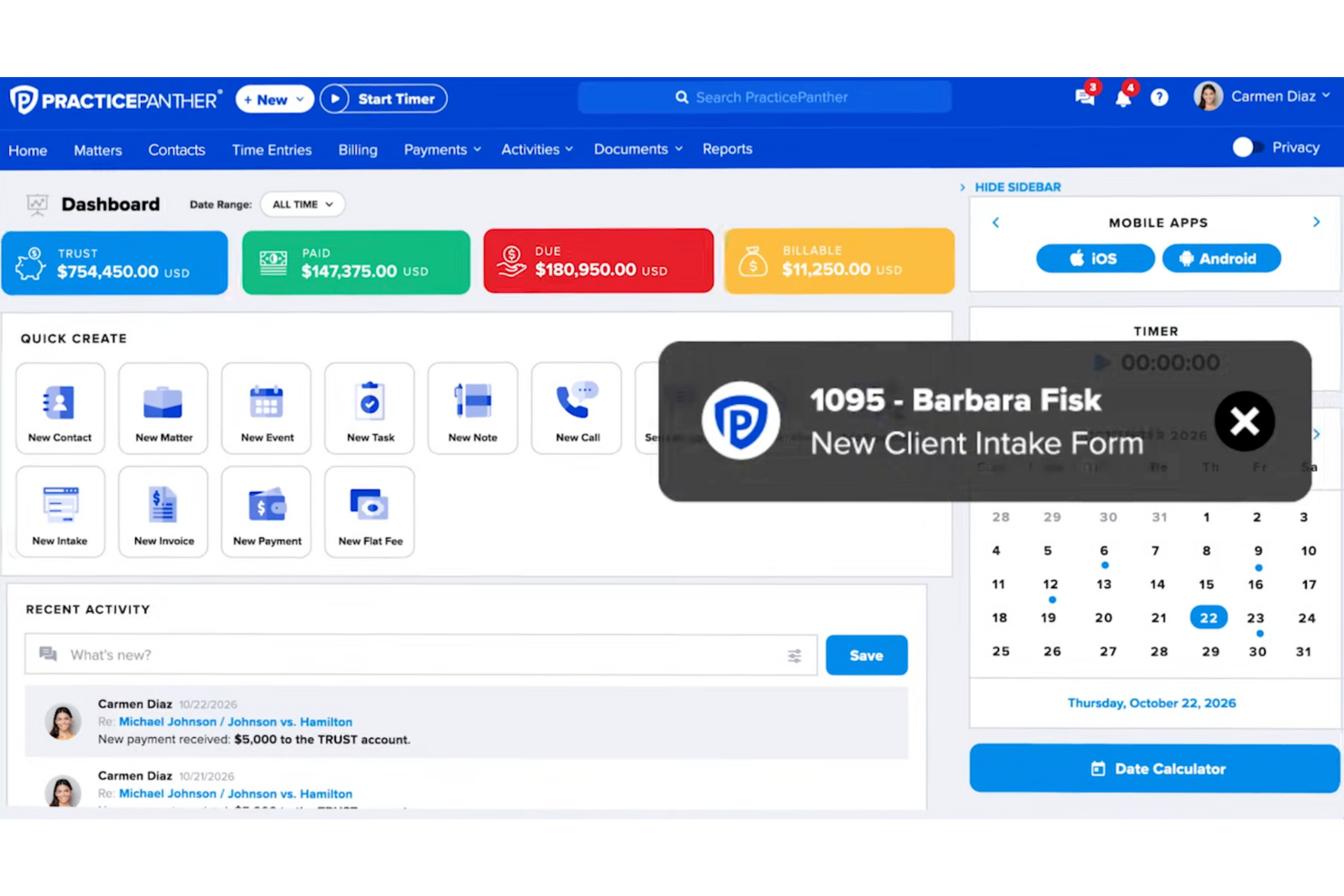
As an estate planning attorney, you understand the importance of precise and efficient document management. PracticePanther offers a tailored solution for your needs, combining case management with tools that support secure client communication. This platform is designed for legal professionals who need to manage sensitive client information, handle billing, and keep estate planning workflows organized.
Why I Picked PracticePanther
I picked PracticePanther for its ability to transform estate planning tasks through document automation and case management. This software automates the drafting of wills and trusts, significantly reducing manual errors and saving time. Additionally, its case management capabilities enable you to organize client information and deadlines effectively, ensuring that you never miss a crucial date. These features are particularly beneficial for estate planning attorneys seeking to maintain accuracy and efficiency in their practices.
PracticePanther Key Features
In addition to secure client communication, PracticePanther offers:
- Time Tracking and Billing: Accurately record billable hours and generate invoices, ensuring you are well compensated.
- Calendar Integration: Sync with Google or Outlook to manage appointments and deadlines seamlessly.
- eSignature Capabilities: Obtain client signatures electronically, speeding up the documentation process.
PracticePanther Integrations
Integrations include QuickBooks, Dropbox, Google Calendar, LawPay, Mailchimp, Microsoft Outlook, Google Drive, PayPal, Stripe, and Zapier.
Pros and Cons
Pros:
- Customizable intake forms improve client onboarding processes
- Cloud-based, allowing access anytime, supporting remote work
- Automates administrative tasks, saving significant time weekly
Cons:
- Occasional timer resets disrupt time tracking
- Customization options might be limited for specific needs
New Product Updates from PracticePanther

PracticePanther Improves Tagging and Filter Controls
PracticePanther introduces multi-select tags and typed date ranges for filters. These updates help users organize records faster and apply filters more efficiently when managing matters, contacts, and reports. For more information, visit PracticePanther’s official site.
 .
.

Clio is a robust legal practice management software that centralizes case management, client intake, billing, and more into a single platform. Its effectiveness and simplicity make it ideally suited for law firms needing a comprehensive solution for case management.
Why I Picked Clio: In my selection process, I found Clio different in its comprehensiveness, offering everything a law firm needs to manage its cases effectively. Its extensive set of features and intuitive interface make it a standout choice. Hence, I believe Clio is the "Best for law firm case management."
Standout features & integrations:
Clio's standout features include a complete case and client management system, comprehensive billing, and intuitive scheduling. It also offers valuable integrations with Microsoft 365, QuickBooks, LawPay, and numerous other productivity, finance, and legal research tools.
Pros and Cons
Pros:
- Abundance of integrations with third-party apps
- User-friendly interface makes navigation easy
- Comprehensive feature set for law firm case management
Cons:
- Some users report occasional software slowdowns
- Features can be overwhelming for smaller firms or solo practitioners
- The cost can add up for larger teams

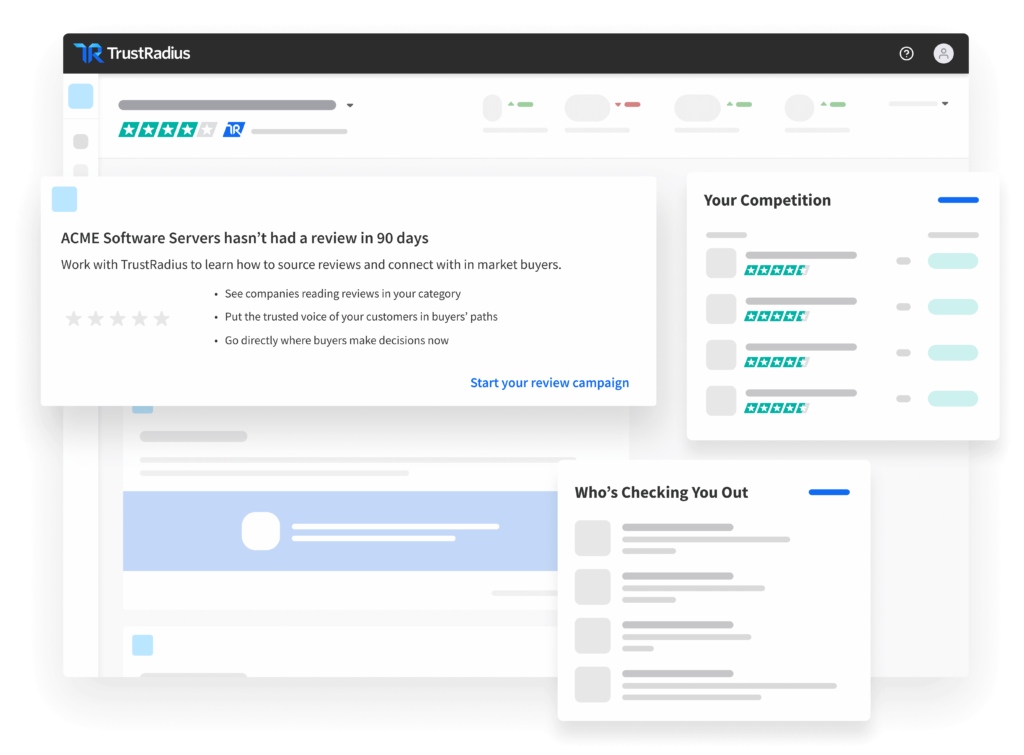
TrustRadius is a review site for business technology that aids potential software buyers in making informed decisions by offering them access to authentic user reviews. It stands out when one seeks to base their decision on real user experiences and impartial evaluations.
Why I Picked TrustRadius: My choice of TrustRadius hinged on its stringent review verification process, which assures the authenticity of its user reviews. This characteristic sets it apart from many other review platforms. It's this commitment to real, accurate feedback that makes TrustRadius my pick for "Best for authentic user reviews."
Standout features & integrations:
TrustRadius features include a broad spectrum of products to review, an advanced search function, and a unique "TrustScore" system to quickly gauge the credibility of a product based on user feedback. For integrations, TrustRadius offers a TrustQuotes widget that can be integrated into other websites to display authentic user reviews.
Pros and Cons
Pros:
- Useful TrustScore rating system
- Detailed, verified user reviews
- Wide variety of products for review
Cons:
- Businesses looking to leverage their reviews have to contact for pricing
- Can be overwhelming due to the vast number of reviews
- Some users may find the website interface complex

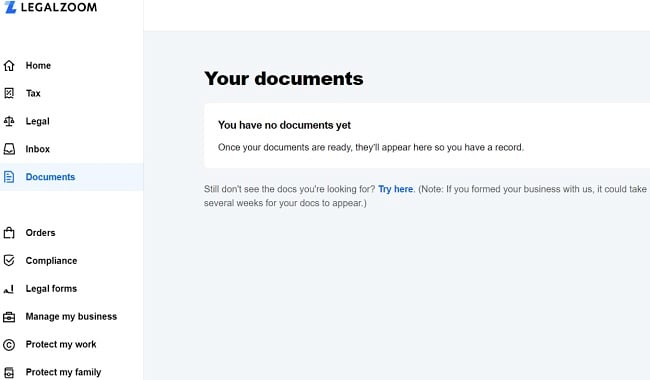
LegalZoom is an online legal services platform that provides a broad range of services including estate planning, business formation, and intellectual property services. It is particularly ideal for cost-effective planning due to its fixed-fee services for most offerings.
Why I Picked LegalZoom: In selecting LegalZoom, I took into account its straightforward pricing system, broad service range, and ease of use of the platform. What sets LegalZoom apart is its emphasis on providing affordable legal services to those who would traditionally find legal processes daunting and costly. Its affordability and accessibility make it my choice for the "Best for cost-effective planning.”
Standout features & integrations:
LegalZoom's features include an extensive library of legal documents, attorney advice options, and an easy-to-navigate user interface. While the platform itself does not have a focus on software integrations, its standalone capabilities offer a robust suite of legal services and tools.
Pros and Cons
Pros:
- User-friendly interface
- Provides access to a broad range of legal services
- Fixed-fee services for most offerings
Cons:
- Some customers have reported slow customer service responses
- Legal advice options require additional costs
- Does not offer software integrations


Trust and Will is an online platform that specializes in assisting users with creating legally valid estate plans. Its simplified, streamlined process caters specifically to those needing a hassle-free online solution for their estate planning needs.
Why I Picked Trust and Will: I selected Trust & Will for its emphasis on simplicity and ease of use. The platform stands out in its ability to distill complex legal processes into a user-friendly online interface. Given this, it fits well with the criterion of being "Best for simple, online estate planning."
Standout features & integrations:
Trust and Will provides users with clear, step-by-step guidance for creating wills, trusts, and nominations for guardianship. Moreover, the platform offers live customer support to guide users through the process. Regarding integrations, Trust and Will do not primarily focus on connecting with other tools but instead on ensuring the platform is easy-to-use and accessible on its own.
Pros and Cons
Pros:
- Transparent, fixed pricing
- Live customer support
- Streamlined process for creating estate plans
Cons:
- Does not provide legal advice
- Higher cost for more complex estate plans
- No integrations with other software


When it comes to estate planning, complexity can be overwhelming. estateGENIUS is a platform that leverages artificial intelligence to simplify this process, providing automated solutions for creating and managing estate plans. Its strength in smart, automated solutions makes it best suited for individuals who need a streamlined and efficient estate planning tool.
Why I Picked estateGENIUS: I chose estateGENIUS for this list due to its intuitive interface and the use of AI technology, which sets it apart from other tools in the market. The tool's ability to automate the complex processes of estate planning is unparalleled. It excels in providing smart, automated solutions for estate planning, making it the top choice for those seeking a highly efficient and less labor-intensive option.
Standout features & integrations:
estateGENIUS is packed with critical features such as will and trust generation, asset tracking, and digital storage for essential documents. Its AI capabilities allow for seamless updates and modifications in response to changes in users' lives and estate planning laws. As for integrations, estateGENIUS syncs effectively with financial apps like Mint and Quickbooks, making it easy to incorporate your existing financial data into your estate plan.
Pros and Cons
Pros:
- Strong integrations with financial apps facilitate a comprehensive overview of your assets
- Constant updates in line with estate planning laws ensure your plan is always compliant
- Automated living will and revocable living trust generation reduces complexity
Cons:
- More complex estate situations may require professional legal advice beyond the scope of the tool.
- Annual billing might not be flexible for all users
- The user interface could be more intuitive for non-tech-savvy individuals


Asset-Map is a unique tool that turns the complex world of estate planning into visually engaging maps. It's the perfect fit for those who appreciate a visual and interactive approach to understanding their estate.
Why I Picked Asset-Map: I selected Asset-Map because it presents complex estate plans in a clear, easy-to-understand visual template. Unlike many text-heavy tools, Asset-Map stands out with its unique ability to make the estate planning process more accessible and engaging. For this reason, I confidently affirm it as the "Best for visualizing your estate plan."
Standout features & integrations:
Key features of Asset-Map include interactive map creation, personalized planning, and the ability to annotate directly onto the visual plan. The software provides meaningful integrations with financial planning systems, CRMs, and document management systems.
Pros and Cons
Pros:
- Seamless integrations with various systems
- Allows personalization and direct annotation on plans
- Provides a visual, intuitive interface for estate planning
Cons:
- Higher price point for individual users
- Lacks some advanced estate planning features found in other tools
- May not be suitable for those preferring traditional text-based tools


CounselPro8 is a premium estate planning software that offers a comprehensive suite of legal tools and resources. Designed to cater to the complex world of estate planning, this platform provides legal professionals with robust functionality to manage a variety of estate planning scenarios.
Why I Picked CounselPro8: I selected CounselPro8 for this list for its ability to offer comprehensive legal guidance in estate planning. It excels in offering a variety of features designed specifically for legal matters in estate management. The tool stands out with its tailored functionality that suits legal professionals handling complex estates. When I say, it's "Best for comprehensive legal guidance," I mean it. Its wide final arrangement of legal resources simplifies the intricacies of estate planning.
Standout features & integrations:
CounselPro8 offers dynamic forms, client management, document assembly, and a legal library, making the planning process efficient. It integrates seamlessly with Microsoft Office and other document management systems, easing workflow.
Pros and Cons
Pros:
- Efficient client management
- Dynamic legal forms and document assembly
- Comprehensive legal resources
Cons:
- Might be costly for solo practitioners
- Requires a learning curve
- Lacks a free trial


Just Vanilla is a cloud-based community forum software that businesses use to foster customer engagement and brand loyalty. Its ability to integrate with a wide range of existing systems makes it ideal for seamless integration into existing infrastructure.
Why I Picked Just Vanilla: In my search for tools, I opted for Just Vanilla because of its extensive customization capabilities and out-of-the-box integrations. When judging the software, I was particularly struck by its API-first approach, which allows it to fit into and augment the capabilities of current systems easily. I determined Just Vanilla be the "Best for integrating with existing systems" due to this flexibility and the variety of integration possibilities it provides.
Standout features & integrations:
Just Vanilla's features are tailored for community engagement. Notable features include gamification, private messaging, and a mobile-optimized design. It also supports Single Sign-On (SSO) to provide users with a seamless experience across platforms.
Just Vanilla's integrations, the hallmark of its versatility, span across CRM systems, help desk software, and marketing automation tools. Some of its essential integrations include Salesforce, Zendesk, and Mailchimp.
Pros and Cons
Pros:
- Supports Single Sign-On for a unified user experience
- Provides an API-first approach, allowing for numerous integrations
- Offers extensive customization features
Cons:
- Advanced customizations may require development resources
- Learning curve for non-technical users due to its API-first nature
- Higher-tier features may be expensive for small businesses


Astute Estate Planner is an innovative solution that combines estate planning and financial planning into one intuitive interface. It's ideal for individuals or families who want to align their financial and estate plans for maximum efficiency.
Why I Picked Astute Estate Planner: Astute Estate Planner caught my attention because it seamlessly integrates financial planning into estate planning. I chose this because it takes a holistic view of a user's financial situation - a unique feature not commonly found in other tools. Given this, I confidently consider it the "Best for incorporating financial planning" into the estate planning process.
Standout features & integrations:
Astute Estate Planner offers a range of features, such as interactive financial planning, risk analysis, and budgeting tools. It also integrates with popular finance and document management systems, enabling you to manage all your credit card or financial information in one place.
Pros and Cons
Pros:
- Seamless integration with other finance and document management systems
- Provides interactive financial tools
- Integrates financial planning into estate planning
Cons:
- Could be complex for individuals with simple financial situations
- Lacks real-time updating features
- More expensive compared to some other tools
Other Estate Planning Software
Below is a list of additional estate planning software I shortlisted but did not make it to the top 10. Definitely worth checking them out.
- AlTi Global
For global wealth management
- WillMaker
For personal will creation
- eStatePlanner
For real-time estate planning
- TypeLaw
For court-specific compliance
- CARET Legal
Good for streamlining practice management for estate planning attorneys
- Actionstep
Good for workflow automation in legal practice areas
- Smokeball
Good for cloud-based document automation and time tracking
- SmartDraw
Good for visually organizing estate planning with diagrams
- Thryv
Good for incorporating client communication into estate planning
- Fidelity
Good for integrating with a trusted financial institution
- Appara
Good for leveraging AI for estate planning
- Yourefolio
Good for comprehensive estate planning and management
- Amicus Law
Good for attorneys seeking advanced case management features
- EncoreEstate Plans
Good for combining financial planning and estate organization
- InterActive Legal
Good for in-depth legal content and dynamic drafting system


Estate Planning Software Selection Criteria
When selecting the best estate planning software to include in this list, I considered common buyer needs and pain points like document customization and legal compliance. I also used the following framework to keep my evaluation structured and fair:
Core Functionality (25% of total score)
To be considered for inclusion in this list, each solution had to fulfill these common use cases:
- Document creation and management
- Will and trust drafting
- Client information storage
- Compliance tracking
- Estate tax calculations
Additional Standout Features (25% of total score)
To help further narrow down the competition, I also looked for unique features, such as:
- Interactive visual planning tools
- AI-driven document suggestions
- Customizable client portals
- Multi-jurisdictional compliance support
- Advanced analytics and reporting
Usability (10% of total score)
To get a sense of the usability of each system, I considered the following:
- Intuitive interface design
- Simple navigation structure
- Minimal learning curve
- Responsive design for mobile access
- Customizable user settings
Onboarding (10% of total score)
To evaluate the onboarding experience for each platform, I considered the following:
- Availability of training videos
- Interactive product tours
- Access to webinars and workshops
- Comprehensive user manuals
- Supportive community forums
Customer Support (10% of total score)
To assess each software provider’s customer support services, I considered the following:
- 24/7 customer service availability
- Access to live chat support
- Responsive email assistance
- Comprehensive FAQ section
- Dedicated account managers
Value For Money (10% of total score)
To evaluate the value for money of each platform, I considered the following:
- Competitive pricing models
- Transparent cost structures
- Range of pricing tiers
- Inclusion of essential features in base plan
- Discounts for long-term subscriptions
Customer Reviews (10% of total score)
To get a sense of overall customer satisfaction, I considered the following when reading customer reviews:
- Overall satisfaction ratings
- Frequency of positive feedback
- Commonly mentioned pain points
- Recommendations from industry professionals
- Recurring themes in user experiences
How to Choose Estate Planning Software
It’s easy to get bogged down in long feature lists and complex pricing structures. To help you stay focused as you work through your unique software selection process, here’s a checklist of factors to keep in mind:
| Factor | What to Consider |
|---|---|
| Scalability | Can the software grow with your needs? Consider if it supports expanding client bases or additional features as your practice grows. |
| Integrations | Does it work with your existing tools? Check for compatibility with systems like CRM, accounting software, or document management platforms. |
| Customizability | Can you tailor it to fit your processes? Look for options to modify workflows, templates, and user interfaces to match your firm's needs. |
| Ease of use | Is it user-friendly? Ensure your team can navigate the software without extensive training and that it offers a straightforward interface. |
| Implementation and onboarding | How quickly can you get started? Evaluate the setup time, availability of training resources, and ease of importing existing data. |
| Cost | Does it fit your budget? Compare pricing structures, hidden fees, and whether the cost aligns with the value it brings to your practice. |
| Security safeguards | Are your clients' data protected? Look for features like encryption, user access controls, and regular security updates. |
| Compliance requirements | Does it meet legal standards? Ensure the software complies with industry regulations and can adapt to changes in legal requirements. |
What Is Estate Planning Software?
Estate planning software is a tool designed to help individuals and professionals create, manage, and update legal documents related to estate management. Lawyers, financial advisors, and estate planners typically use these tools to simplify the process of drafting wills, trusts, and other essential documents. Document creation, compliance tracking, and client management features help with organizing and maintaining accurate records. Overall, these tools save time and reduce errors in estate planning, making the process more efficient and accessible.
Features
When selecting estate planning software, keep an eye out for the following key features:
- Document creation: Allows you to draft wills, trusts, and other legal documents efficiently.
- Compliance tracking: Ensures all documents meet legal standards and regulations.
- Client management: Helps organize and store client information for easy access and updates.
- Tax calculations: Provides tools to calculate estate taxes and optimize financial outcomes.
- Visual planning tools: Offers interactive charts and diagrams to simplify complex estate strategies.
- Customizable templates: Lets you tailor documents to fit specific client needs and scenarios.
- Integration capabilities: Works with existing systems like CRM and accounting software for seamless operations.
- Security safeguards: Protects sensitive client data with encryption and access controls.
- Onboarding resources: Provides training materials and support to help you get started quickly.
- Analytics and reporting: Delivers insights into estate plans with detailed reports and data analysis.
Benefits
Implementing estate planning software provides several benefits for your team and your business. Here are a few you can look forward to:
- Efficiency improvement: Automates document creation and management, saving time on drafting and organizing.
- Error reduction: Ensures compliance with legal standards, reducing the risk of mistakes in legal documents.
- Enhanced client service: Offers client management tools that help maintain accurate and up-to-date client information.
- Financial optimization: Provides tax calculation features that assist in planning and maximizing financial outcomes.
- Simplified planning: Uses visual tools to make complex estate strategies easier to understand and communicate.
- Data security: Protects sensitive client data with encryption and strict access controls.
- Quick onboarding: Offers resources and support to help your team start using the software effectively right away.
Costs & Pricing
Selecting estate planning software requires an understanding of the various pricing models and plans available. Costs vary based on features, team size, add-ons, and more. The table below summarizes common plans, their average prices, and typical features included in estate planning software solutions:
Plan Comparison Table for Estate Planning Software
| Plan Type | Average Price | Common Features |
|---|---|---|
| Free Plan | $0-$5/user/month | Basic document creation, limited storage, and simple client management. |
| Personal Plan | $10-$30/user/month | Customizable templates, compliance tracking, client management tools, and basic tax calculations. |
| Business Plan | $50-$100/user/month | Advanced document automation, enhanced security features, integration capabilities, and analytics. |
| Enterprise Plan | $150+/user/month | Full customization options, dedicated support, multi-jurisdictional compliance, and advanced reporting. |
Estate Planning Software FAQs
Here are some answers to common questions about estate planning software:
How does estate planning software make communication easier?
It helps you stay in touch with clients or family members by keeping everything in one place. Messages, notes, and updates are easier to find, so you don’t have to go through long email threads or piles of papers.
What are common mistakes when choosing estate planning software?
Many people pick a tool just because it’s popular or cheap, without checking if it actually fits their needs. Others forget to see if the information in it stays up to date. It’s better to choose something simple, reliable, and supported by a trusted provider.
How often should plans or records be updated?
It’s a good idea to review your estate plans once a year, or whenever something big happens—like getting married, moving homes, or gaining new property. With the right software, you can easily make changes without starting from scratch.
Can regular families use estate planning software too?
Yes. You don’t have to be a lawyer or financial expert. Many families use these tools to write down their wishes, organize property details, and make sure everything is clear for loved ones.
How can you get the most out of estate planning software?
Learn how to use it fully instead of just saving files. Add reminders for updates, explore helpful features, and keep your information organized. The more familiar you are with it, the smoother your planning process will be.
Is it safe to move information from paper to software?
Yes. Most tools help you transfer information step by step. Just make sure to keep a copy of your files before you start, and once everything’s moved, your records will be safer and easier to find than in paper form.
What’s Next:
If you're in the process of researching estate planning software, connect with a SoftwareSelect advisor for free recommendations.
You fill out a form and have a quick chat where they get into the specifics of your needs. Then you'll get a shortlist of software to review. They'll even support you through the entire buying process, including price negotiations.