

10 Best NetDocuments Alternatives in 2026



A strong NetDocuments alternative gives your team secure, organized document management with intuitive workflows and easy collaboration. If you’re searching for NetDocuments alternatives, you’re probably looking for a solution that meets legal industry demands without the hurdles of complex or outdated systems.
The right alternative should help you balance compliance, access, and real-world use so your documents are always where you need them—no headaches. In this guide, you’ll get a close look at the top options, their unique features, and guidance to pick a platform that fits how your legal team actually works.
What is NetDocuments?
NetDocuments is a cloud-based document management system designed for legal teams and law firms. It lets you organize, search, secure, and collaborate on documents from anywhere while staying compliant with industry standards. Legal professionals use NetDocuments to centralize files, manage versions, set custom permissions, and automate workflow steps. This helps reduce risk, keep documents accessible to authorized users, and control who’s able to view, share, or edit sensitive information.
Compare Specs
| Tool | Best For | Trial Info | Price | ||
|---|---|---|---|---|---|
| 1 | Best for automated legal documents | Free trial available | From $149/month | Website | |
| 2 | Best for case and document management | 7-day free trial | From $49/user/month (billed annually) | Website | |
| 3 | Best for client and document management | 10-day free trial | From $50/user/month (billed annually) | Website | |
| 4 | Best for case-based document management | Free trial available | Pricing upon request | Website | |
| 5 | Best for documents with legal accounting | 10-day free trial | From $99/user/month | Website | |
| 6 | Best for billing and document workflows | 10-day free trial | From $59/user/month (billed annually) | Website | |
| 7 | Best for enterprise content management | Free demo available | Pricing upon request | Website | |
| 8 | Best for enterprise legal document management | Free demo available | Pricing upon request | Website | |
| 9 | Best for cloud legal document management | Free demo available | Pricing upon request | Website | |
| 10 | Best for traditional legal document management | Free demo available | Pricing upon request | Website |
Why You Can Trust Us
We’ve been testing and reviewing legal software since 2023. As legal practice leaders ourselves, we know how critical and difficult it is to make the right decision when selecting software.
We invest in deep research to help our audience make better software purchasing decisions. We’ve tested more than 2,000 tools for different legal practice use cases and written over 1,000 comprehensive software reviews. Learn how we stay transparent & our software review methodology.
-

CARET Legal
Visit WebsiteThis is an aggregated rating for this tool including ratings from Crozdesk users and ratings from other sites.4.4 -
Redactable
Visit WebsiteThis is an aggregated rating for this tool including ratings from Crozdesk users and ratings from other sites.4.8 -
Insightful
Visit WebsiteThis is an aggregated rating for this tool including ratings from Crozdesk users and ratings from other sites.4.8





Best NetDocuments Alternatives Reviews
Below are my detailed summaries of the best NetDocuments alternatives that made it onto my shortlist. My reviews offer a detailed look at the features, best use cases, and integrations of each platform to help you find the best one for you.

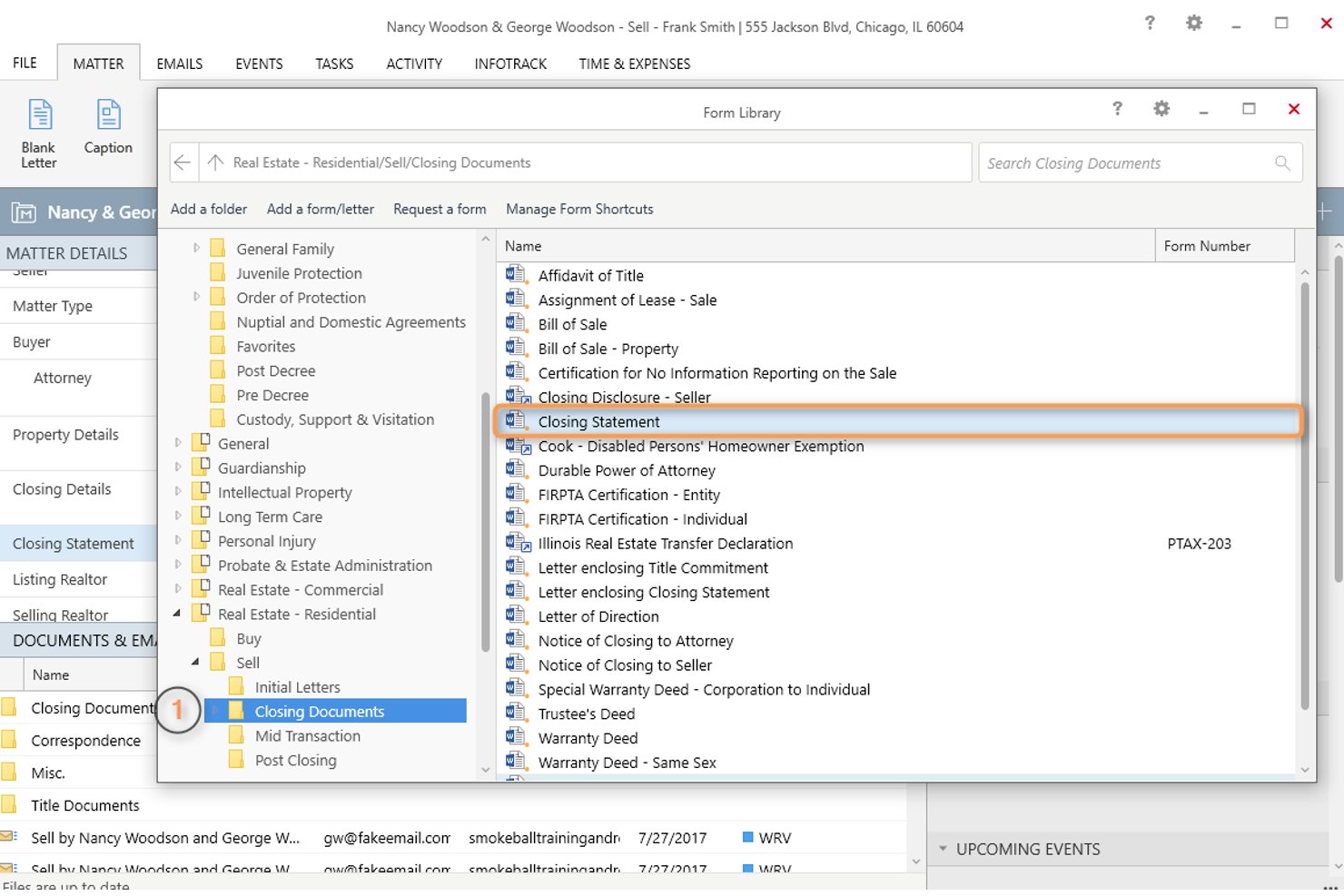
Smokeball is a cloud-based legal practice management platform built for small to mid-sized law firms that need matter-centric document organization, automated document generation, and Microsoft 365 integration without relying on a standalone DMS.
Who Is Smokeball Best For?
Smokeball is a strong fit for managing partners at solo-to-10-person law firms who want billing, workflows, and document management in a single platform.
Why Smokeball Is a Good NetDocuments Alternative
I picked Smokeball because its document automation goes well beyond simple storage. With 20,000+ pre-built court forms and 200+ matter-type templates, I can generate jurisdiction-ready legal documents in minutes rather than hours. AutoTime quietly logs every document interaction in the background, so billable activity tied to those documents is never lost.
Smokeball Key Features
- Matter-centric workspaces: Organize all documents, emails, and files directly around client matters for easy access.
- Outlook and Word integration: Save emails and attachments to matters without leaving Outlook and draft documents in Word linked to the platform.
- Role-based access controls: Set firm, matter, and user permissions to protect confidentiality and maintain compliance.
- Automatic time tracking: Capture work performed within documents, emails, and tasks for more accurate billing and activity records.
Smokeball Integrations
Smokeball offers native integrations across the Microsoft ecosystem, including Microsoft 365 and Azure, as well as built-in connections to LawPay, QuickBooks, InfoTrack, LawToolBox, and Lawmatics. An API is available for custom integrations.
Pros and Cons
Pros:
- Matter workspaces keep all files organized
- AutoTime passively logs all billable activity
- 20,000+ pre-built court forms available
Cons:
- Built primarily for small firms only
- Limited search across documents and emails

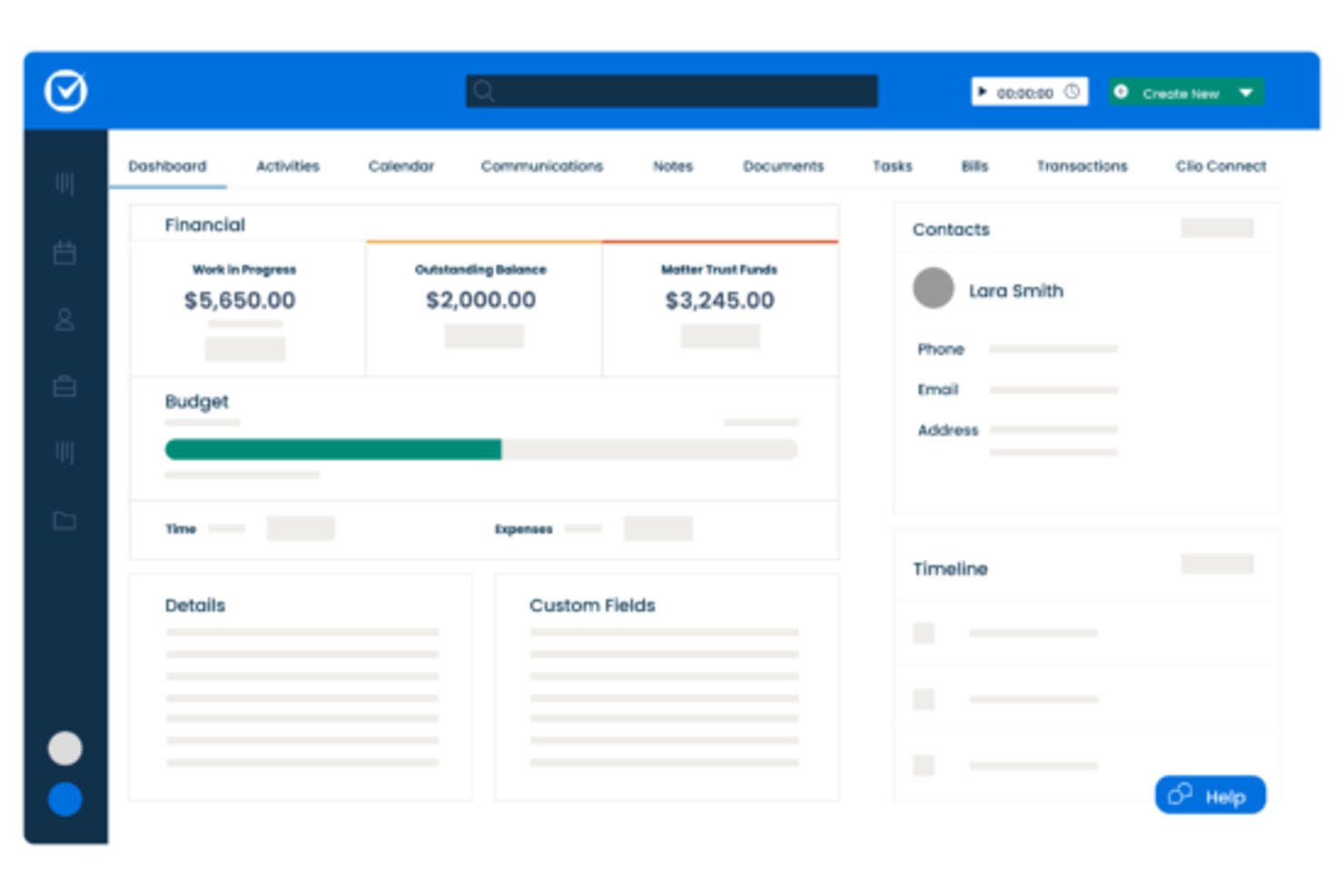
Clio Manage is a cloud-based legal practice management platform that lets law firms handle case files, documents, billing, and client communication in one place—making it a practical alternative for firms that want document management woven into their daily legal workflows.
Who Is Clio Manage Best For?
It's a strong fit for solo practitioners and small-to-mid-sized law firms that want a single platform for both case management and document storage.
Why Clio Manage Is a Good NetDocuments Alternative
I've included Clio Manage in my top picks because it keeps case files, documents, and matter workflows genuinely unified. I like that Clio Drive lets me open and edit matter-related files from my desktop, with changes syncing directly back to the matter record. Document automation through Clio Draft autofills documents using live case and client data, cutting out repetitive manual drafting. Version history with per-file comment threads also keeps everyone aligned without switching between tools.
Clio Manage Key Features
- Clio Launcher: Open and edit documents from your browser directly in Microsoft Word or Adobe Reader, with changes saved to Clio.
- Matter-level permissions: Control access to specific cases and documents by assigning permissions at the matter level.
- AI-powered document review (Manage AI): Summarize case files and extract key details using AI, with sources cited automatically.
- E-signature integration: Sign legal documents directly within the platform without needing a third-party tool.
Clio Manage Integrations
Clio Manage offers native integrations with Microsoft 365, Google Workspace, Dropbox, Box, OneDrive, QuickBooks Online, Xero, DocuSign, and LawPay. An API is available for custom integrations.
Pros and Cons
Pros:
- Full practice management alongside document storage
- Built-in document automation with live case data
- Matter-linked documents update across all devices
Cons:
- No ethical walls or conflict-check tools
- Document management less specialized than dedicated DMS

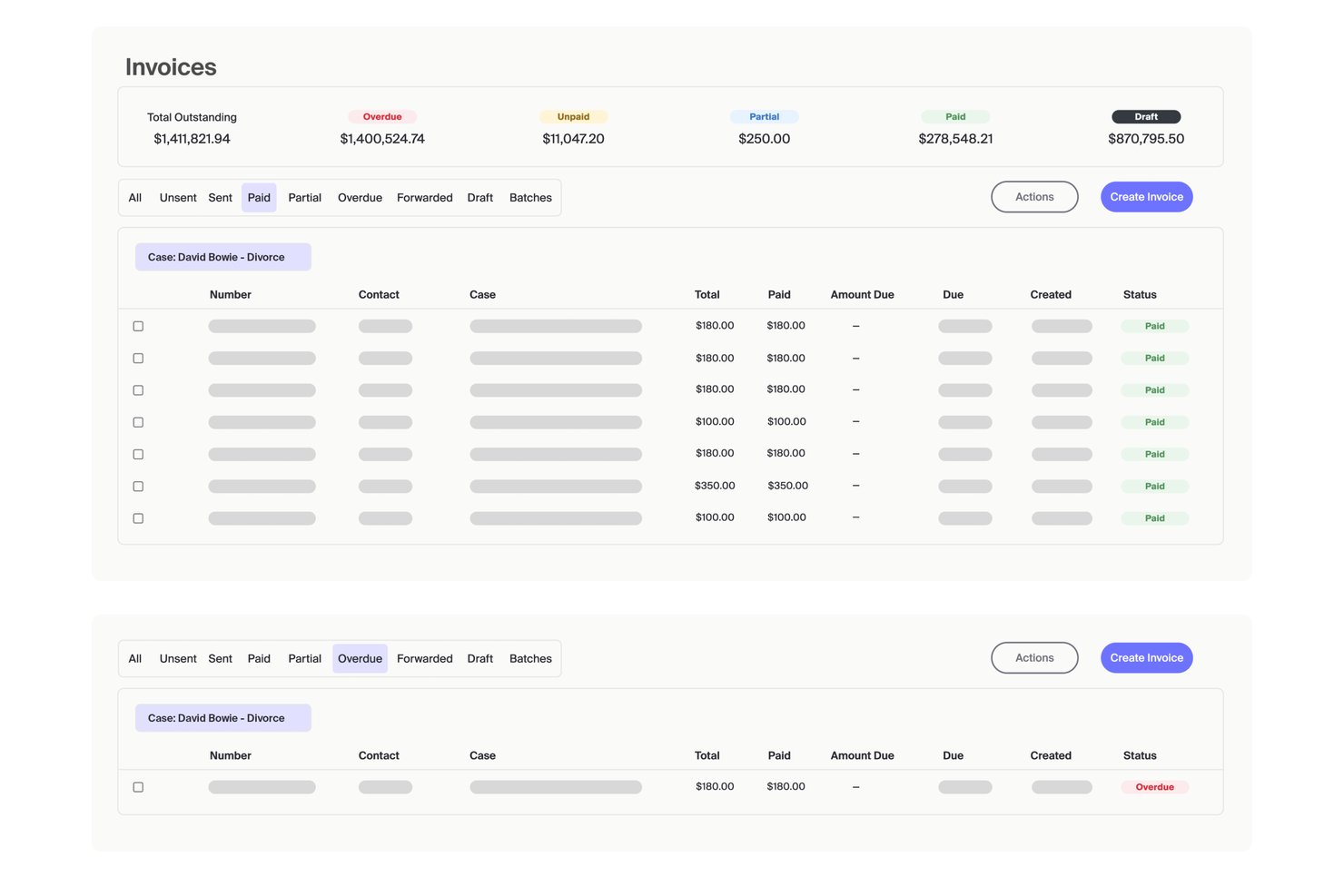
MyCase is an all-in-one legal practice management platform that combines matter-centric document storage, client portal, billing, and eSignature in a single system built for small and midsize law firms.
Who Is MyCase Best For?
MyCase is a strong fit for solo practitioners and managing partners at small firms who want one platform to handle cases, documents, and client communication.
Why MyCase Is a Good NetDocuments Alternative
I've included MyCase in my top picks because of how tightly it connects client communication with document management. Every document lives inside a matter workspace, and clients can access, review, and sign files directly through the built-in client portal without needing a separate tool. I especially like the unlimited eSignature feature and full-text search across scanned PDFs, which makes retrieving filed documents fast without manual re-naming or folder hunting.
MyCase Key Features
- MyCase Drive: Syncs desktop files and folders directly to MyCase with two-way sync for easy access.
- Role-based permissions: Lets you assign granular access control to documents and case files across your team.
- Open API: Allows custom integrations with other legal, financial, or workflow tools in your stack.
- Conflict check tracking: Helps prevent conflicts of interest by running checks against your database for new matters.
MyCase Integrations
MyCase offers native integrations with Microsoft 365, Google Workspace, QuickBooks, Dropbox, CalendarRules, LawToolBox, Kenect, and Smith.ai. An API is available for custom integrations.
Pros and Cons
Pros:
- Matter-linked billing and document records combined
- Unlimited eSignature available on the platform
- Built-in client portal with document access
Cons:
- Version control less advanced than dedicated DMS
- No dedicated document profiling or metadata tagging

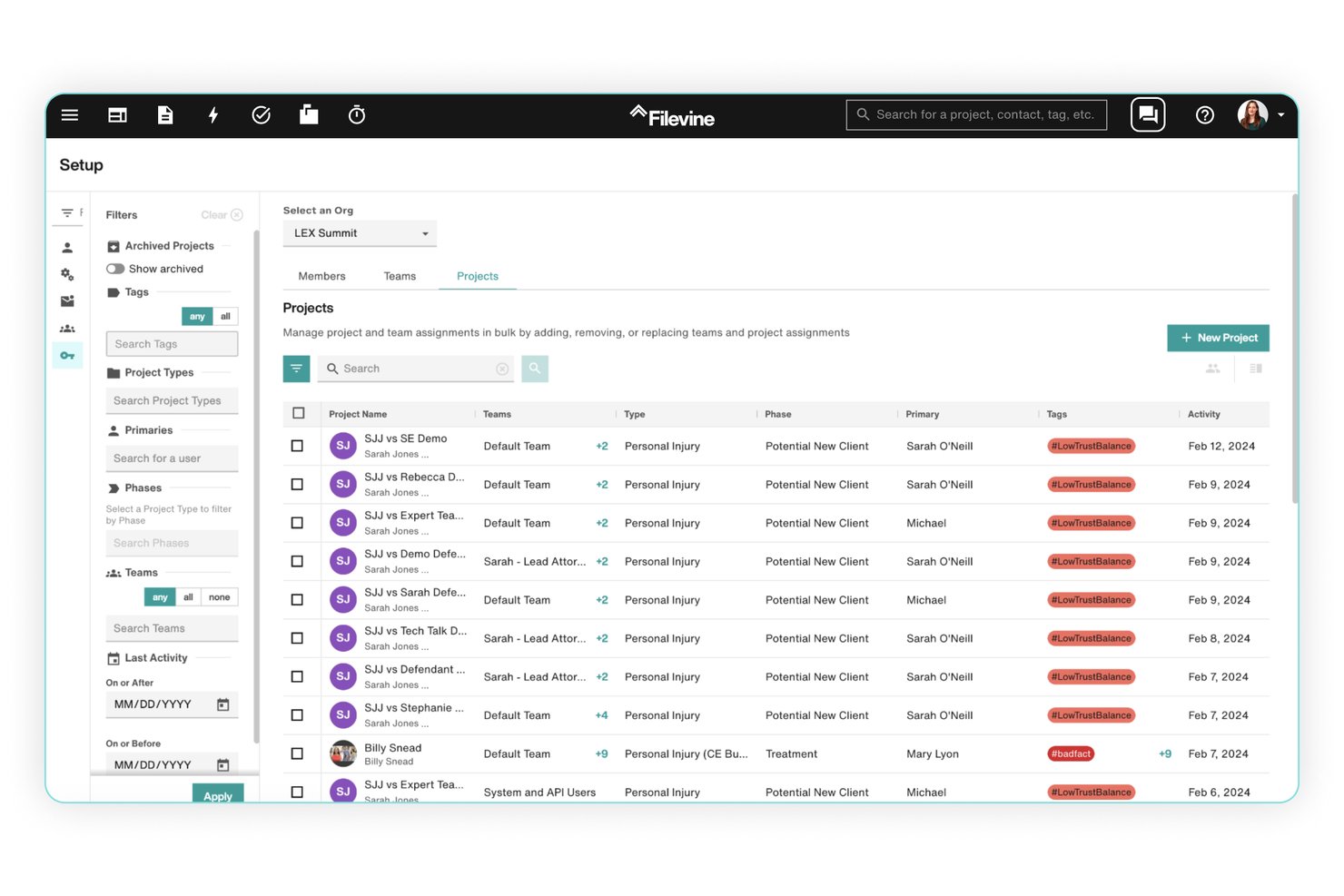
Filevine is a matter-centric legal platform built for law firms that need to manage documents, communications, tasks, and deadlines in one unified workspace.
Who Is Filevine Best For?
Filevine is a strong fit for small to mid-sized plaintiff law firms, particularly those handling personal injury, mass tort, or immigration matters.
Why Filevine Is a Good NetDocuments Alternative
I picked Filevine as one of the best because its entire architecture is built around matters, not folders. Every document lives inside a case workspace alongside tasks, communications, and deadlines. I particularly like the Document Assembly feature, which pulls live case data directly into drafted documents, and the LOIS AI layer, which generates demand packages and medical summaries from within the same matter workspace.
Filevine Key Features
- Native Outlook integration: Filevine connects with Outlook for direct email filing and calendar syncing within matter workspaces.
- Role-based permissions: Control user access at both matter and document levels with granular settings.
- Advanced reporting tools: Build custom analytics dashboards and reports to track deadlines, tasks, and team productivity.
- API and partner integrations: Connect Filevine to legal tools like QuickBooks, Lawmatics, and InfoTrack for workflow automation.
Filevine Integrations
Filevine offers native integrations across the Microsoft ecosystem, including Microsoft 365, Outlook, Word, Excel, and Teams, as well as QuickBooks, Lawmatics, and InfoTrack. An API is available for custom integrations.
Pros and Cons
Pros:
- Combines case management and document storage natively
- AI-generated demand letters from within case files
- Matter-centric document organization built for litigation
Cons:
- Mobile app lacks full document editing capability
- Ethical walls and DMS governance are limited


CosmoLex is a cloud-based legal practice management platform for small and mid-size law firms that combines matter-centric document management with built-in trust accounting, billing, and time tracking in a single system.
Who Is CosmoLex Best For?
CosmoLex suits solo practitioners and managing partners at small law firms who want to replace separate accounting and practice management tools with one system.
Why CosmoLex Is a Good NetDocuments Alternative
I picked CosmoLex as one of the best because it ties document management directly to legal accounting, which no standalone DMS does. Every document you file links automatically to the correct matter, client ledger, and billing record. The built-in trust accounting handles three-way reconciliation and IOLTA compliance natively, removing the need to sync with a separate accounting tool entirely.
CosmoLex Key Features
- AI-powered document summaries: Automatically extract key terms, deadlines, and obligations from uploaded contracts and case files.
- Native email capture and filing: File emails and attachments directly to matters without manual drag-and-drop.
- Built-in compliance reporting: Generate audit-ready compliance reports tailored for legal and jurisdictional requirements.
- Microsoft 365 integration: Connect with Outlook and Word to access and manage documents within your existing workflow.
CosmoLex Integrations
CosmoLex offers native integrations with NetDocuments, OneDrive, Google Drive, Box, Dropbox, QuickBooks Online, and across the Microsoft 365 ecosystem, including Outlook and Word. An API is available for custom integrations.
Pros and Cons
Pros:
- Single platform replaces multiple separate legal tools
- Documents link automatically to matter billing records
- Built-in trust accounting meets IOLTA compliance natively
Cons:
- Reporting customization is limited for complex firm needs
- Document search lacks advanced metadata profiling options


Rocket Matter is a cloud-based legal practice management platform built for small and mid-sized law firms that need matter-centric document workflows, billing, and trust accounting in one place.
Who Is Rocket Matter Best For?
Rocket Matter suits solo practitioners and managing partners at small law firms who handle billing, trust accounting, and document management themselves.
Why Rocket Matter Is a Good NetDocuments Alternative
I've included Rocket Matter in my top picks because it ties document workflows directly to billing in a way few practice management platforms do. Matter templates automatically link documents, tasks, and billing entries together, so closing out a file doesn't require jumping between systems. I also appreciate the paperless prebill workflow, which lets you review and approve billing entries before invoices go out, keeping billing and document records aligned from intake to close.
Rocket Matter Key Features
- Matter-centric workspaces: Organize documents, emails, and billing data by client and case, keeping everything matter-specific.
- Role-based permissions: Control access to sensitive information with customizable security settings for users and teams.
- Native Office 365 integration: Upload and version documents directly from Word, Excel, and PowerPoint without leaving Rocket Matter.
- Mobile app access: Manage matters and view case files from iOS and Android devices, supporting work on the go.
Rocket Matter Integrations
Rocket Matter offers native integrations across the Microsoft ecosystem, including Microsoft 365 and Outlook, as well as NetDocuments, Box, and Dropbox. An API is available for custom integrations.
Pros and Cons
Pros:
- Trust accounting and IOLTA compliance built in
- Matter-centric organization built natively into the system
- Billing and document workflows in one platform
Cons:
- Search less advanced than purpose-built DMS platforms
- Document management depth limited vs. dedicated DMS

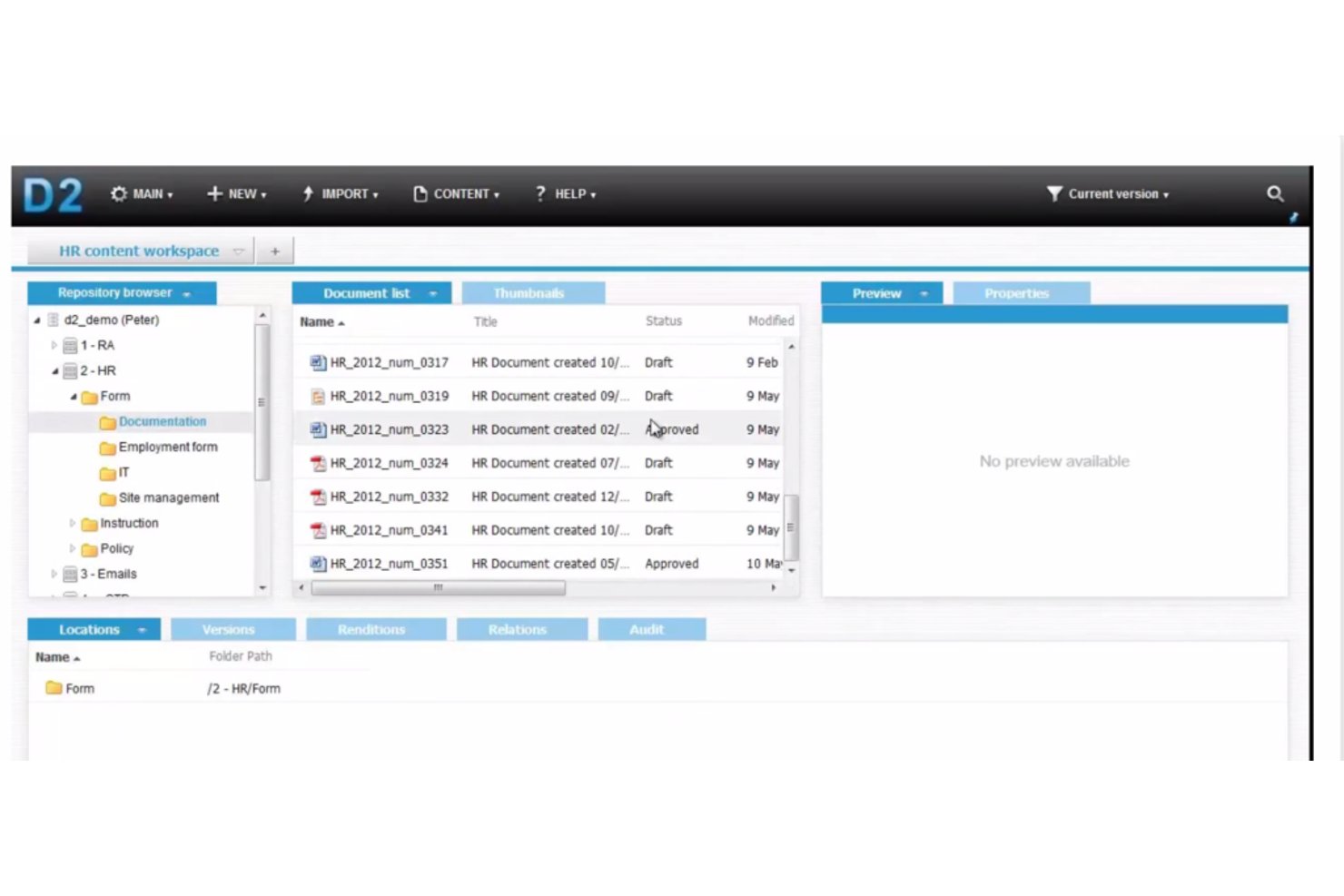
OpenText is an enterprise content management platform built for large organizations that need to centralize, govern, and secure high volumes of documents, emails, and records across complex, multi-system environments.
Who Is OpenText Best For?
OpenText is a strong fit for corporate legal departments embedded in large enterprises, especially those already running SAP, Salesforce, or Microsoft 365 at scale.
Why OpenText Is a Good NetDocuments Alternative
I've included OpenText in my top picks because of how well it handles enterprise-scale document governance. The nine-tier permission system, combined with certifications like FedRAMP and US DOD 5015.02, gives corporate legal teams the access control depth they need. I also like the Content Aviator AI assistant, which lets my team run conversational searches across massive content repositories without manually digging through folder hierarchies.
OpenText Key Features
- Business workspaces: Create customizable, template-based repositories for projects, cases, or matters across the organization.
- Audit trails: Maintain detailed records of all access, edits, and actions within the system to support compliance requirements.
- Integration with SAP, Salesforce, and Microsoft 365: Seamlessly connect content management workflows with leading enterprise applications.
- Document generation: Automate the creation of complex, high-volume documents using intelligent templates and data-driven rules.
OpenText Integrations
OpenText offers native integrations with SAP, Salesforce, and has native integrations across the Microsoft ecosystem, including Microsoft 365 and Azure. An API is available for custom integrations.
Pros and Cons
Pros:
- On-premises and hybrid deployment options available
- Granular nine-tier permission system available
- Deep SAP and Salesforce content governance
Cons:
- Implementation requires significant dedicated IT resources
- Not purpose-built for legal matter workflows

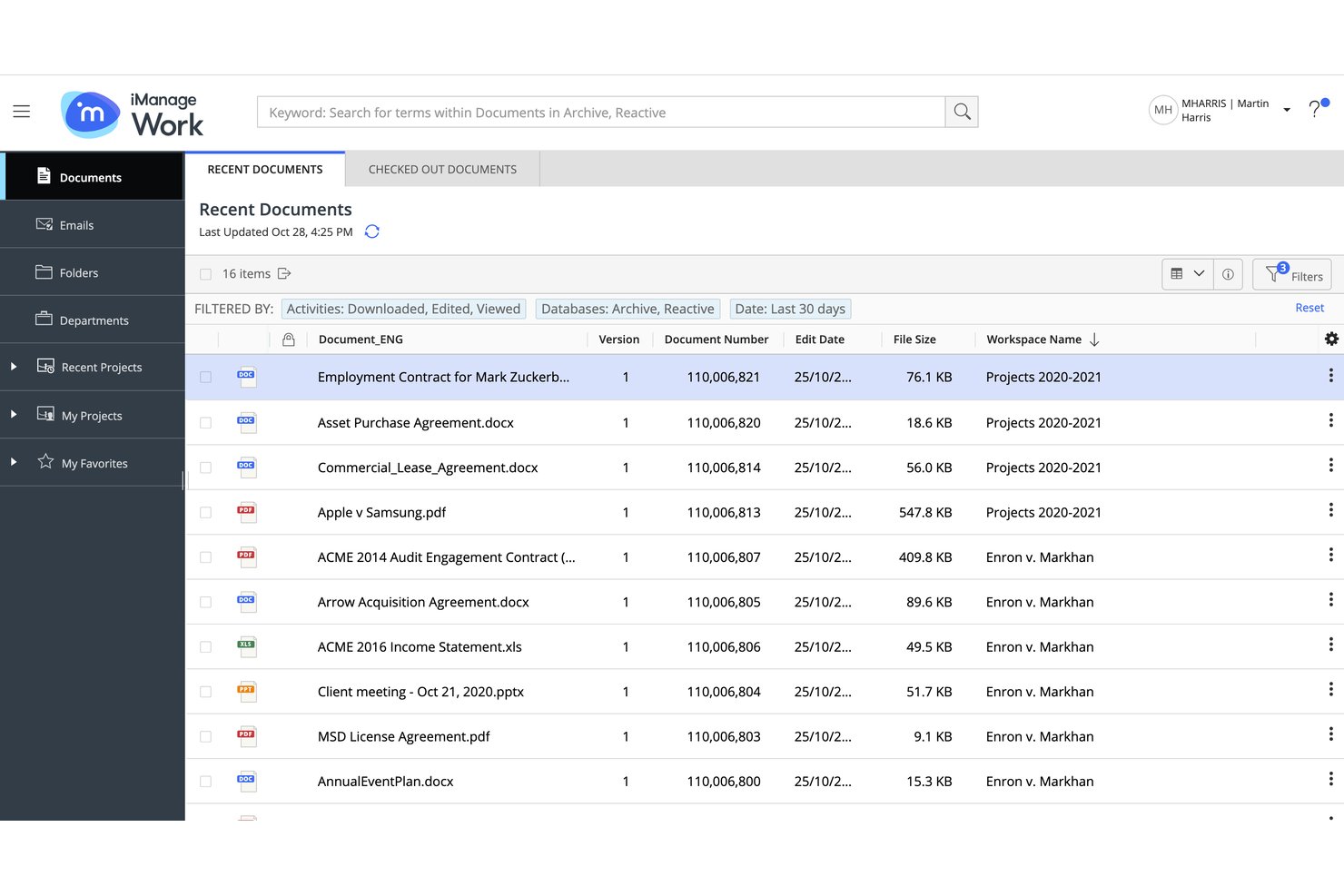
iManage Work is a cloud-native document and email management platform built for law firms and corporate legal teams that need matter-centric organization, granular security controls, and deep Microsoft 365 integration in a single governed workspace.
Who Is iManage Work Best For?
iManage Work is a strong fit for enterprise law firms and large corporate legal departments where IT administrators need to enforce governance, access controls, and compliance at scale.
Why iManage Work Is a Good NetDocuments Alternative
iManage Work earns its spot on my shortlist because of how it handles security at the matter level. I appreciate the need-to-know access model and Security Policy Manager, which enforce ethical walls far more granularly than NetDocuments allows. iManage AI Enrichment, with over 70 pre-trained classification models, also automates document tagging in ways that save real time during matter intake.
iManage Work Key Features
- Real-time co-authoring: Multiple users can edit documents simultaneously within the secure workspace.
- iManage Drive offline sync: Sync matter workspaces to your desktop for local editing and automatic cloud updates.
- Records management module: Manage retention, disposition, and compliance for both electronic files and physical records.
- Mobile access: Access documents and matters securely on iOS and Android devices with the iManage Mobility app.
iManage Work Integrations
iManage Work offers native integrations across the Microsoft ecosystem, including Microsoft 365 and Azure, as well as with Outlook, Adobe Acrobat, DocuSign, Litera Compare, Closing Folders, and has an API for custom integrations.
Pros and Cons
Pros:
- AI-powered document classification built into the platform
- On-premises and cloud deployment options available
- Matter-level security with ethical wall enforcement
Cons:
- Steep implementation timeline for enterprise rollouts
- Complex admin setup for large deployments

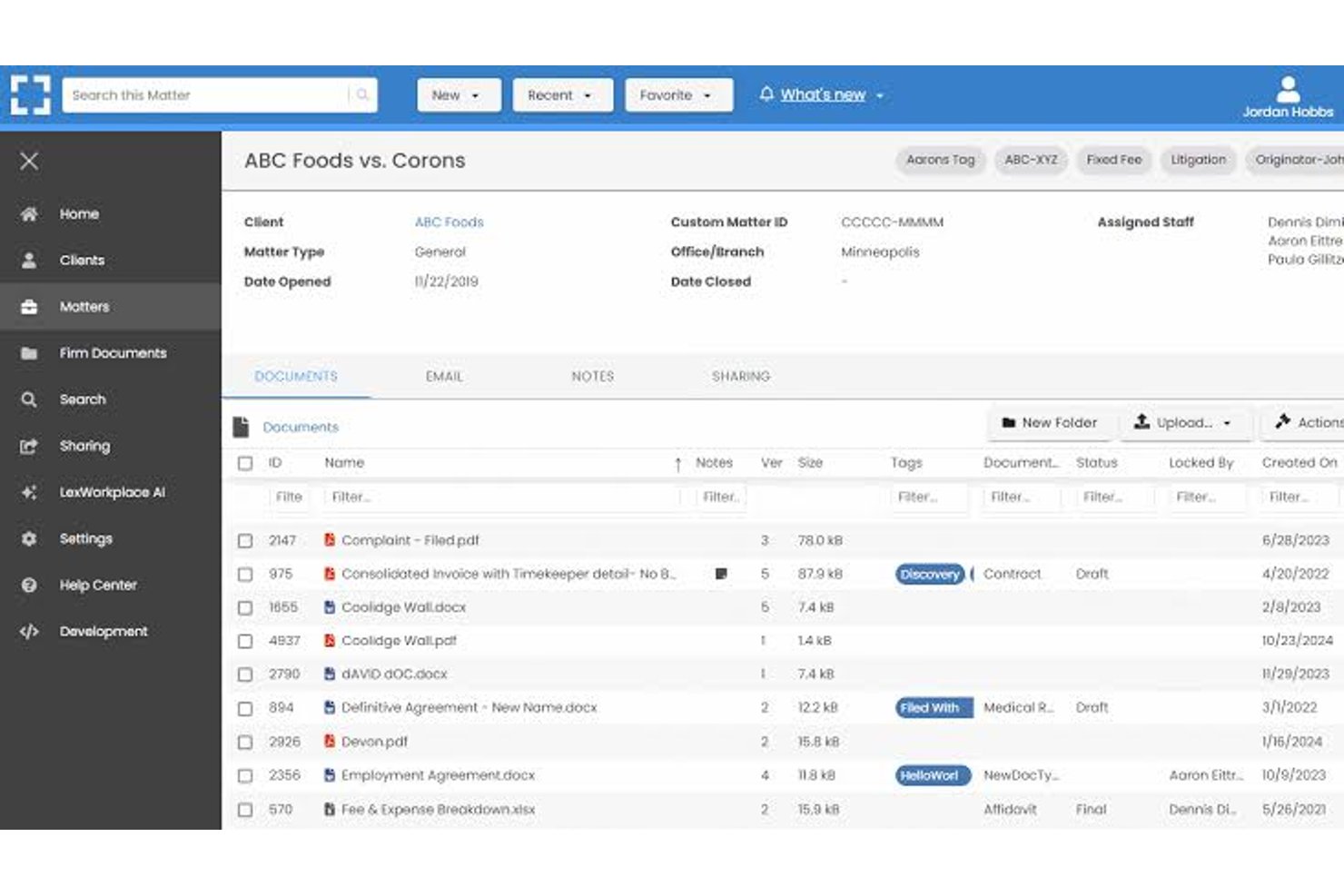
LexWorkplace is a cloud-native document and email management system built specifically for small-to-midsize law firms that need matter-centric organization, full-text search, and enterprise-grade security without the implementation overhead of platforms like NetDocuments.
Who Is LexWorkplace Best For?
LexWorkplace is a strong fit for small-to-midsize law firms running mixed Mac and Windows environments who want a purpose-built DMS without enterprise-level complexity.
Why LexWorkplace Is a Good NetDocuments Alternative
I picked LexWorkplace as one of the best because its cloud document management is built entirely around how law firms actually work. Every document and email lives inside a matter workspace, and Smart-File learns sender-to-matter associations over time, so filing incoming email stops being a manual chore. I also appreciate that LexWorkplace automatically OCRs every uploaded document, making the full text instantly searchable without any extra setup.
LexWorkplace Key Features
- Check-in/check-out with version tracking: Lock documents for editing and view version history directly within the workspace.
- Microsoft 365 native integration: Access and save documents from Word, Excel, PowerPoint, and Outlook without leaving your primary apps.
- Litera Compare integration: Instantly compare document versions or drafts side by side for legal redlining.
- Custom matter templates: Set up reusable templates to standardize folder structures and metadata for new legal matters.
LexWorkplace Integrations
LexWorkplace offers native integrations across the Microsoft ecosystem, including Microsoft 365. It also integrates natively with Clio Manage and Litera Compare and provides an API for custom integrations.
Pros and Cons
Pros:
- Works natively on both Mac and Windows
- Automatic OCR on every uploaded document
- Built specifically for law firm matter structures
Cons:
- Less suited for large or enterprise-scale firms
- Limited integration ecosystem beyond Microsoft and Clio

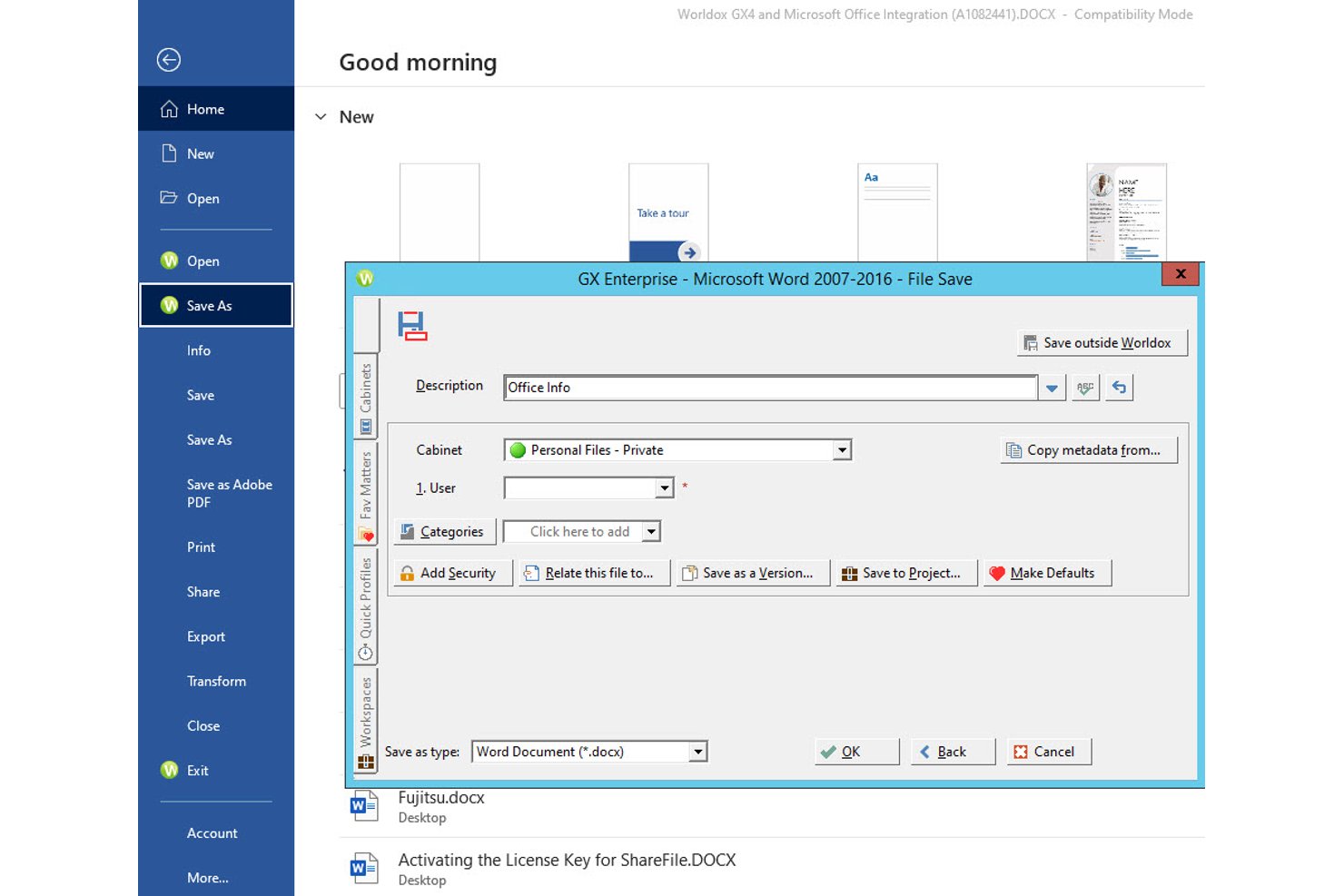
Worldox is an on-premise legal document management system built for law firms and corporate legal departments that need matter-centric file organization, version control, and deep Microsoft Office integration without moving to the cloud.
Who Is Worldox Best For?
Worldox suits small to mid-sized law firms that prefer an on-premise DMS and aren't ready to migrate to a cloud-native platform.
Why Worldox Is a Good NetDocuments Alternative
I picked Worldox as one of the best because its on-premise architecture gives firms direct control over their data without relying on a vendor's cloud. I appreciate how the QuickSave and profiling system enforces consistent matter-centric document naming across every Office application, so files are always findable by client, matter, and document type. The Ethical Walls and metadata-level security controls are genuinely granular for managing sensitive client files across multiple practice groups.
Worldox Key Features
- Tabs3 and PracticeMaster integration: Connects with popular legal practice management tools for unified workflow.
- Active Directory support: Lets IT teams manage user permissions and authentication efficiently.
- Microsoft Teams integration: Enables document sharing and collaboration within Teams channels.
- iOS mobile access: Allows users to preview, download, and manage documents securely from their Apple devices.
Worldox Integrations
Worldox offers native integrations across the Microsoft ecosystem, including Microsoft 365, Outlook, Teams, and Word, plus direct connections with Tabs3 and PracticeMaster. An API is available for custom integrations.
Pros and Cons
Pros:
- Deep Office check-in/check-out workflow support
- On-premise deployment keeps client data in-house
- Strong matter-centric profiling for legal documents
Cons:
- Limited AI-powered search compared to newer platforms
- No cloud-native option for remote teams
Other NetDocuments Alternatives
Here are some additional NetDocuments alternatives options that didn’t make it onto my shortlist, but are still worth checking out:
- PageLightPrime
For Microsoft 365 document management
- PracticePanther
For simple legal document workflows
- CARET Legal
For centralized legal document control
- LEAP
For document automation and case management
- Actionstep
For workflow-driven document management
- Centerbase
For configurable legal workflows
- ProLaw
For integrated legal practice management


How I Evaluate NetDocuments Alternatives
I evaluate NetDocuments alternatives in two layers: baseline features every legal DMS must have, and differentiators that set platforms apart. Baseline maps to what NetDocuments offers—matter organization, version control, and email filing.
Core Functionality (Table Stakes For This List)
When I'm selecting tools for my list, I rank each one on a scale from 0 (does not offer the functionality) to 5 (excels in this area) for each core functionality listed below. Then, I calculate the tool's total score into a percentage. Each tool needs to achieve a minimum total score of 65% to be considered for inclusion.
- Matter-Centric Organization: I check whether documents, emails, and files are structured around matters and clients rather than generic folder trees.
- Version Control: Each platform should track document revisions automatically, with history and rollback so edits to a brief aren't lost mid-draft.
- Email Management: I look for Outlook integration that files emails and attachments into the right matter workspace without manual sorting.
- Advanced Search: Full-text and metadata search matters here—I evaluate whether you can locate a buried clause across thousands of documents quickly.
- Security & Access Controls: Ethical walls, role-based permissions, and audit trails are what I look for to protect client confidentiality at the matter level.
- Microsoft Office Integration: Tools like iManage and Worldox handle this differently, so I evaluate native Word, Outlook, and Excel check-in/check-out workflows.
Once I have a list of tools that meet the criteria, I consider what sets each platform apart.
Differentiating Factors (What Sets Vendors Apart)
Here's how I compare and contrast different vendors:
Standout Features
AI-powered document intelligence is a major differentiator. Platforms that offer contract summarization, clause extraction, and semantic search save real time when you're reviewing hundreds of documents for a deal. I also evaluate how deeply Outlook integration goes—auto-filing and threading emails into matters is a very different experience from manual drag-and-drop. Ethical walls matter too, especially for firms handling conflicts across practice groups where matter-level restrictions protect confidentiality.
Beyond Features
I consider whether a vendor is purpose-built for legal or adapted from a general DMS—purpose-built platforms tend to ship with matter numbering schemes and templates that fit right away. Deployment model matters too, since some firms face client-mandated hosting or data residency requirements that rule out cloud-only options. Compliance certifications like SOC 2 Type II and ISO 27001 tell me a lot about how seriously a vendor treats security beyond just feature checkboxes.
Why Look For A NetDocuments Alternative?
While NetDocuments is a good choice of NetDocuments alternatives, there are a number of reasons why some users seek out alternative solutions. You might be looking for a NetDocuments alternatives because…
- Your firm needs more flexible deployment or on-premises options
- You want deeper integration with core practice management tools
- Document automation and AI features are lacking for your workflow
- Regional data residency compliance requirements aren’t met
- Your team struggles with user adoption or interface complexity
- Costs or licensing structures don’t scale well as you grow
If any of these sound like you, you’ve come to the right place. My list contains several NetDocuments alternatives options that are better suited for teams facing these challenges with NetDocuments and looking for alternative solutions.
NetDocuments Key Features
Here are some of the key features of NetDocuments, to help you contrast and compare what alternative solutions offer:
- Matter-centric organization: Lets you group documents, emails, and notes by legal matter or client so your workflow matches actual case work.
- Version control: Automatically tracks changes, stores document histories, and lets you roll back to a previous version with a click.
- Email management: Captures, organizes, and files emails and attachments into the right matter using deep Outlook integration for less manual filing.
- Advanced search: Full-text, metadata, and profile-based search helps you locate clauses, documents, or emails across all matters with precision.
- Granular security controls: Gives you role-based permissions, ethical walls, and audit trails, so only the right people access sensitive content.
- Microsoft Office integration: Native Word, Outlook, and Excel connectivity enables direct save, check-in/check-out, and profiling from familiar applications.
- Document automation: Speeds up drafting with templates, reusable clauses, and merge fields to create consistent, error-free documents.
- Collaboration tools: Lets you share files, set user permissions, comment, and manage workflow steps with your team and external partners.
- Mobile and remote access: Secure cloud access gives teams the ability to review, edit, and share documents wherever they’re working.
- Compliance support: Features built-in policies and audit trails for retention, legal holds, and global data regulations to help meet industry compliance standards.