Choosing legal case management software isn't just a technology decision—it's a practice decision. From what I've seen, the wrong pick creates more administrative burden than it removes.
The right one tightens your workflows, keeps matters organized, and gives you visibility across your caseload without the chaos. This guide walks you through the features that actually matter, the questions worth asking vendors, and the red flags I'd watch for—so you can make a call you won't regret six months into your contract.
4 Things to Look for When Choosing Legal Case Management Software
Here are the four things I always focus on when I’m sizing up new legal case management software—each one’s made or broken my experience with these tools in real legal settings:
1. Seamless Integration With Existing Tech Stack
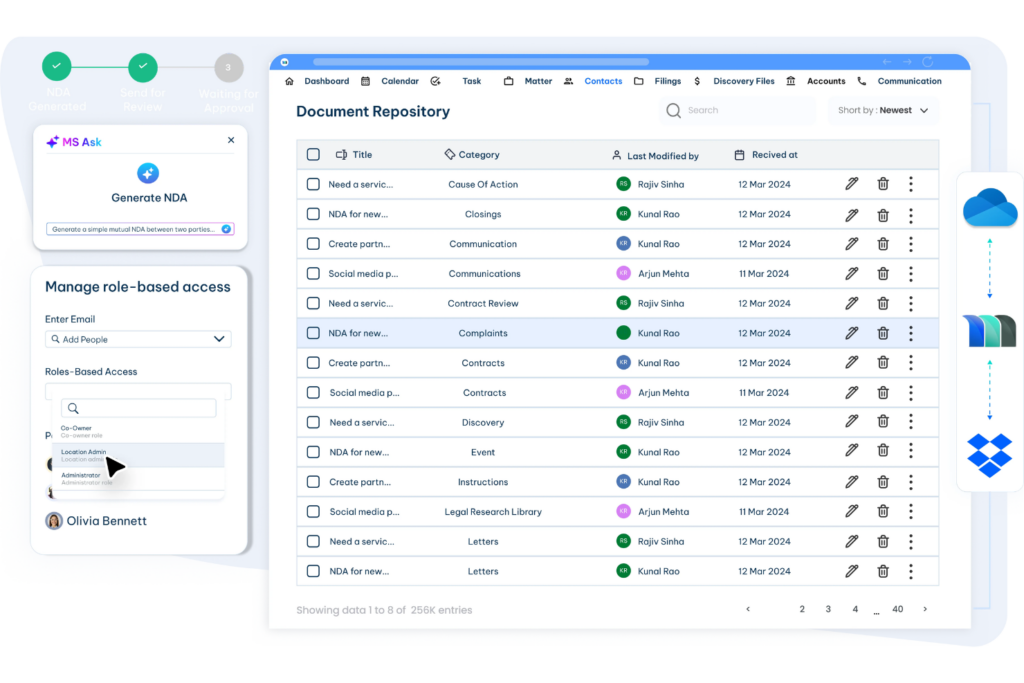
If legal case management software can’t connect with your document storage, billing, or email, you’ll end up duplicating work or losing track of files. You want something that plugs into what your team already uses—without painful workarounds or risky data bridges. Ask vendors whether the tool truly integrates with your core systems or if you’ll have to rely on generic, “DIY” workflows that eat up your time.
2. Customization for Practice-Specific Workflows
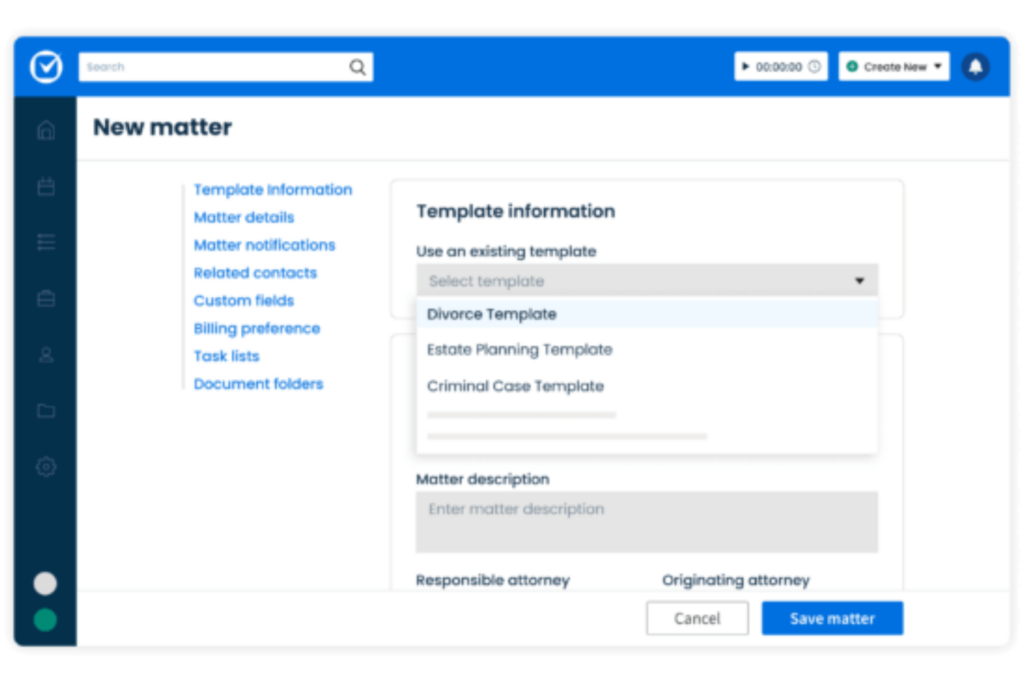
Every practice has its quirks, so cookie-cutter workflows just lead to frustration. Look for tools that let you tailor intake forms, task templates, and matter stages to match how your team actually works. If you can’t quickly adapt the software’s processes to your own, ask yourself whether you’ll really use it—or just end up working around it.

3. Role-Based Access and Permissions Control
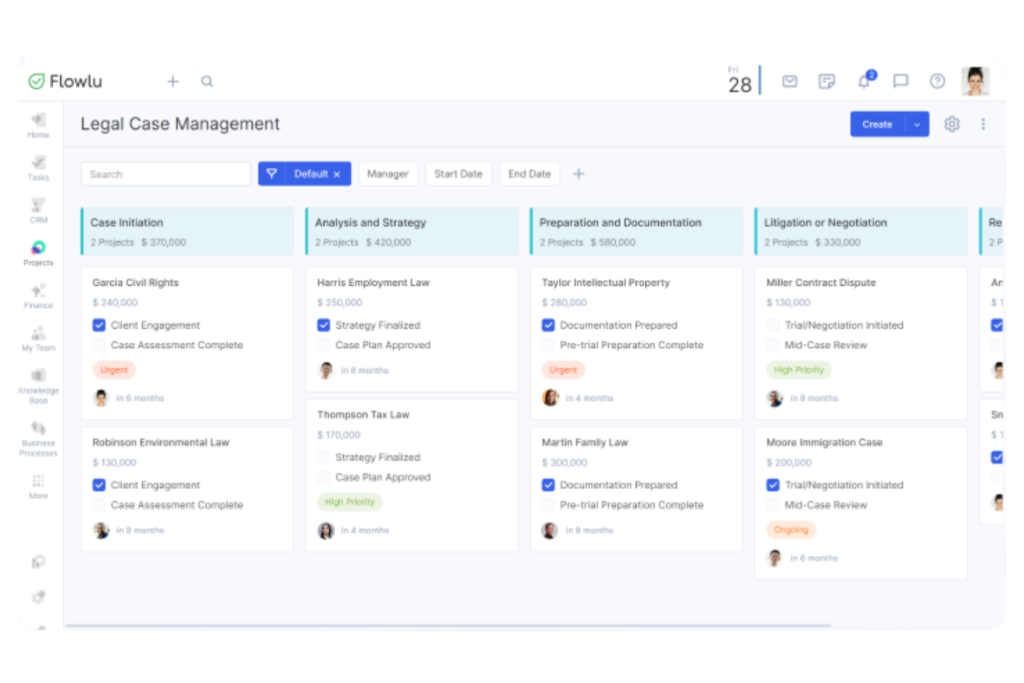
Sensitive client data needs to be visible to the right people—and no one else. Make sure the software supports detailed role-based permissions so you can easily restrict or share access by user, matter, or document. Find out how simple it is to adjust these settings and whether you can audit who’s accessed what if something goes wrong.
4. Compliance With Legal Industry Regulations
You can’t risk using a platform that falls short on data security or confidentiality standards required by law. Prioritize tools with certifications or built-in safeguards that match your jurisdiction’s rules, especially when handling personal data or court deadlines. Ask vendors what compliance frameworks they follow and how they help your team stay audit-ready without extra manual steps.
How to Choose Legal Case Management Software: A 5-Step Framework
Here’s the step-by-step process I use to narrow down and confidently select legal case management software for any team or practice:
Step 1: Identify Your Needs
Before looking at a single demo, I’d use this legal case management software guide to map out exactly how your team handles matters today—gaps, workarounds, and all. This is the step most buyers skip, which is why they often end up with software that solves the wrong problems.
Talk to the people who will actually use the tool every day. These are the stakeholders I recommend starting with:
- Attorneys: What slows them down between intake and close?
- Paralegals and legal assistants: Where do tasks fall through the cracks?
- Billing and finance staff: Are there invoicing or time-tracking headaches?
- IT or legal ops leads: What security, integration, or compliance constraints exist?
Use these questions to guide your conversations and surface the real requirements:
- What does your current matter management process actually look like, step by step?
- Where do things break down—missed deadlines, misfiled documents, lost communications?
- What tools are already in place that any new software needs to work with?
- What does your caseload volume look like, and do you expect it to grow?
- Are there practice-area-specific needs that off-the-shelf tools typically miss?
Use this table to organize what you learn into a clear picture of your priorities:
| Category | Current Pain Point | Must-Have Requirement |
|---|---|---|
| CategoryMatter management | Current Pain PointInconsistent tracking | Must-Have RequirementCentralized matter view |
| CategoryDocument handling | Current Pain PointVersion control issues | Must-Have RequirementSecure document storage |
| CategoryDeadlines and calendaring | Current Pain PointManual reminders | Must-Have RequirementAutomated deadline alerts |
| CategoryBilling and time tracking | Current Pain PointDisconnected systems | Must-Have RequirementIntegrated time capture |
| CategoryCompliance | Current Pain PointManual audit trail | Must-Have RequirementBuilt-in access logging |
By the end of this step, you should have a clear, prioritized list of requirements you can take directly into vendor conversations—not vague preferences, but specific, documented needs your whole team agrees on.
Step 2: Research Legal Case Management Software Vendors
Once you know what you need, I'd resist the urge to Google "best legal case management software" and click the first few results. That approach leads to vendor-heavy content that doesn't reflect real-world experience. Instead, be intentional about where and how you gather information.
Here's how I approach the research phase:
- Start with peer networks: Ask colleagues in similar practice areas what they're using and what they'd avoid. Firsthand opinions from people with comparable workflows are worth more than any marketing page.
- Check legal-specific review platforms: Look for platforms where verified legal professionals leave detailed reviews—pay attention to comments about reliability, support quality, and whether the tool actually fits legal workflows.
- Read recent reviews only: Software changes fast. I'd filter for reviews from the past 12–18 months and ignore anything older.
- Look at vendor case studies critically: If a vendor publishes success stories, check whether the featured firms resemble yours in size, practice area, and complexity.
- Review vendor security and compliance documentation: Before going deeper with any vendor, confirm they publish clear information about data security standards and regulatory compliance.
- Note how vendors communicate: How responsive and clear a vendor is before you're a customer tells you a lot about what support will look like after you sign.
Use this table to track what you're learning across sources:
| Research Source | What to Look For | Watch Out For |
|---|---|---|
| Research SourcePeer referrals | What to Look ForPractice-area fit, honest tradeoffs | Watch Out ForRecency—workflows and tools change |
| Research SourceReview platforms | What to Look ForPatterns in praise or complaints | Watch Out ForOne-off reviews without context |
| Research SourceVendor website | What to Look ForSecurity info, compliance standards | Watch Out ForVague or marketing-heavy language |
| Research SourceCase studies | What to Look ForFirms similar to yours | Watch Out ForOverly curated or outdated examples |
| Research SourceLegal forums or communities | What to Look ForUnfiltered practitioner opinions | Watch Out ForStrong opinions without explanation |
By the end of this step, you should have a working list of vendors worth a closer look—not a final answer, but a well-informed starting point grounded in real practitioner experience, not just vendor claims.
Top Legal Case Management Software to Consider
Here's my shortlist of the best legal case management software solutions:
Step 3: Make a Legal Case Management Software Shortlist
This is where you filter your research down to the vendors genuinely worth your time. I'd aim to shortlist three to five options—enough to compare meaningfully, but not so many that the process stalls.
Start by running every vendor from your research list against the requirements you documented in Step 1:
- Cut anything that misses a must-have: If a tool can't handle a core requirement—like a specific integration or compliance standard—remove it now, not after a two-hour demo.
- Flag pricing misalignments early: If a vendor's pricing structure doesn't match your firm's size or billing model, it's worth knowing before you invest time in evaluation.
- Check for practice-area fit: General-purpose tools sometimes struggle with specialized workflows. Make sure remaining vendors have experience supporting practices like yours.
- Prioritize vendors with transparent documentation: If security policies, onboarding processes, or pricing are hard to find, that's a signal worth noting.
Use this table to score each vendor against your top priorities before deciding who makes the cut:
| Criteria | Vendor A | Vendor B | Vendor C |
|---|---|---|---|
| CriteriaMeets must-have requirements | Vendor A✓ / ✗ | Vendor B✓ / ✗ | Vendor C✓ / ✗ |
| CriteriaPractice-area fit | Vendor AStrong / Weak | Vendor BStrong / Weak | Vendor CStrong / Weak |
| CriteriaPricing alignment | Vendor A✓ / ✗ | Vendor B✓ / ✗ | Vendor C✓ / ✗ |
| CriteriaSecurity and compliance documentation | Vendor AClear / Vague | Vendor BClear / Vague | Vendor CClear / Vague |
| CriteriaPeer or review sentiment | Vendor APositive / Mixed | Vendor BPositive / Mixed | Vendor CPositive / Mixed |
Once you've scored your options, contact your shortlisted vendors to request a demo tailored to your workflows—not their standard walkthrough. A good vendor will ask about your practice before presenting anything. If they don't, that tells you something too.
By the end of this step, you'll have a focused shortlist of vendors ready for structured evaluation, with a clear record of why each one made the cut.
More Articles
Step 4: Build the Business Case
Even if you're already convinced a tool is the right call, the people controlling the budget will want to see the numbers. I'd treat this step as your opportunity to translate what you learned in Step 1 into a financial and operational argument your decision-makers can act on.
Start by quantifying what inefficiency is already costing you:
- Time lost to manual tasks: Estimate how many billable hours per week are absorbed by document chasing, deadline tracking, or duplicative data entry.
- Risk exposure: Consider the cost of a missed deadline, a billing error, or a data breach—these are real liabilities that good software reduces.
- Staff capacity: If your team is stretched thin, calculate whether software could absorb enough administrative load to delay a hire.
- Current tool costs: Add up what you're already spending on disconnected tools the new software would replace.
Use this table to frame expected costs against anticipated outcomes:
| Factor | Current State | Post-Implementation Estimate |
|---|---|---|
| FactorAdmin hours per matter | Current StateHigh | Post-Implementation EstimateReduced through automation |
| FactorBilling accuracy | Current StateInconsistent | Post-Implementation EstimateImproved with integrated time capture |
| FactorCompliance overhead | Current StateManual | Post-Implementation EstimateSystematized |
| FactorSoftware spend | Current StateFragmented across tools | Post-Implementation EstimateConsolidated |
| FactorOnboarding and training cost | Current StateN/A | Post-Implementation EstimateOne-time investment |
Then address the risks head-on—decision-makers will raise them anyway:
- Implementation disruption: Estimate a realistic timeline and flag which workflows will be affected during the transition period.
- Adoption risk: Identify which team members may resist the change and how you'll support them.
- Data migration complexity: Assess how much existing matter data needs to move and what that process looks like.
The strongest business cases I've seen don't just show ROI—they show a clear plan for managing what could go wrong. By the end of this step, you should have a one-page summary that connects the tool's capabilities directly to your firm's operational and financial priorities.
Step 5: Implement Your Legal Case Management Software and Onboard Your Users
Choosing the software is only half the work. I've seen good tools fail because the rollout was rushed or the team wasn't brought along properly. Implementation is a change management project, not just a technical one—treat it that way from the start.
Before you go live, make sure these software implementation steps are in place:
- Assign a rollout owner: Someone needs to be accountable for the implementation timeline, vendor coordination, and internal communication. Without a clear owner, things slip.
- Communicate early and clearly: Tell your team what's changing, why, and what to expect—before they hear about it through the grapevine. Resistance often comes from surprise, not the change itself.
- Migrate data before launch day: Don't import legacy matter data in parallel with going live. Resolve data migration issues ahead of time so your team starts with a clean, reliable system.
- Phase the rollout where possible: If you can, start with one practice group or matter type before expanding firm-wide. It's easier to catch problems at a smaller scale.
Use this table to assign ownership across the key stages of your rollout:
| Rollout Stage | Owner | Timeline |
|---|---|---|
| Rollout StageData migration | OwnerIT or legal ops lead | TimelinePre-launch |
| Rollout StageStaff communication | OwnerPractice manager or team lead | TimelinePre-launch |
| Rollout StageInitial training sessions | OwnerVendor + internal champion | TimelineLaunch week |
| Rollout StageFeedback collection | OwnerRollout owner | TimelineFirst 30 days |
| Rollout StageFull adoption review | OwnerLeadership | Timeline60–90 days post-launch |
Once you're live, keep the feedback loop active:
- Schedule a 30-day check-in: Ask users what's working and what isn't before habits calcify around workarounds.
- Create a clear channel for issues: Give your team a specific way to flag problems so nothing gets buried in an email thread.
- Celebrate early wins: If a deadline gets caught automatically or a billing process improves, name it. It builds momentum and reinforces adoption.
By the end of this step, your team should be working in the new system with confidence—and you should have a structured process for refining how you use it as your needs evolve.
Start Building Your Legal Case Management Software RFP
With your requirements, goals, and evaluation criteria in place, you’re ready to draft a legal case management software RFP that gives vendors clear direction. Use this framework to organize your requests, compare proposals consistently, and identify the software that best fits your firm’s needs.