

10 Best LawPay Alternatives in 2026



A strong LawPay alternative gives your firm secure, compliant payment processing with seamless billing features and integrations built for legal work. If you're searching for LawPay alternatives, you’re probably looking for reliable ways to collect payments, manage trust accounting, and automate legal billing—without hassles or uncertainty.
This guide introduces top LawPay alternative solutions that legal professionals use to keep client funds safe, streamline invoicing, and reduce manual tasks. You’ll find options here tailored to law firm needs, so you can pick the right fit for your practice.
What is Lawpay?
LawPay is a legal payment processing platform designed to help law firms accept credit card, debit card, and ACH payments while maintaining compliance with industry regulations. It supports trust accounting and client fund management to meet legal and ethical obligations. LawPay integrates with legal practice management software to simplify billing and reconciliation. Legal professionals rely on LawPay for secure, efficient collection of client payments while ensuring protection of client funds.
Compare Specs
Best LawPay Alternatives Reviews
Below are my detailed summaries of the best LawPay alternatives that made it onto my shortlist. My reviews offer a detailed look at the features, integrations, and best use cases of each platform to help you find the best one for you.
| Tool | Best For | Trial Info | Price | ||
|---|---|---|---|---|---|
| 1 | Best for automatic time tracking and billing | Free trial available | From $149/month | Website | |
| 2 | Best for time tracking and invoicing | 10-day free trial | Pricing upon request | Website | |
| 3 | Best for integrated legal payments | Free trial available | From $79/user/month (billed annually) | Website | |
| 4 | Best for legal time and billing | 14-day free trial | From $39/user/month (billed annually) | Website | |
| 5 | Best for configurable billing workflows | Free demo available | Pricing upon request | Website | |
| 6 | Best for integrated legal billing and payments | 10-day free trial | From $50/user/month (billed annually) | Website | |
| 7 | Best for trust accounting and payments | 10-day free trial | From $99/user/month | Website | |
| 8 | Best for payment plans and billing | 10-day free trial | From $59/user/month (billed annually) | Website | |
| 9 | Best for automated legal billing | 7-day free trial | From $59/user/month | Website | |
| 10 | Best for recurring payments and billing | 14-day free trial | From $79.95/month | Website |
Why You Can Trust Us
We’ve been testing and reviewing legal software since 2023. As legal practice leaders ourselves, we know how critical and difficult it is to make the right decision when selecting software.
We invest in deep research to help our audience make better software purchasing decisions. We’ve tested more than 2,000 tools for different legal practice use cases and written over 1,000 comprehensive software reviews. Learn how we stay transparent & our software review methodology.
-

CARET Legal
Visit WebsiteThis is an aggregated rating for this tool including ratings from Crozdesk users and ratings from other sites.4.4 -
Redactable
Visit WebsiteThis is an aggregated rating for this tool including ratings from Crozdesk users and ratings from other sites.4.8 -
Insightful
Visit WebsiteThis is an aggregated rating for this tool including ratings from Crozdesk users and ratings from other sites.4.8





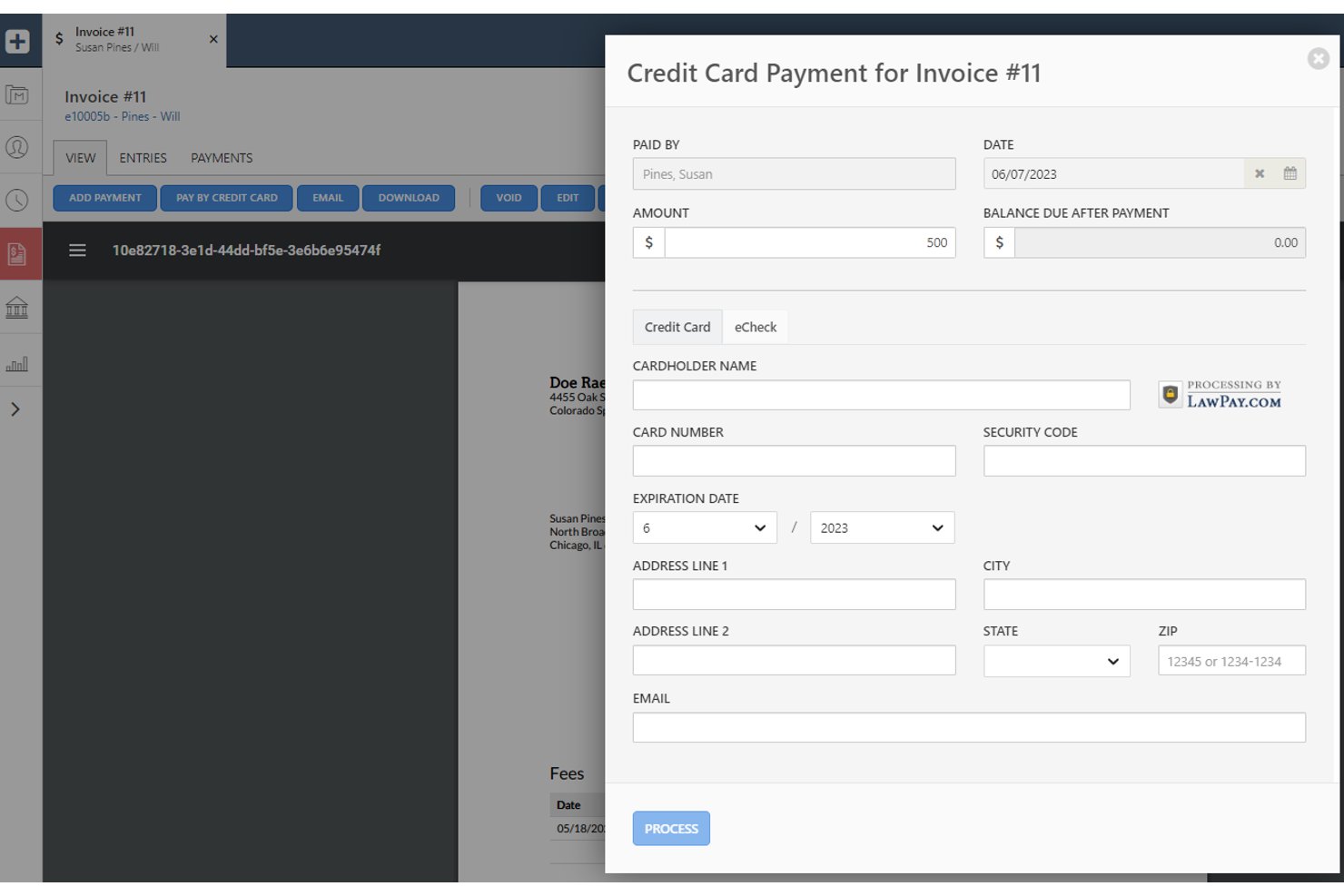
Smokeball is an all-in-one legal practice management platform for solo attorneys and small firms that combines trust accounting, client billing, and document automation in a single system.
Who Is Smokeball Best For?
Smokeball is a strong fit for small and solo firms that handle high document volumes across practice areas like real estate, family law, or estate planning.
Why Smokeball Is a Good LawPay Alternative
I've included Smokeball in my top picks because its AutoTime feature captures billable work automatically across emails, calls, and documents, without any manual input. What I particularly like is that this captured time feeds directly into Smokeball's billing module, so invoices reflect real work rather than best-guess estimates. Firms using it report an average 34% increase in profitability, which speaks to how much billable time typically goes unrecorded.
Smokeball Key Features
- Trust accounting with 3-way reconciliation: Manage trust and operating accounts while preventing commingling and ensuring IOLTA compliance.
- LEDES and matter-based invoicing: Generate invoices that support industry-standard billing codes required by many clients and courts.
- Native QuickBooks and Xero integration: Sync payments and expenses directly with popular accounting systems to reduce manual entry.
- Client portal for secure payments: Provide clients with a private portal to view invoices and submit payments online.
Smokeball Integrations
Smokeball offers native integrations with LawPay, QuickBooks Online, Xero, Microsoft 365, Outlook, InfoTrack, and DocuSign. An API is available for custom integrations.
Pros and Cons
Pros:
- Matter-based invoicing supports LEDES billing codes
- Built-in IOLTA trust account reconciliation included
- AutoTime captures billable hours without manual input
Cons:
- Not a standalone payment processing solution
- Available only in the US and Australia

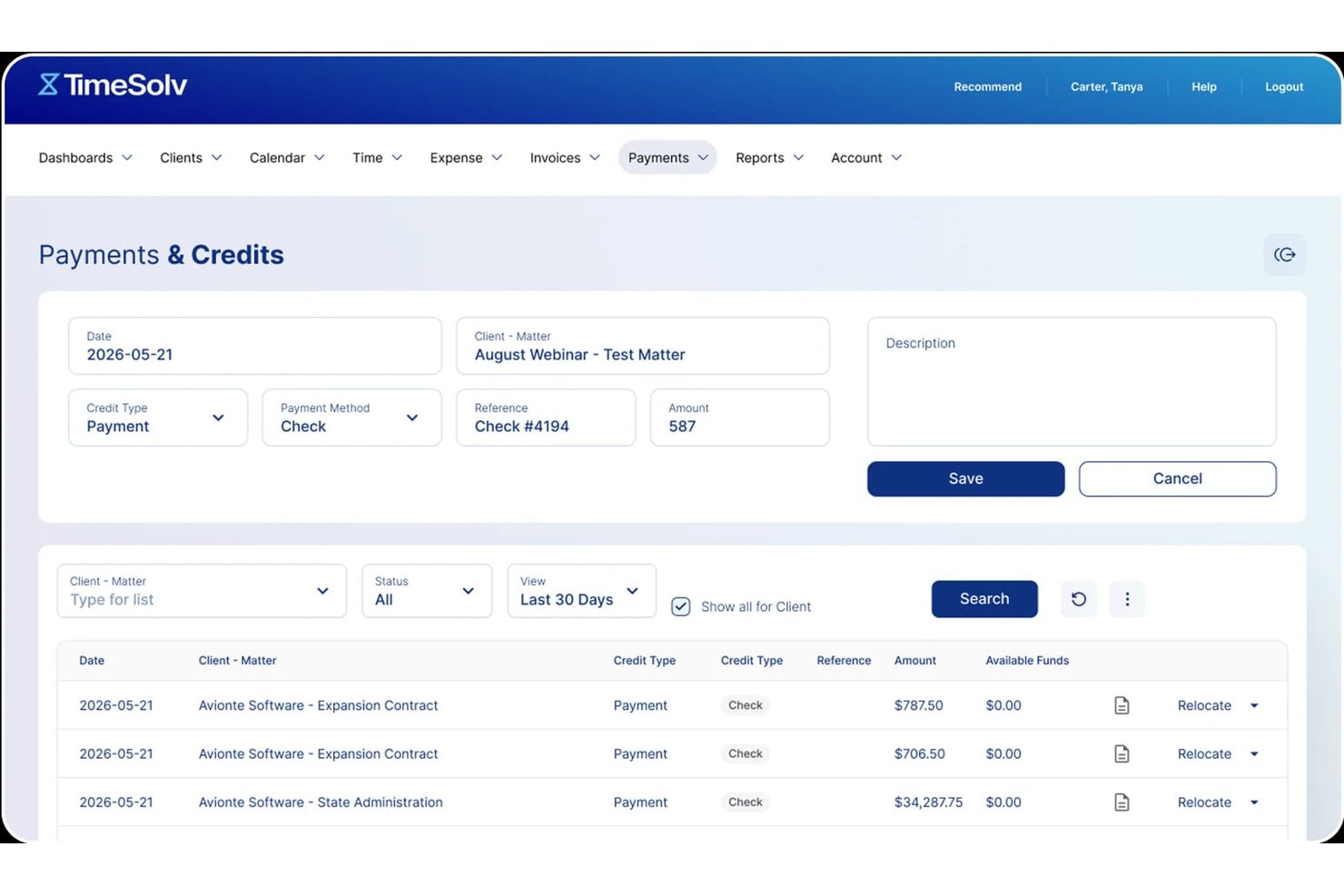
TimeSolv is a legal billing and time tracking platform built for solo attorneys and small law firms that need IOLTA-compliant trust accounting, built-in payment processing, and automated invoicing in a single tool.
Who Is TimeSolv Best For?
TimeSolv is a strong fit for solo attorneys and small law firms that bill hourly and need trust-compliant payments without piecing together separate tools.
Why TimeSolv Is a Good LawPay Alternative
I picked TimeSolv as one of the best because its matter-based time tracking feeds directly into LEDES-compliant invoices, cutting the gap between recording hours and billing clients. I particularly like the batch invoicing feature, which lets me generate and send invoices across multiple matters in one pass. TimeSolvPay then routes collected funds automatically to the correct trust or operating account, removing any manual allocation step after a client pays.
TimeSolv Key Features
- Three-way trust account reconciliation: Enables precise IOLTA trust compliance with automated reconciliation workflows for all client funds.
- Secure client payment portal: Provides clients with a branded online portal for reviewing invoices, making payments, and accessing payment history.
- Customizable intake and CRM add-on: Includes configurable intake forms and lead tracking for firms handling client onboarding in-house.
- Bulk payment collection tools: Lets you collect payments across multiple clients or matters at once, streamlining high-volume billing.
TimeSolv Integrations
TimeSolv offers native integrations with QuickBooks, Xero, NetDocuments, Microsoft 365, Dropbox, LexShare, LexSign, LawPay, and AccountEdge. An API is available for custom integrations.
Pros and Cons
Pros:
- Batch invoicing across multiple matters simultaneously
- LEDES-compliant invoicing built into the platform
- Automated three-way trust account reconciliation included
Cons:
- Reporting customization options are fairly restricted
- Mobile app has limited offline functionality

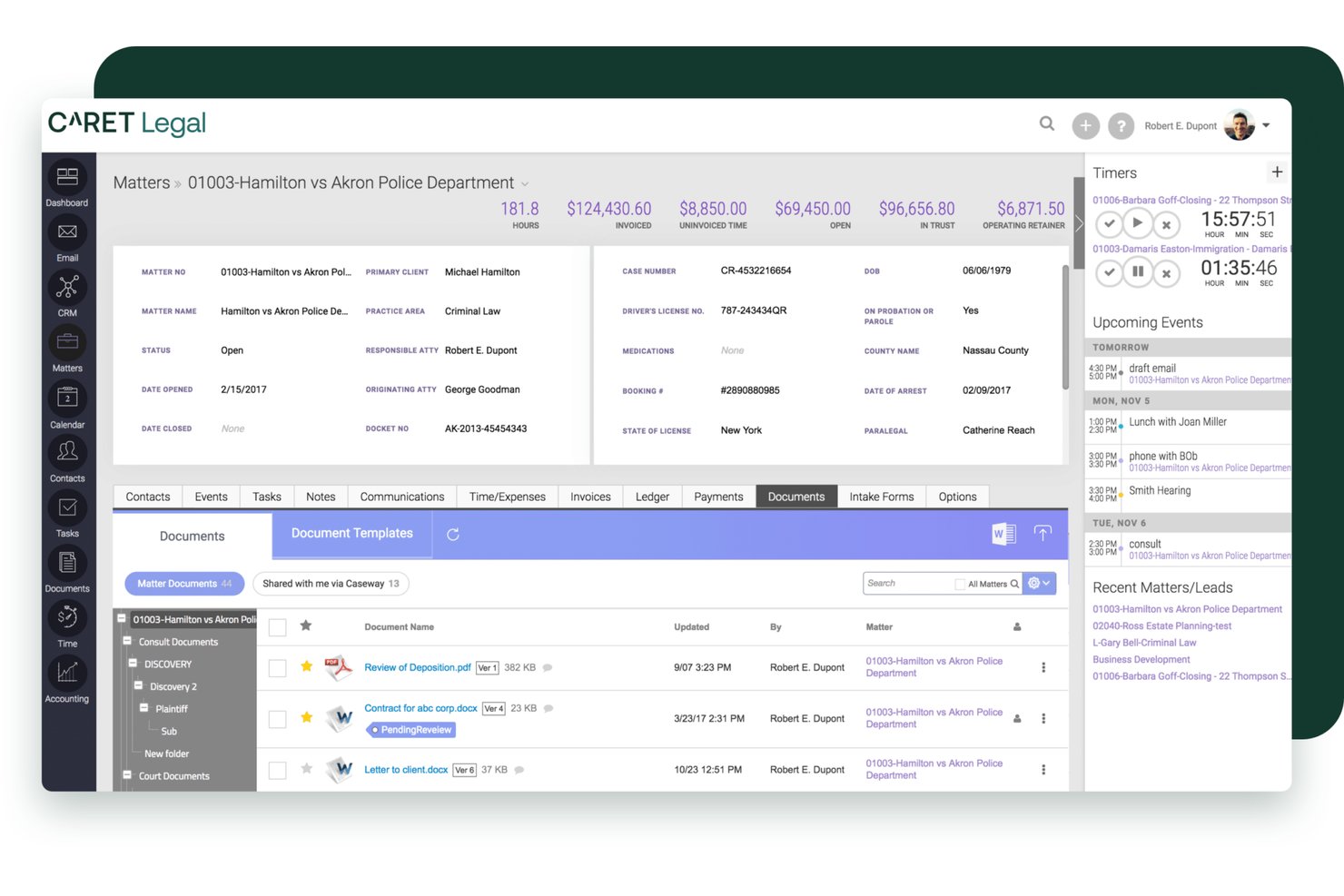
CARET Legal is a cloud-based legal practice management platform built for small to mid-sized law firms that need matter management, trust accounting, LEDES billing, and client payment processing in one place.
Who Is CARET Legal Best For?
It's a strong fit for small and mid-sized law firm billing administrators who manage trust accounts, client invoicing, and payment collection within a single platform.
Why CARET Legal Is a Good LawPay Alternative
I've included CARET Legal in my top picks because CARET Pay is woven directly into the practice management platform, not added as a separate tool. When a client pays a retainer through the branded client portal, it routes straight into trust accounting without manual reconciliation. I also like that credit card, ACH, and e-check payments tie natively to matter billing and LEDES invoicing, so payments and legal financials stay connected from the start.
CARET Legal Key Features
- Native document management: Store, organize, and edit documents directly within each client matter.
- Bi-directional calendar sync: Connect your Microsoft 365 or Google Workspace account for real-time calendar updates.
- Automated workflow templates: Build repeatable legal process templates for case intake, discovery, or document deadlines.
- LEDES invoice generation: Produce invoices in LEDES format to meet client and e-billing compliance requirements.
CARET Legal Integrations
CARET Legal offers native integrations with QuickBooks Online, Microsoft 365, Google Workspace, NetDocuments, HotDocs, Lawmatics, and LawToolBox. An API is available for custom integrations.
Pros and Cons
Pros:
- Supports LEDES invoicing for e-billing compliance
- Branded client portal for online payments
- Trust accounting built into billing workflow
Cons:
- Mobile app has limited payment functionality
- Overkill for firms needing payments only

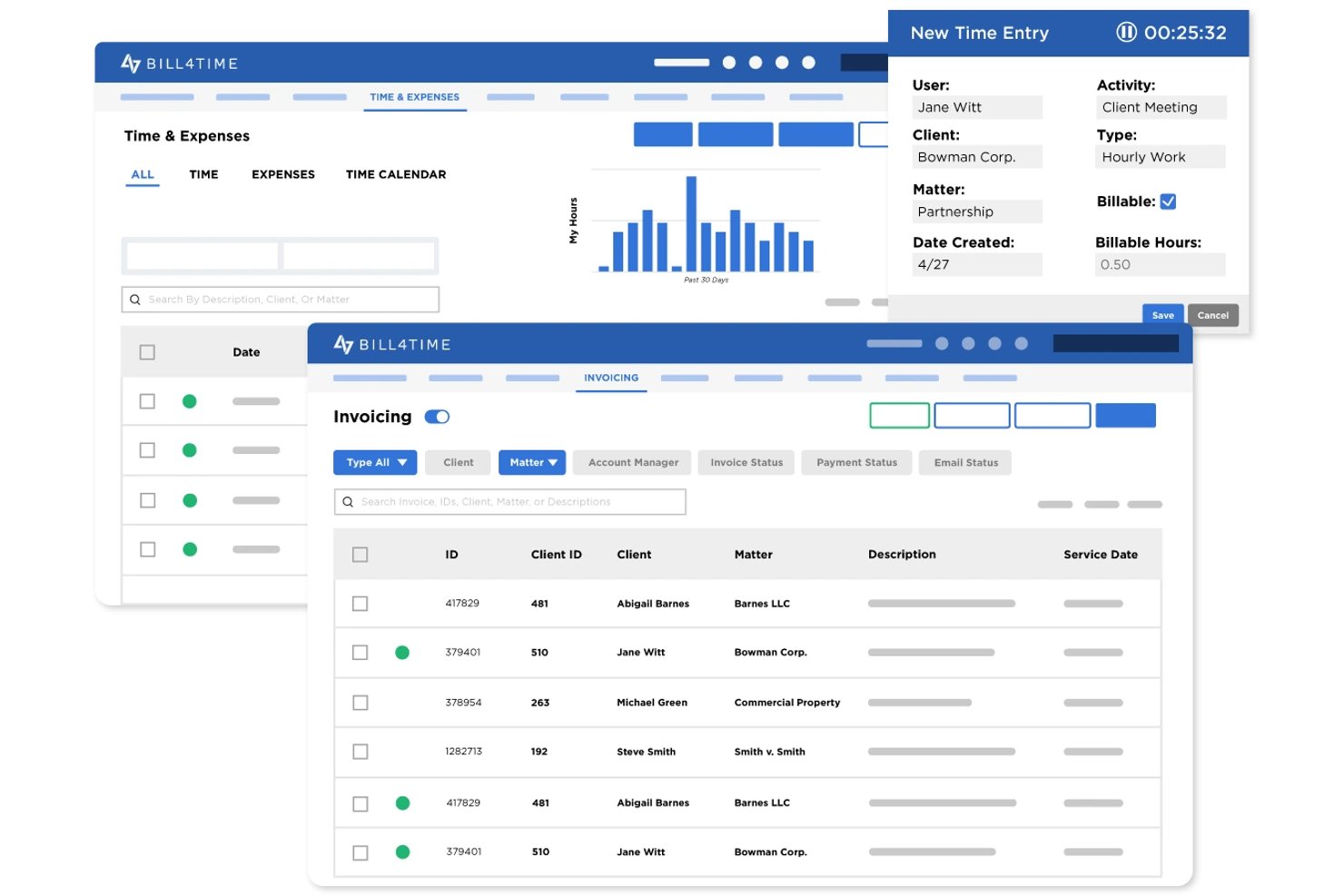
Bill4Time is a cloud-based time tracking, billing, and payments platform built specifically for law firms that want to consolidate invoicing, trust accounting, and client payment collection in one place.
Who Is Bill4Time Best For?
Bill4Time is a strong fit for solo attorneys and small law firms that need legal-specific billing, trust accounting, and client payments without juggling multiple tools.
Why Bill4Time Is a Good LawPay Alternative
I've included Bill4Time in my top picks because it handles the full billing cycle that LawPay leaves unaddressed. I particularly like that it supports hourly, flat fee, and contingency billing within the same matter, which is rare. Its LEDES export and UTBMS code set are built directly into the Legal Pro plan, so submitting electronic invoices to insurance carriers or corporate clients doesn't require a separate workaround.
Bill4Time Key Features
- Trust accounting automation: Enforces separation of earned and unearned funds and supports three-way reconciliation.
- Client portal: Lets clients securely view invoices, share documents, and make online payments.
- Conflict checker: Built-in tool to screen for client and matter conflicts before engagement.
- QuickBooks integration: Syncs time entries, invoices, and payment data directly with QuickBooks for accounting.
Bill4Time Integrations
Bill4Time offers native integrations with QuickBooks, NetDocuments, Box, and Google Calendar. An API is available for custom integrations.
Pros and Cons
Pros:
- Handles full billing cycle beyond payments
- Three-way trust account reconciliation built in
- Built-in LEDES billing and UTBMS codes
Cons:
- Reporting customization is limited
- Mobile app lacks full desktop functionality

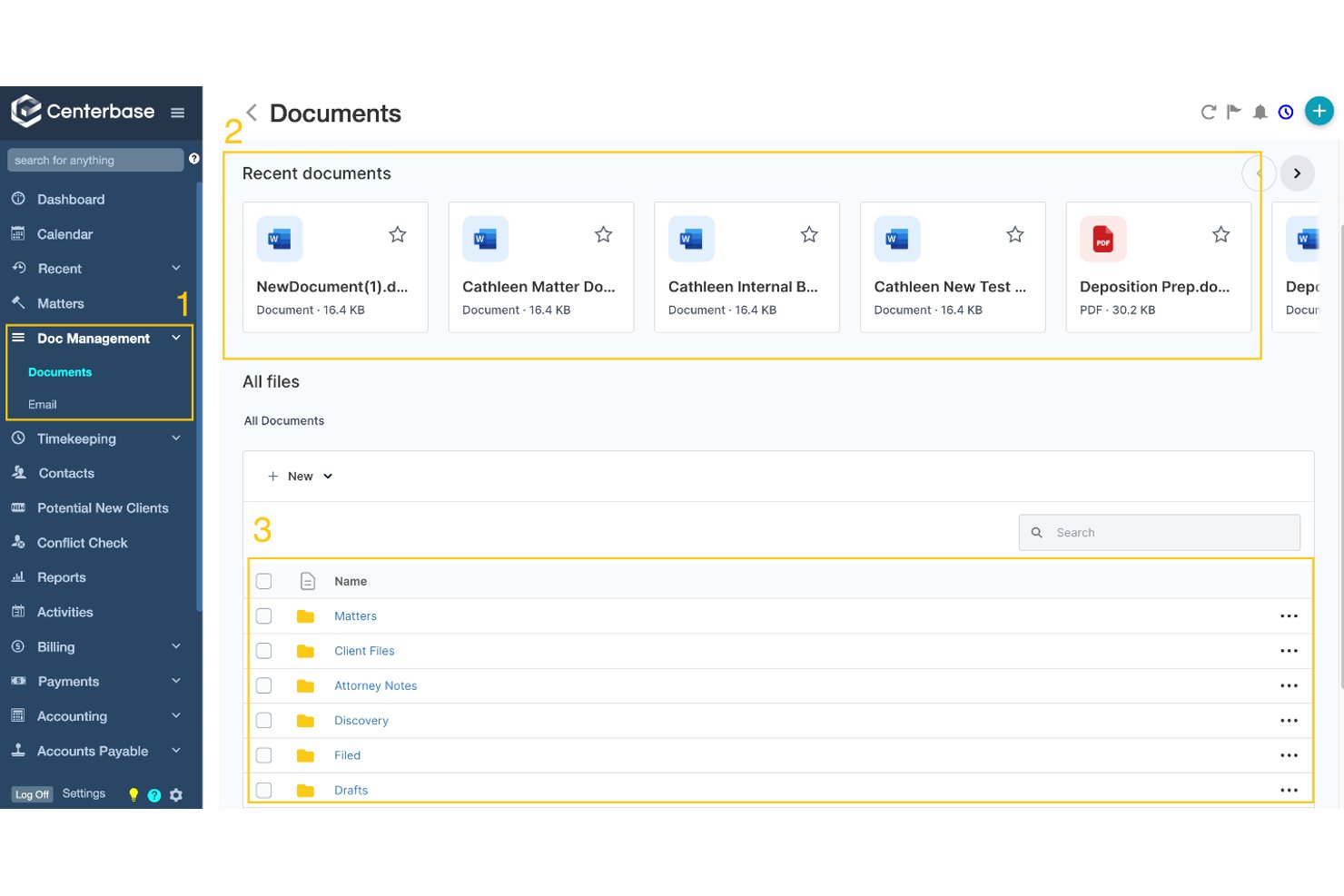
Centerbase is a legal practice management platform built for midsized law firms that need native trust accounting, configurable billing workflows, and embedded payment processing — all without stitching together separate tools.
Who Is Centerbase Best For?
Centerbase is a strong fit for midsized law firms whose billing administrators and firm managers need highly configurable billing and trust accounting in a single platform.
Why Centerbase Is a Good LawPay Alternative
I picked Centerbase as one of the best because its billing workflow configurability goes beyond what a standalone payment processor can offer. I particularly like the ePreBill review feature, which routes pre-bills electronically up an approval chain before anything reaches the client. What really sets it apart: Centerbase is the only billing system that processes retainers and fee payments in a single credit card transaction, then automatically allocates funds to the correct trust or operating account.
Centerbase Key Features
- Automated time capture: Tracks billable hours passively across Outlook and Word without manual entry.
- Integrated document management: Lets you manage and store client documents within the same cloud platform.
- Multi-payor invoice support: Enables firms to allocate payments among multiple responsible parties on a single matter.
- Native trust accounting: Handles trust deposits, safeguards against commingling, and supports compliant reconciliation workflows.
Centerbase Integrations
Centerbase offers native integrations with QuickBooks Online, NetDocuments, iManage, LawToolBox, Plaid, LawPay, and has integrations across the Microsoft ecosystem including Microsoft 365 and Outlook. An API is available for custom integrations.
Pros and Cons
Pros:
- Native three-way trust account reconciliation
- Built-in ePreBill routing before client delivery
- Single transaction handles retainers and fees
Cons:
- Steep initial setup for billing configuration
- Designed for midsized firms, not solos

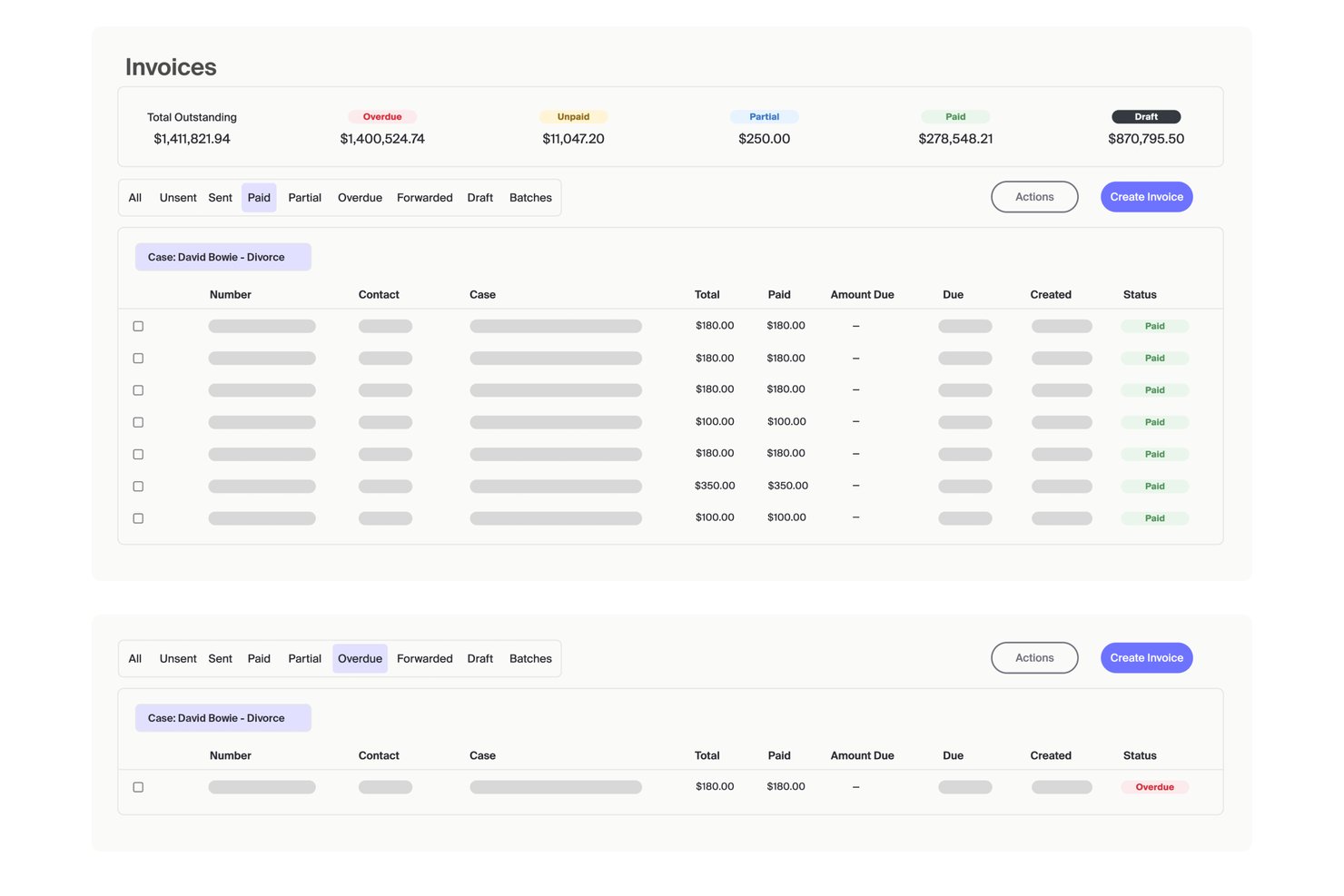
MyCase is a legal practice management platform for solo attorneys and small law firms that combines case management, client communication, and built-in billing and payments — all in one place.
Who Is MyCase Best For?
MyCase is a strong fit for small law firms and solo practitioners who want to manage cases, billing, and client payments without juggling multiple tools.
Why MyCase Is a Good LawPay Alternative
I've included MyCase in my top picks because it handles IOLTA trust accounting at a level that most standalone payment processors don't touch. The trust-by-case ledger tracks client funds separately from earned fees, and the three-way trust reconciliation (available via the MyCase Accounting add-on) gives billing administrators a clear audit trail. Clients can pay invoices directly through the client portal using credit card, eCheck, or Affirm PayLater installment plans.
MyCase Key Features
- Client portal: Clients can view invoices, share documents, and communicate securely with the firm online.
- Automated workflows: Build processes to trigger tasks, forms, or reminders when case milestones are reached.
- Document management: Store, organize, and access case files and templates in one searchable repository.
- Legal CRM integration: Connect intake forms and lead tracking directly to case creation and matter management.
MyCase Integrations
MyCase offers native integrations with LawPay, QuickBooks, Gmail, Outlook, Dropbox, NetDocuments, Zapier, and Lawmatics. An API is available for custom integrations.
Pros and Cons
Pros:
- Supports Affirm installment payment plans
- Clients pay invoices via secure portal
- Built-in IOLTA trust accounting included
Cons:
- Mobile app limits billing functionality
- Full accounting requires a paid add-on

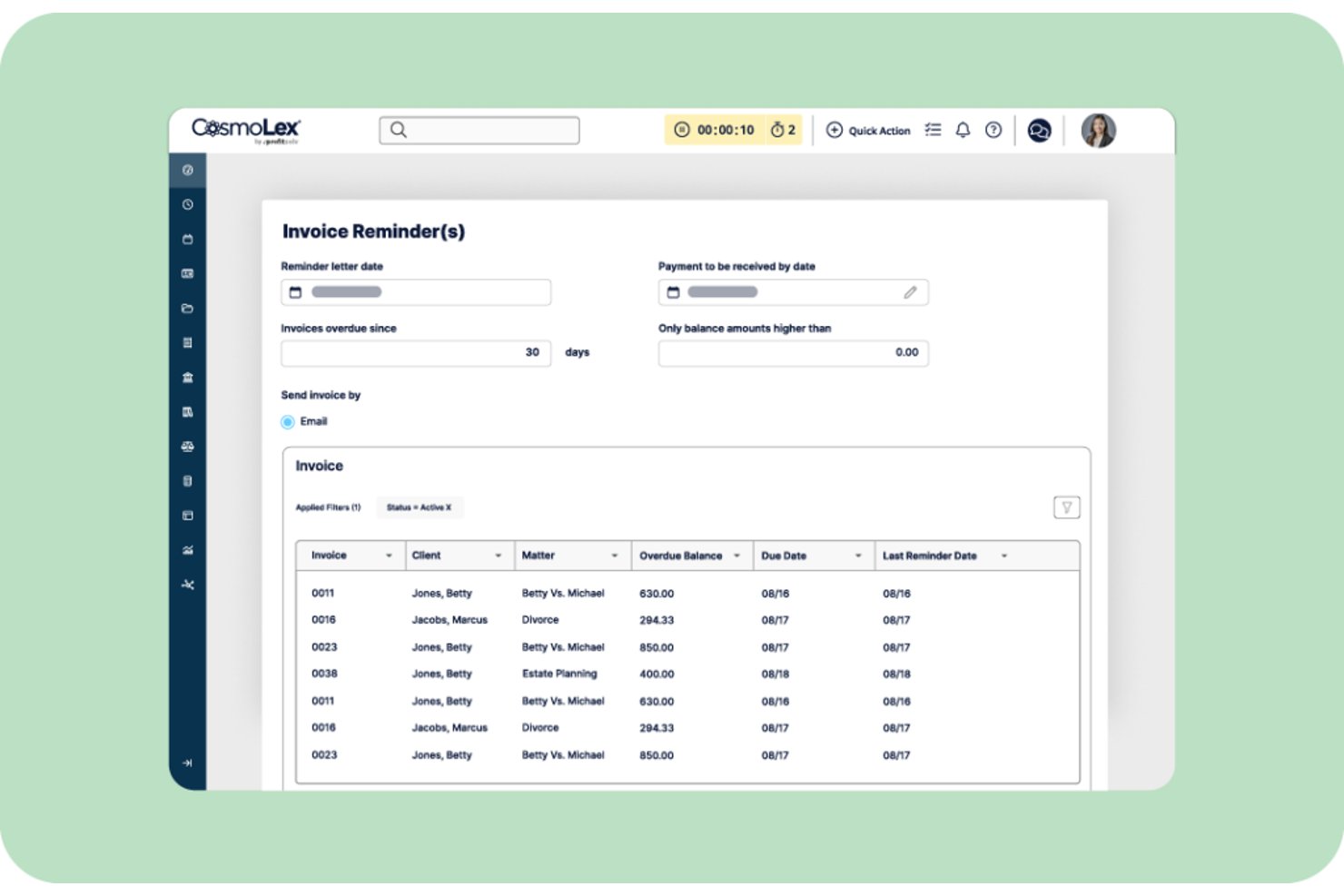
CosmoLex is a cloud-based practice management platform built for solo and small law firms that handles trust accounting, billing, and client payments natively, without relying on a separate payment processor.
Who Is CosmoLex Best For?
CosmoLex is a strong fit for solo attorneys and small firm billing administrators who need trust accounting and client payments managed in one place without separate accounting software.
Why CosmoLex Is a Good LawPay Alternative
I picked CosmoLex as one of the best because its trust accounting module genuinely sets it apart. Every client gets their own trust ledger, and three-way reconciliation (bank statement, trust ledger, and individual client ledgers) runs automatically. CosmoLexPay routes payments directly to the correct trust or operating account at the point of collection, which removes the compliance risk that comes with manually splitting funds after the fact.
CosmoLex Key Features
- Client portal: Give clients secure access to invoices, documents, and payment links online.
- Integrated document management: Organize, store, and share matter-related files within each case.
- LEDES and split billing: Generate LEDES-compliant invoices and allocate fees across multiple clients or payers.
- Automated compliance reporting: Generate audit-ready reports for trust accounts and firm finances with preset legal templates.
CosmoLex Integrations
CosmoLex offers native integrations with QuickBooks Online, Microsoft 365, NetDocuments, LawPay, Dropbox, Google Calendar, and Zapier. An API is available for custom integrations.
Pros and Cons
Pros:
- Card-on-file storage for retainer replenishment
- Built-in e-signature for engagement letters
- Full practice management included beyond payments
Cons:
- Mobile access options are limited
- Not a standalone payment processor

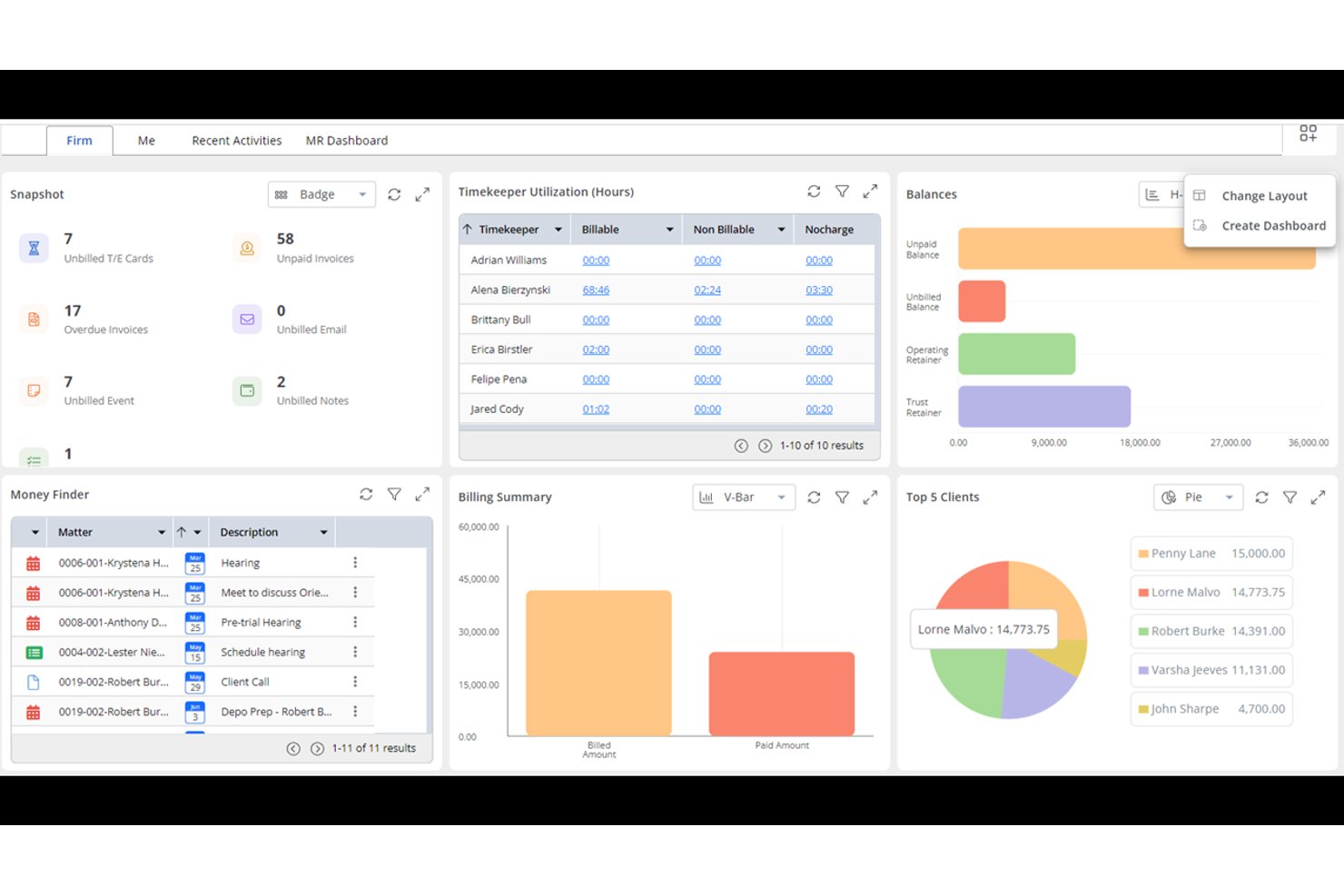
Rocket Matter is a legal practice management platform with a built-in payment processor designed to replace LawPay, handling trust-compliant billing, invoicing, and client payments inside a single system built for law firms.
Who Is Rocket Matter Best For?
Solo attorneys and small to mid-sized law firms that want to manage billing, payments, and matters in one platform rather than juggling separate tools.
Why Rocket Matter Is a Good LawPay Alternative
I picked Rocket Matter for my shortlist because of how it handles automated payment plans specifically. Store a client's card on file, set the billing schedule, and Rocket Matter charges automatically without any manual follow-up needed. I also appreciate the evergreen retainer feature: when a retainer balance drops below a set threshold, the platform replenishes it automatically from the stored payment method.
Rocket Matter Key Features
- Trust accounting automation: The platform automatically separates client funds, tracks trust transactions, and blocks processing fees from trust accounts.
- LEDES and split billing: Generate invoices with LEDES codes and split billing among multiple parties or funding sources.
- Document management and e-signature: Store, edit, and share legal documents securely with built-in e-signature to complete engagement agreements.
- QuickBooks Online integration: Sync invoices, payments, and client data with QuickBooks Online for unified legal accounting.
Rocket Matter Integrations
Rocket Matter offers native integrations with QuickBooks Online, NetDocuments, Microsoft 365, Dropbox, Box, LawToolBox, and Google Calendar. An API is also available for custom integrations.
Pros and Cons
Pros:
- LEDES billing codes built into invoicing
- IOLTA trust accounting with three-way reconciliation
- Automated retainer replenishment when balance drops
Cons:
- Mobile app has limited payment functionality
- Overkill for firms only needing payments

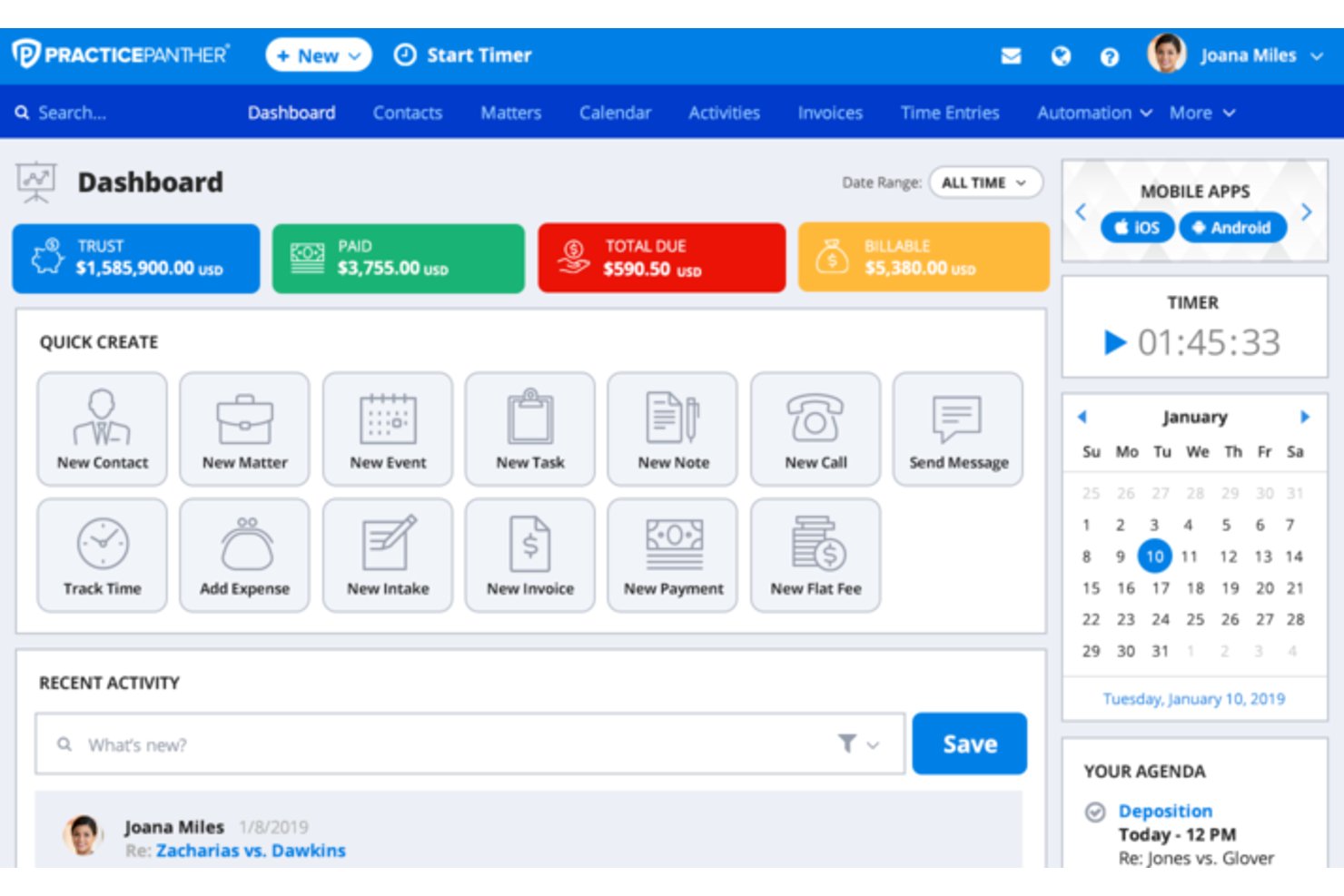
PracticePanther is a cloud-based law practice management platform for solo attorneys and small firms that combines legal billing, trust accounting, client intake, and payment processing in one place.
Who Is PracticePanther Best For?
It's a strong fit for solo attorneys and small firm billing administrators who need a single platform to handle time tracking, invoicing, and trust accounting without juggling separate tools.
Why PracticePanther Is a Good LawPay Alternative
I picked PracticePanther because of how much of the billing cycle it automates end to end. I particularly like the automated payment reminders and recurring payment plans, which remove the manual follow-up that bogs down so many small firms. On top of that, LEDES billing and invoice read alerts give billing administrators real visibility into where each invoice stands without chasing clients down.
PracticePanther Key Features
- Matter-centric workflows: Customize legal task and calendar flows around each case, from start to finish.
- Integrated trust and operating accounting: Keep trust deposits and earned fees separated with built-in accounting tools.
- Native eSignature for engagement letters: Send, track, and store signed agreements directly within the platform.
- Two-way business texting: Communicate and archive client messages securely from a dedicated business SMS line.
PracticePanther Integrations
PracticePanther offers native integrations with QuickBooks Online, Google Workspace, Microsoft 365, Dropbox, MailChimp, LawPay, Box, and Zapier. An API is available for custom integrations.
Pros and Cons
Pros:
- LEDES billing codes included natively
- Built-in IOLTA trust accounting compliance
- Automates invoicing, reminders, and recurring payments
Cons:
- Mobile app has limited billing functionality
- Reporting lacks depth for larger firms
New Product Updates from PracticePanther

PantherAccounting Plus Unveiled
PracticePanther launches PantherAccounting Plus, enhancing financial management for law firms. It enables law firms to manage trust and operating accounting directly within the platform. For more information, visit PracticePanther's official site.
 .
.
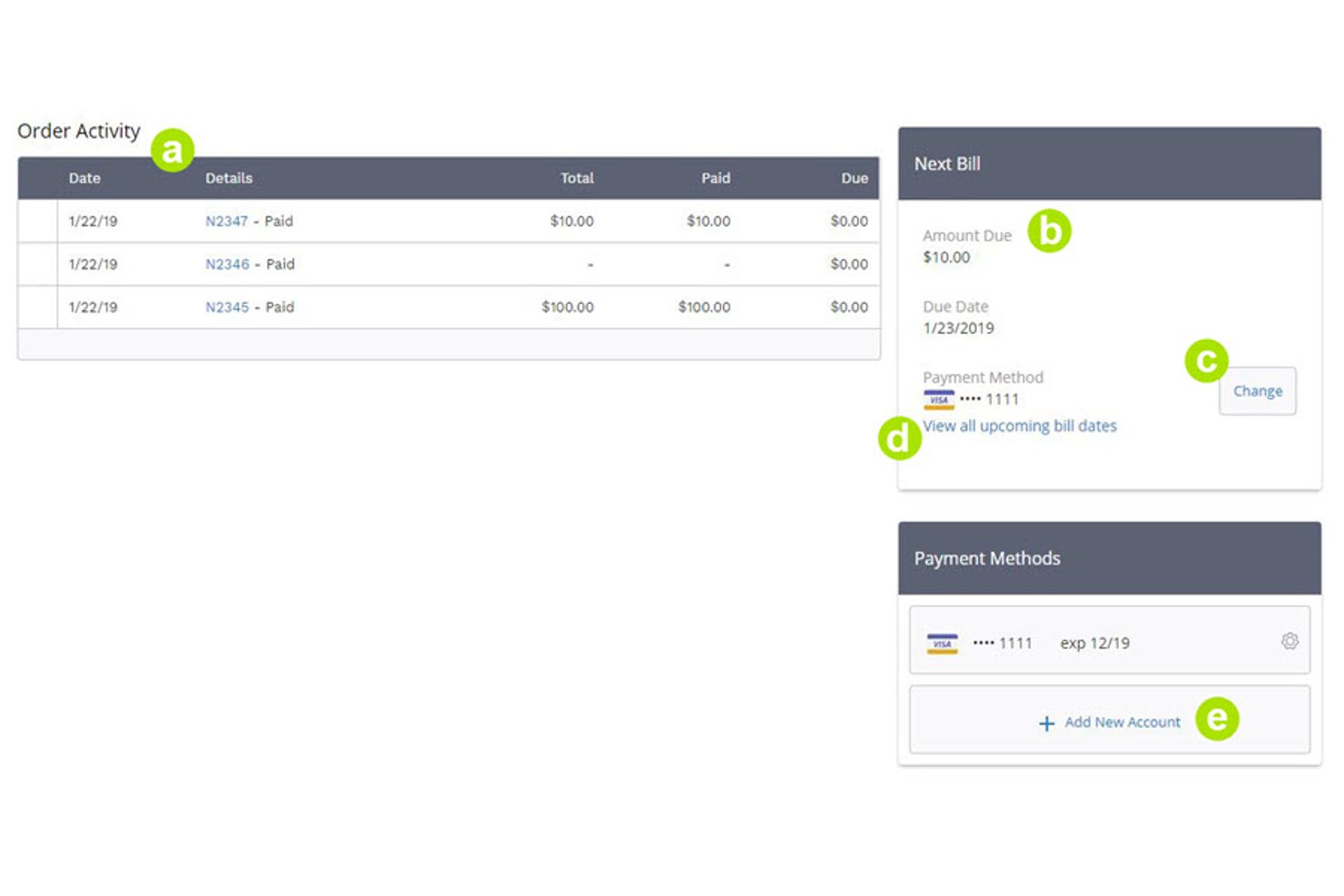
PaySimple is a cloud-based payment platform built for service-based businesses that need to automate recurring billing, collect payments online or in person, and reduce the manual work of chasing client invoices.
Who Is PaySimple Best For?
PaySimple is a good fit for small service-based businesses that bill clients on a recurring schedule and want to automate payment collection without managing it manually.
Why PaySimple Is a Good LawPay Alternative
I've included PaySimple in my top picks because its recurring billing engine is one of the more dependable I've tested. You store client payment info once, set a billing schedule, and PaySimple handles every subsequent charge automatically. I also like that clients can self-manage payment methods through the customer portal, which cuts down on the back-and-forth when a card expires.
PaySimple Key Features
- Customer portal: Clients can access a secure portal to view invoices, manage payment methods, and make payments online.
- Integrated payment forms: Embed PCI-compliant payment forms on your website to accept credit card and ACH payments.
- Automated email invoicing: Send electronic invoices and payment reminders directly to clients from the platform.
- Reporting and analytics: Monitor transaction histories and payment activity with built-in financial reporting tools.
PaySimple Integrations
PaySimple offers native integrations with QuickBooks and Salesforce. An API is available for custom integrations.
Pros and Cons
Pros:
- Accepts both ACH and credit card payments
- Clients can self-manage payment methods and invoices
- Recurring billing automation works without manual intervention
Cons:
- Not built specifically for law firm billing
- No IOLTA trust account compliance features
Other LawPay Alternatives
Here are some additional LawPay alternatives options that didn’t make it onto my shortlist, but are still worth checking out:
- LeanLaw
For QuickBooks legal billing
- Headnote
For legal payments and AR management
- EBizCharge
For integrated card and ACH payments
- Soluno
For legal accounting and billing
- PDCflow
For payment authorization workflows


How I Evaluate LawPay Alternatives
I split my evaluation into core functionality—what every LawPay alternative must offer, like IOLTA-compliant trust handling—and differentiators I look for beyond that. Core sets the baseline; differentiators reveal where platforms diverge.
Core Functionality (Table Stakes For This List)
When I'm selecting tools for my list, I rank each one on a scale from 0 (does not offer the functionality) to 5 (excels in this area) for each core functionality listed below. Then, I calculate the tool's total score into a percentage. Each tool needs to achieve a minimum total score of 65% to be considered for inclusion.
- IOLTA Trust Compliance: I check whether the platform separates trust deposits from earned fees and prevents processing fees from hitting trust accounts—a common compliance pitfall.
- Legal Payment Processing: Each tool should accept credit cards, debit cards, and ACH/eCheck payments with routing configured for both operating and trust accounts.
- Invoicing & Payment Links: I look for invoice generation with shareable payment links or hosted pages, so clients can pay directly from the invoice without extra steps.
- Practice Management Integrations: The platform should connect with tools firms already use, like Clio, MyCase, PracticePanther, or QuickBooks, to sync invoices and matter data.
- Surcharging & Fee Handling: I evaluate whether the tool supports compliant surcharging or convenience fees, giving firms flexibility in how they handle processing costs.
- Recurring Billing & Payment Plans: Firms doing retainer-based or installment work need scheduled charges and structured payment plans, so I look for automation in this area.
Once I have a list of tools that meet the criteria, I consider what sets each platform apart.
Differentiating Factors (What Sets Vendors Apart)
Here's how I compare and contrast different vendors:
Standout Features
Trust accounting automation is a big differentiator. I look for three-way reconciliation and built-in safeguards against commingling, since manual trust management is where compliance risks pile up. Surcharge and fee absorption options also matter—firms want the flexibility to pass processing costs to clients or absorb them, depending on bar rules. I also evaluate whether a platform offers built-in client intake with e-signatures, which eliminates the need for separate tools when onboarding new matters.
Beyond Features
Bar association endorsements carry real weight—I check whether a platform has documented approvals for handling trust funds, since that signals a vendor's commitment to ethics compliance. Pricing structure also matters a lot. Some platforms use interchange-plus models while others offer flat rates, and hidden costs like early termination fees can add up fast. I also evaluate firm size and practice area fit, because a solo immigration attorney and a mid-size personal injury firm have very different needs around permissions, settlement disbursements, and billing workflows.
Why Look For a Lawpay Alternative?
While LawPay is a good choice of lawpay alternatives, there are a number of reasons why some users seek out alternative solutions. You might be looking for a lawpay alternatives because…
- Needing lower processing fees for high transaction volumes
- Wanting more native integrations with practice management platforms
- Requiring advanced trust accounting automation features
- Looking for more flexible surcharging and fee handling options
- Serving clients outside LawPay’s supported regions
- Seeking better customer support tailored to law firms
If any of these sound like you, you’ve come to the right place. My list contains several lawpay alternatives options that are better suited for teams facing these challenges with LawPay and looking for alternative solutions.
LawPay Key Features
Here are some of the key features of LawPay, to help you contrast and compare what alternative solutions offer:
- IOLTA trust compliance: Keeps client and firm funds separated with safeguards to meet trust account compliance requirements.
- Legal payment processing: Accepts credit card, debit card, and ACH payments configured for law firm billing and trust account needs.
- Payment links and hosted pages: Lets you generate secure, shareable payment links or branded payment pages for clients to pay online.
- Invoice integration: Connects with legal billing software so invoices automatically sync payments and reconciliations.
- Recurring billing and payment plans: Supports automated recurring charges and installment payment setups for ongoing or retainer-driven matters.
- Surcharging and convenience fees: Lets firms pass along credit card processing fees to clients, where allowed, or absorb costs within legal guidelines.
- Client account management: Provides client payment tracking, history, and reporting in a single dashboard built for law firms.
- Compliance automation: Automates audit trails, protects against commingling, and helps manage ABA and state bar fee handling rules.
- Practice management integrations: Works with leading legal practice management solutions such as Clio, MyCase, and PracticePanther for seamless data flow.
- PCI-compliant security: Ensures transactions meet industry standards by encrypting sensitive payment data and offering fraud monitoring tools.