Legal billing software integrations connect your billing platform to accounting software, practice management systems, and CRM tools—keeping financial data consistent without manual re-entry. In my experience, the right connections make a real difference in how your firm handles invoicing, client intake, and collections.
Knowing which integrations actually matter is harder than it sounds. This guide covers the seven most valuable integration categories and what I look for in each.
Why Integrate Legal Billing Software?
You should integrate legal billing software because manually syncing time entries, invoices, and payments across disconnected tools creates errors that cost your firm time and money. I've seen a single unsynced invoice lead to a client dispute that took longer to resolve than the original matter.
Here are the most common reasons legal teams connect their billing software to other tools:
- Eliminate duplicate data entry: Entering the same client or matter details in multiple systems is a known source of billing errors and compliance risks.
- Accelerate invoice turnaround: Automatic syncing between time tracking, billing, and accounting tools means invoices go out faster and with fewer corrections.
- Improve cash flow visibility: Connecting billing to payment processing and accounting software gives you a real-time view of outstanding balances and collected revenue.
- Centralize client data: Linking your CRM and intake tools to billing keeps client records consistent across every stage of the matter lifecycle.
- Support audit readiness: Integrated systems create a clean, traceable paper trail that simplifies trust accounting, compliance reviews, and financial reporting.
Most Common Integrations for Legal Billing Software
Choosing the right integrations for your legal billing software shapes how smoothly your team handles clients, finances, and documents. Here are the most common types of integrations I depend on to keep everything connected.
Legal Practice Management Software
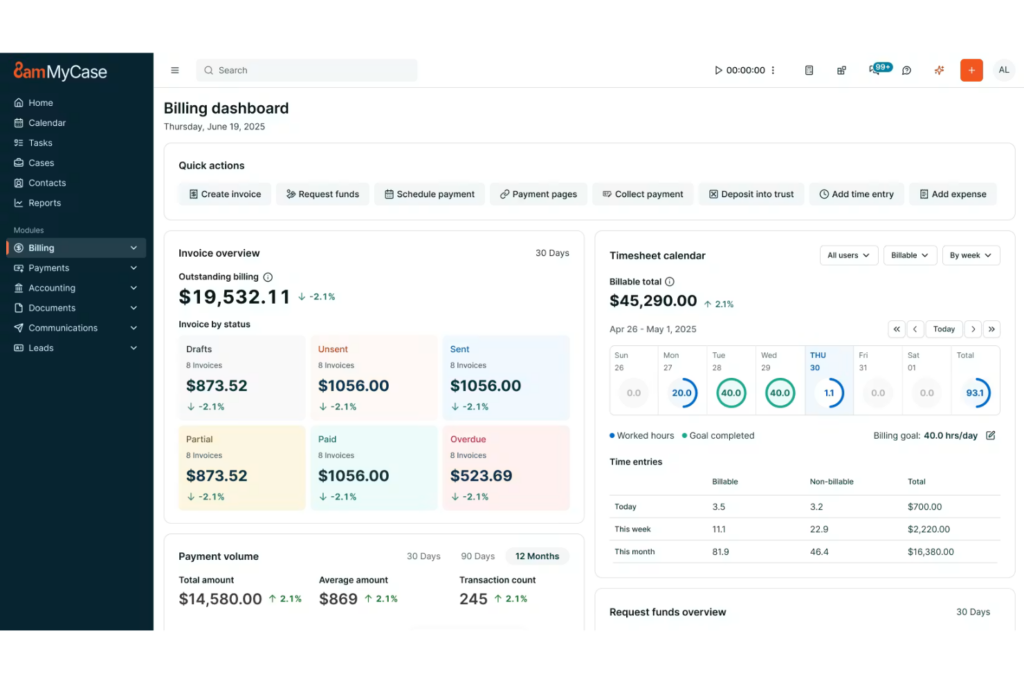
Integrating legal practice management software with your billing platform is, in my view, the most foundational connection you can make. Tools like Clio and MyCase sync matters, contacts, and time entries with billing, turning billable work into invoices without duplicate entry. I've found that this integration alone saves a significant amount of time in my monthly billing cycle.
Without it, you're exporting time entries from your practice management system and importing them into billing manually—a process that's tedious and introduces room for entries to get lost or miscategorized.
Here are the use cases I find most valuable when connecting legal practice management software to billing:
- Automatic time capture: Time entries logged against a matter in your practice management system push directly into billing, so nothing gets missed before an invoice goes out.
- Matter-based invoice generation: Billing pulls matter details, client information, and activity codes directly from your practice management system, eliminating redundant data entry.
- Trust accounting sync: Retainer deposits and trust ledger balances stay current across both systems, which is essential for compliance with professional responsibility rules.
- Deadline and billing milestone alignment: Linking matter timelines to billing triggers means you can set invoice reminders tied to case milestones rather than arbitrary calendar dates.
- Staff rate management: Billing rates assigned to timekeepers in your practice management system carry over automatically, so invoices always reflect the correct rates per matter or client agreement.
- Centralized matter reporting: When both systems share data, you can pull reports that show matter profitability alongside workload and deadlines—giving you a clearer picture of where your firm's time is actually going.

Accounting Software
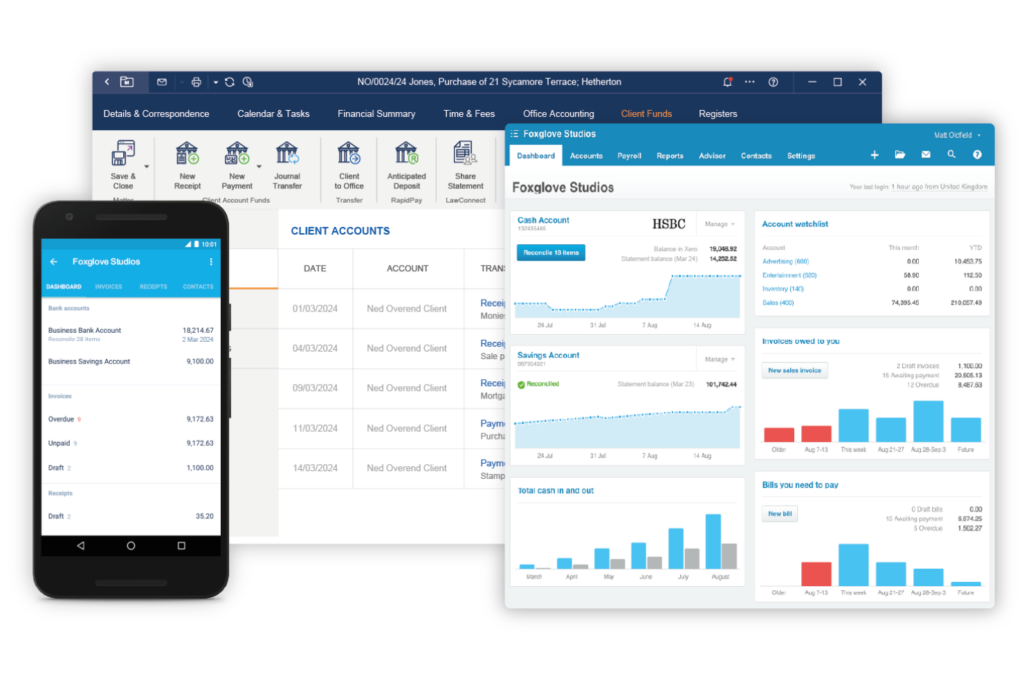
Connecting accounting software to your legal billing platform is the integration I'd prioritize second, right after practice management.
Tools like QuickBooks and Xero sync paid invoices, write-offs, and trust transactions directly with your firm’s accounting records. In my experience, this connection is what finally gives firm leadership a reliable view of financial performance without waiting on manual reconciliation at month-end.
Without it, your finance team is manually exporting invoice data from billing and re-entering it into the accounting system—a process that almost always results in timing discrepancies and reconciliation headaches come tax season.
Here are the use cases I find most valuable when connecting accounting software to legal billing:
- Automated invoice posting: Finalized invoices in your billing system post directly to your general ledger, eliminating the need to manually record receivables in your accounting platform.
- Payment reconciliation: Payments received through billing sync to your accounting software in real time, keeping your books current and reducing end-of-month reconciliation time.
- Trust account compliance: Trust deposits, disbursements, and transfers recorded in billing flow into dedicated ledger accounts in your accounting system, supporting IOLTA compliance and audit readiness.
- Expense tracking: Firm expenses recorded in accounting can be mapped back to specific matters in billing, giving you a clearer picture of true matter costs and profitability.
- Tax preparation support: When billing and accounting stay in sync throughout the year, generating accurate revenue reports and supporting schedules at tax time becomes significantly less painful.
- Write-off visibility: Invoice adjustments and write-offs recorded in billing reflect immediately in your accounting system, so your financial statements always show an accurate picture of collectible revenue.
CRM and Client Intake Software
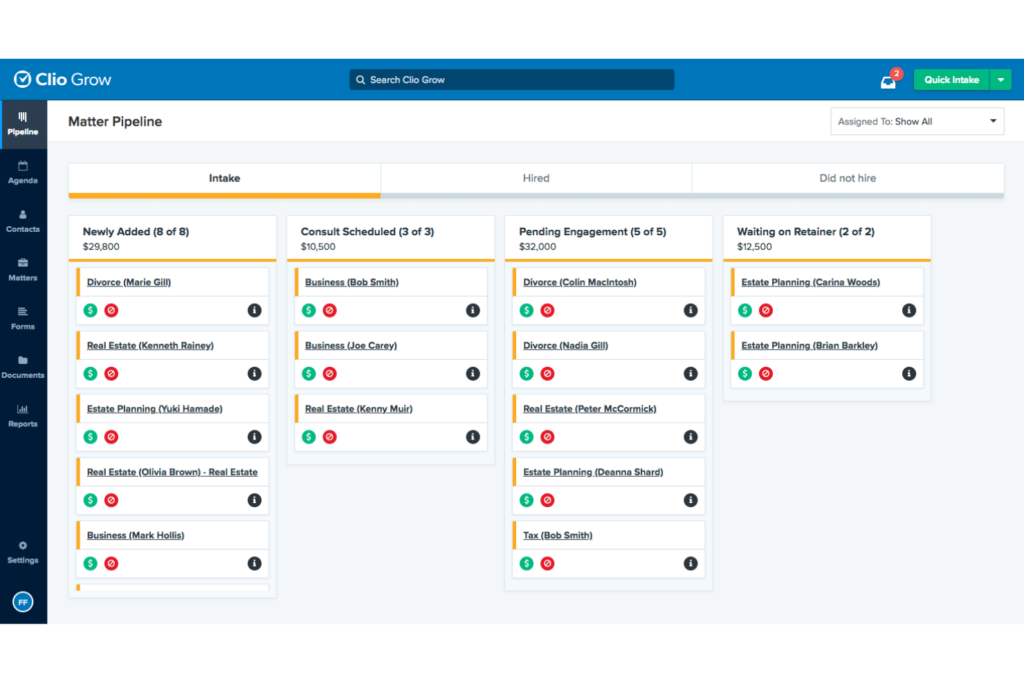
Integrating CRM and client intake software with your billing platform closes the gap between winning a client and billing them. Tools like Lawmatics and Clio Grow sync lead details, intake forms, and engagement records with billing, keeping client data accurate from the start.
I've found this integration especially valuable for high-volume practices where setting up new client billing profiles manually is a real bottleneck.
Without it, someone on your team is re-entering client contact details, billing preferences, and engagement terms from intake into your billing system by hand—and that's exactly where conflicting records and billing disputes tend to start.
Here are the use cases I find most valuable when connecting CRM and client intake software to legal billing:
- Automatic client profile creation: When a prospect converts to a client in your CRM, their contact details and billing preferences push directly into your billing system, so you're ready to invoice without any setup steps.
- Engagement letter sync: Fee arrangements and billing terms captured during intake carry over to billing automatically, reducing the risk of invoicing a client at the wrong rate or under the wrong fee structure.
- Conflict check alignment: Linking intake data to billing ensures new client and matter records are consistent across both systems, supporting more reliable conflict screening before work begins.
- Intake-to-invoice timeline tracking: With CRM and billing connected, you can track how long it takes from a signed engagement to a first invoice—useful data for identifying bottlenecks in your onboarding process.
- Retainer collection at intake: Some CRM and intake tools support payment collection before a matter opens, and integrating with billing means those initial retainer deposits are logged and applied without manual intervention.
- Client communication history: When CRM activity syncs with billing, you have a full picture of client interactions alongside their invoice and payment history—context that matters when following up on overdue accounts.
Document Management Software
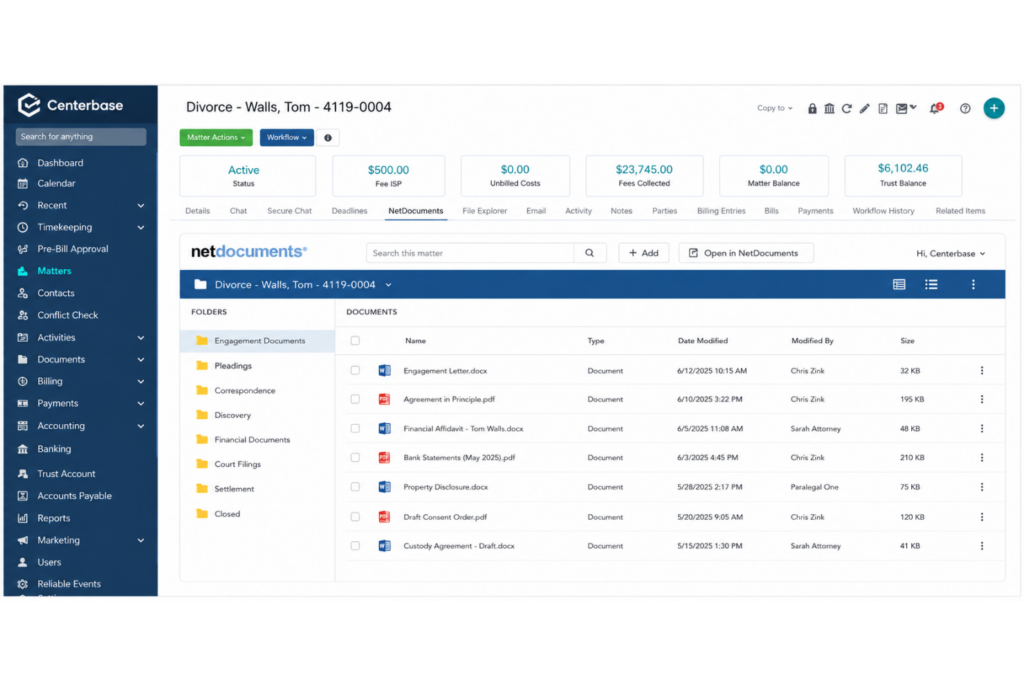
Connecting document management software to your billing platform is something I'd recommend for any firm where document-heavy work drives billable activity. Tools like NetDocuments and iManage connect matter documents with billing, making document-related time and activity easier to capture and bill.
For litigation teams especially, this integration keeps billing tied closely to the actual work product being produced.
Without it, attorneys are toggling between their document system and billing platform to manually log time spent drafting or reviewing files—and in a busy matter, those entries get forgotten or reconstructed at the end of the day with less precision than you'd want on a client invoice.
Here are the use cases I find most valuable when connecting document management software to legal billing:
- In-context time capture: Time spent drafting, reviewing, or revising documents can be logged directly from within your document management system, so billable activity is recorded at the moment it happens rather than reconstructed later.
- Matter-based document billing: When documents are organized by matter in your DMS, billing can pull that structure automatically—making it easier to associate specific document work with the correct client and matter code.
- Expense pass-through for document costs: Filing fees, court document retrieval costs, and third-party document services logged in your DMS can flow into billing as disbursements, keeping expense recovery accurate and timely.
- Engagement letter version tracking: When your executed engagement letters live in a connected DMS, billing can reference the correct fee arrangement tied to each matter—useful when clients have multiple active matters with different terms.
- Audit trail for billed document activity: A connected DMS gives you a verifiable record of document access and edits that corresponds to billed time entries, which is valuable if a client disputes a charge.
- Template-driven invoice attachments: Some DMS integrations allow you to automatically attach relevant documents—like court orders or executed agreements—to outgoing invoices, giving clients the context they need to approve and pay without back-and-forth.
Email Filing Management Software
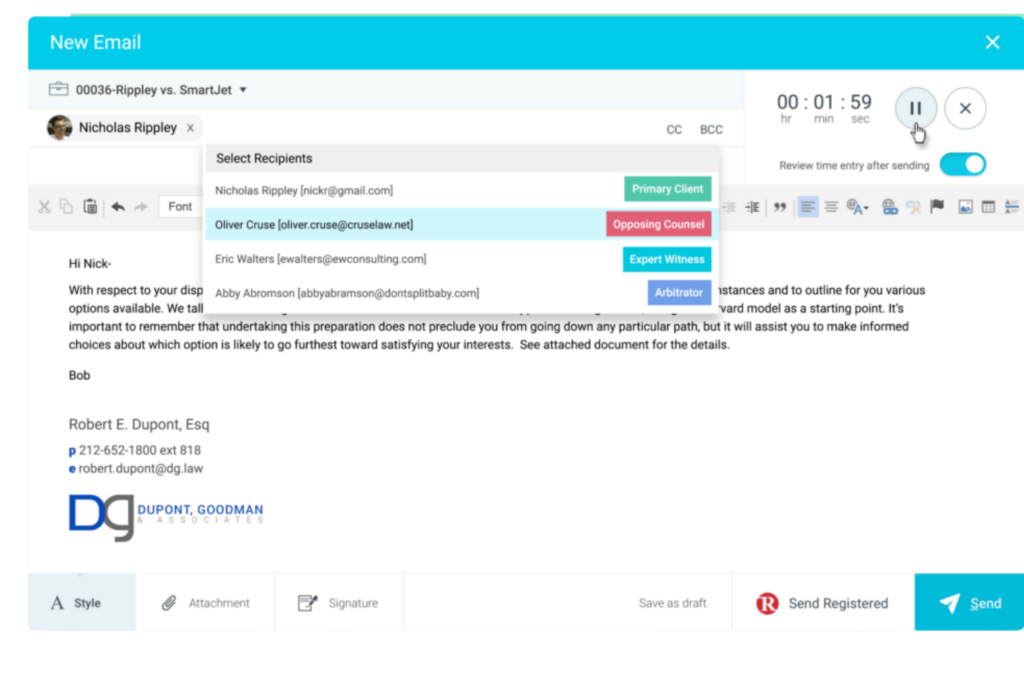
Email filing management software organizes client correspondence by matter, making it easier to capture billable activity and maintain complete matter records.
Tools that connect with Microsoft 365 or Google Workspace can link emails, calendar events, and attachments directly to the billing process.
When connected with legal billing software, these tools can capture billable time from correspondence and meetings while filing emails to the right matter for easier billing and recordkeeping.
Without this integration, attorneys may rely on memory or manual notes to reconstruct email and meeting activity at the end of the day. Even small gaps in time capture can lead to missed billable hours over time.
Here are the most useful ways email filing management software can connect with legal billing:
- Email-to-time-entry conversion: Sent and received emails can be converted into time entries directly from the inbox, capturing correspondence time as it occurs.
- Matter-based email filing: Client emails can be automatically filed under the correct matter, giving billing teams the context needed to categorize time accurately.
- Calendar-based time prompts: Meetings and calls can trigger billing reminders after an event ends, reducing missed time entries.
- Meeting duration billing: Calendar events can transfer meeting duration and attendee information into billing records for faster time entry creation.
- Attachment filing: Email attachments can be stored with the corresponding matter, keeping supporting documents connected to billing records.
- Billing activity review: Email, calendar, and billing activity can be compared by matter to identify work that may not have been recorded before invoices are finalized.
Legal E-Billing and Spend Management Software
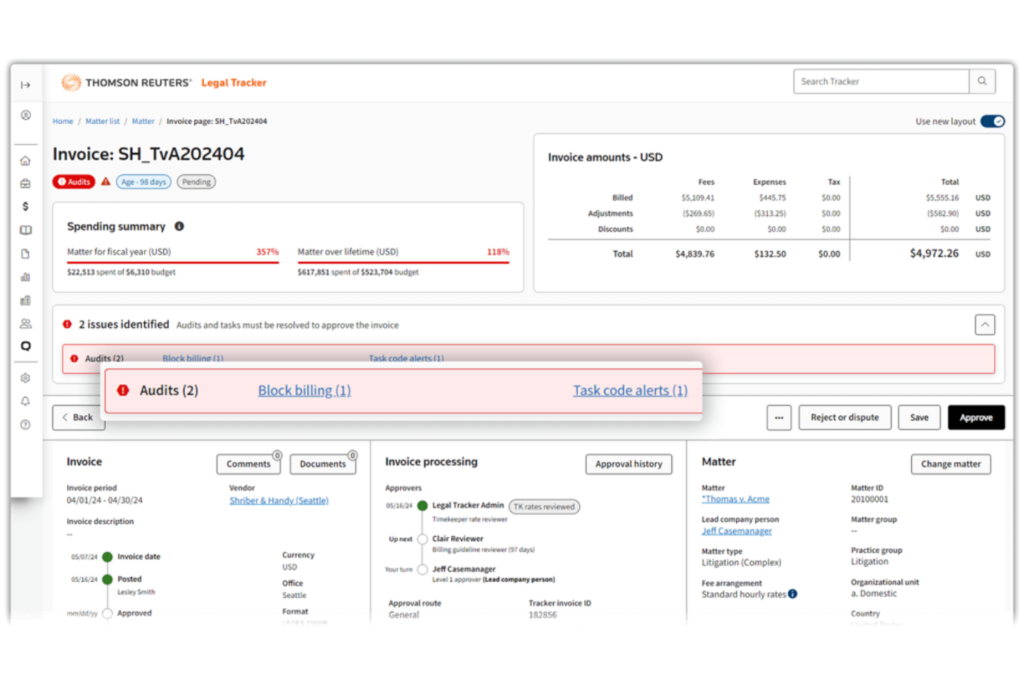
If your firm works with corporate clients, this integration is one you can't afford to skip. Platforms like SimpleLegal and BrightFlag are used by in-house legal teams to manage outside counsel invoices, enforce billing guidelines, and track legal spend across matters.
When your billing software connects directly to these platforms, invoices are submitted in the correct LEDES format automatically, billing guideline compliance is checked before submission, and rejection rates drop significantly.
I find this integration particularly valuable for firms with large corporate or insurance defense portfolios, where invoice rejections and write-downs can meaningfully affect realization rates.
Without it, your billing team is manually exporting invoices, reformatting them to meet each client's e-billing requirements, and uploading them to client portals one by one—a process that slows your billing cycle and creates real exposure to guideline violations that result in reduced payments.
Here are the use cases I find most valuable when connecting legal e-billing and spend management software to legal billing:
- Automated LEDES file generation: Invoices prepared in your billing system export in the correct LEDES format automatically, eliminating the manual formatting work that slows submission cycles and introduces errors.
- Billing guideline pre-screening: Before an invoice is submitted, your billing system can check line items against each client's outside counsel guidelines—flagging non-compliant entries for review before they reach the client's e-billing platform and trigger a rejection.
- Real-time invoice status tracking: When billing and e-billing platforms are connected, your team can see whether a submitted invoice is under review, flagged, or approved without logging into each client portal separately.
- Write-down and adjustment reconciliation: When a client's spend management platform partially approves or reduces an invoice, those adjustments sync back to your billing system automatically, keeping your realization data accurate without manual corrections.
- Budget and matter-level spend visibility: Integrating spend management data with billing gives your team a live view of fees billed against agreed matter budgets, so you can flag overruns before they create friction with the client.
- Timekeeper rate validation: Corporate clients often maintain approved timekeeper rate tables in their e-billing platforms, and a connected billing system can validate rates at the time entry level—catching rate discrepancies before they become disputed invoice line items.
Online Payment Processing Software
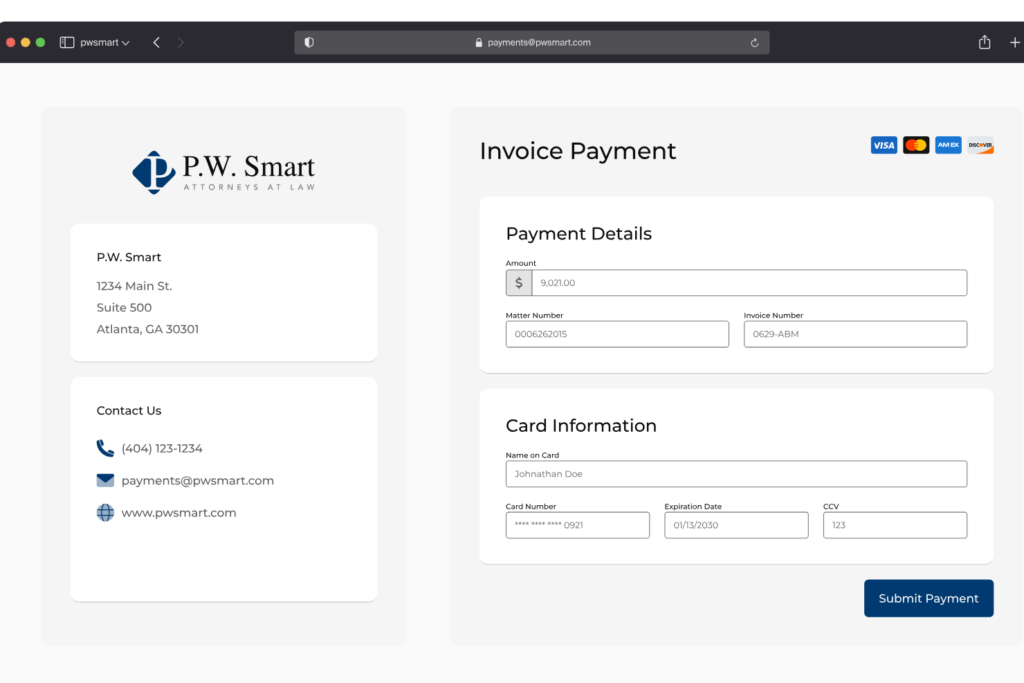
Getting paid faster starts with making it easy for clients to pay, and integrating online payment processing directly into your billing software is the most direct way to do that.
Tools like LawPay and Stripe, when connected to your billing platform, let clients pay invoices through an embedded link in the invoice itself—no portal login, no check in the mail.
What I find most valuable about this integration is the automatic reconciliation: when a payment processes, your billing system updates the matter balance immediately, and trust accounting rules are applied without any manual ledger entries from your team.
Without it, your billing team is manually recording payments received by check or wire, updating invoice statuses by hand, and periodically reconciling billing records against your bank account.
That process works, but it introduces lag between when a payment arrives and when your records reflect it—and in firms managing trust accounts, that lag creates real compliance exposure.
Here are the use cases I find most valuable when connecting online payment processing software to legal billing:
- Embedded invoice payment links: Clients receive an invoice with a direct payment link included, so they can pay by card or ACH without navigating a separate portal—reducing friction and shortening the time between invoice delivery and payment.
- Automatic trust account allocation: When a retainer payment processes, the funds are automatically posted to the correct trust ledger rather than requiring manual allocation, keeping your IOLTA accounting accurate and audit-ready.
- Real-time accounts receivable updates: Payments processed through your integrated platform update invoice status and outstanding balances immediately, so your AR reports reflect your actual position without a manual reconciliation step.
- Automated payment plan management: For clients on installment arrangements, scheduled payments can be processed and applied automatically on agreed dates, with billing records updated after each transaction without staff involvement.
- Retainer replenishment triggers: When a client's retainer balance drops below a defined threshold, your billing system can automatically request a replenishment payment—reducing the manual follow-up your billing team would otherwise handle.
- Refund and chargeback reconciliation: When a payment is reversed or disputed, a connected payment processor pushes that adjustment back to your billing system automatically, keeping your matter balances and trust ledger consistent without manual correction.
Common Integration Methods
Legal billing software typically connects to other platforms through native integrations built directly into the product, open APIs that your IT team or a developer configures, or middleware tools like Zapier that bridge systems without custom code.
In my experience, native integrations—like Clio's built-in connections to QuickBooks or LawPay—are the easiest to set up and maintain, while API-based integrations give you more control but require more technical lift upfront and occasional maintenance when either platform pushes a major update.
Use this table to compare the trade-offs of each integration method before deciding which approach fits your firm:
| Integration Method | Pros | Cons |
|---|---|---|
| Integration MethodNative integrations | ProsQuickest to set up; maintained by the vendor; minimal technical knowledge required | ConsLimited to the platforms the vendor supports; less flexibility to customize data flow |
| Integration MethodOpen APIs | ProsHighly customizable; can connect virtually any two systems; scales with complex workflows | ConsRequires developer resources; needs ongoing maintenance when platforms update |
| Integration MethodMiddleware tools (e.g., Zapier) | ProsNo-code setup; works across a wide range of platforms without developer help | ConsCan be slower to sync data; may hit limitations with complex or high-volume workflows |
More Articles
How To Choose the Right Integrations for Legal Billing Software
Use this table to evaluate which tools are worth connecting to your billing platform—and which ones can wait:
| Factor | What to Consider |
|---|---|
| FactorWorkflow fit | What to ConsiderAsk yourself where your team currently loses time or makes manual corrections in the billing process. The integrations worth prioritizing are the ones that eliminate a step your team is already doing by hand every day. If you're not sure, trace a single invoice from time entry to payment and note every system you touch. |
| FactorData sync reliability | What to ConsiderNot all integrations sync in real time—some batch-process updates on a schedule. For trust accounting and payment reconciliation, I'd treat real-time sync as a baseline requirement. For reporting or document management, delayed sync is usually acceptable. |
| FactorNative vs. third-party support | What to ConsiderCheck whether the integration is maintained by your billing software vendor or by a third-party connector. Native integrations tend to break less often after platform updates. If you're relying on middleware like Zapier, build in time to check that workflows are still running after major updates on either side. |
| FactorCompliance risk | What to ConsiderSome integrations touch client funds or confidential matter data, and those carry real compliance exposure if they're misconfigured. IOLTA-connected payment processing and e-billing platforms require especially careful setup. I'd involve your general counsel or compliance lead before go-live on anything that touches trust accounts. |
| FactorTotal cost | What to ConsiderLook beyond the subscription price of the integrated tool. Factor in implementation costs, any per-transaction fees (common with payment processors), and the staff time required for setup and ongoing maintenance. Some integrations that appear low-cost carry meaningful hidden overhead. |
| FactorVendor support quality | What to ConsiderWhen an integration breaks, you'll need both vendors to cooperate on the fix—and in my experience, that's where support quality really shows itself. Before committing, check community forums and reviews for how quickly each vendor responds to integration-related issues. |
| FactorScalability | What to ConsiderAn integration that works for a 10-person firm may not hold up as matter volume grows. If your firm is expanding, validate that the integration can handle your projected transaction or data volume without performance degradation or tier-based cost increases that make it uneconomical at scale. |
Best Practices for Implementing Legal Billing Software Integrations
Follow these steps to avoid the most common integration mistakes I've seen firms run into:
Map your workflow before you configure anything: Before touching a single setting, document exactly how data currently moves between your systems. Knowing where information originates, where it needs to land, and who touches it in between will save you from building an integration that automates the wrong process—or creates a new data conflict you didn't anticipate.
Test with real matter data in a sandbox environment: Generic test data rarely surfaces the edge cases that cause problems in production. I'd strongly recommend testing with a sample of actual matters—including ones with complex billing arrangements like contingency fees or split billing—before you go live. This is where most configuration errors show up.
Establish data ownership rules upfront: When two systems sync bidirectionally, you need a clear rule about which system is the source of truth for each data type. Without that, conflicting updates from both sides can overwrite each other. For legal billing specifically, I'd default to your billing platform as the source of truth for matter balances and time entries.
Involve your billing team in the setup process: The people who process invoices and manage trust accounts daily will catch workflow gaps that IT and firm leadership won't. In my experience, integrations that skip this step get reconfigured within six months once the billing team identifies what's not working in practice.
Schedule a quarterly integration audit: Platforms update frequently, and even well-configured integrations can degrade quietly after a software release on either side. Set a recurring calendar reminder to verify that data is syncing correctly, automated workflows are still firing, and any new features in either platform aren't creating conflicts with your existing setup.
Integrations Make Your Billing Software Work Harder
The right integrations turn your legal billing platform from an invoicing tool into the operational backbone of your practice—but getting there starts with understanding what your billing software can do on its own. If you're still building that foundation, exploring the benefits of legal billing software is a smart next step before layering on additional tools.